How to update my bank account?

Sep 24, 2026
6

🆕 You may now update your registered bank information for reimbursement (if applicable) directly in your Mednefits app by following the steps below:
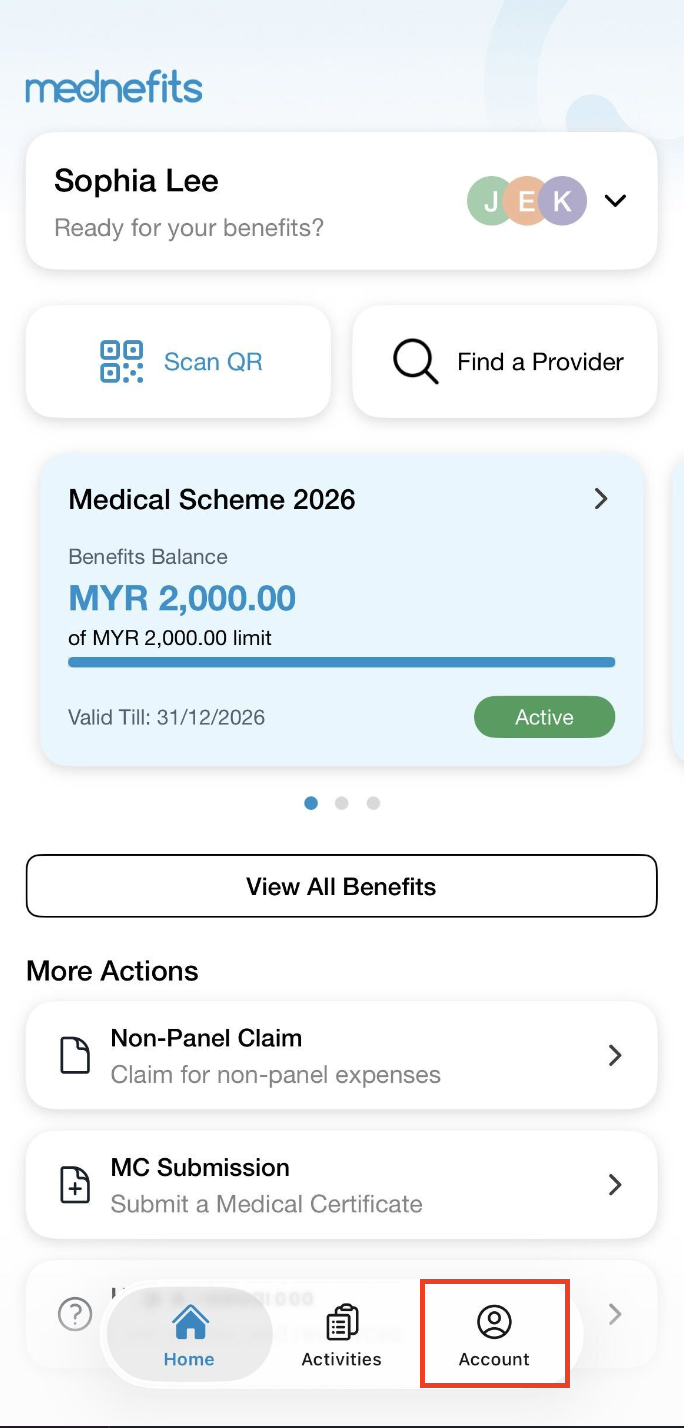
Step 1: On your homepage, click on Account from the bottom panel.
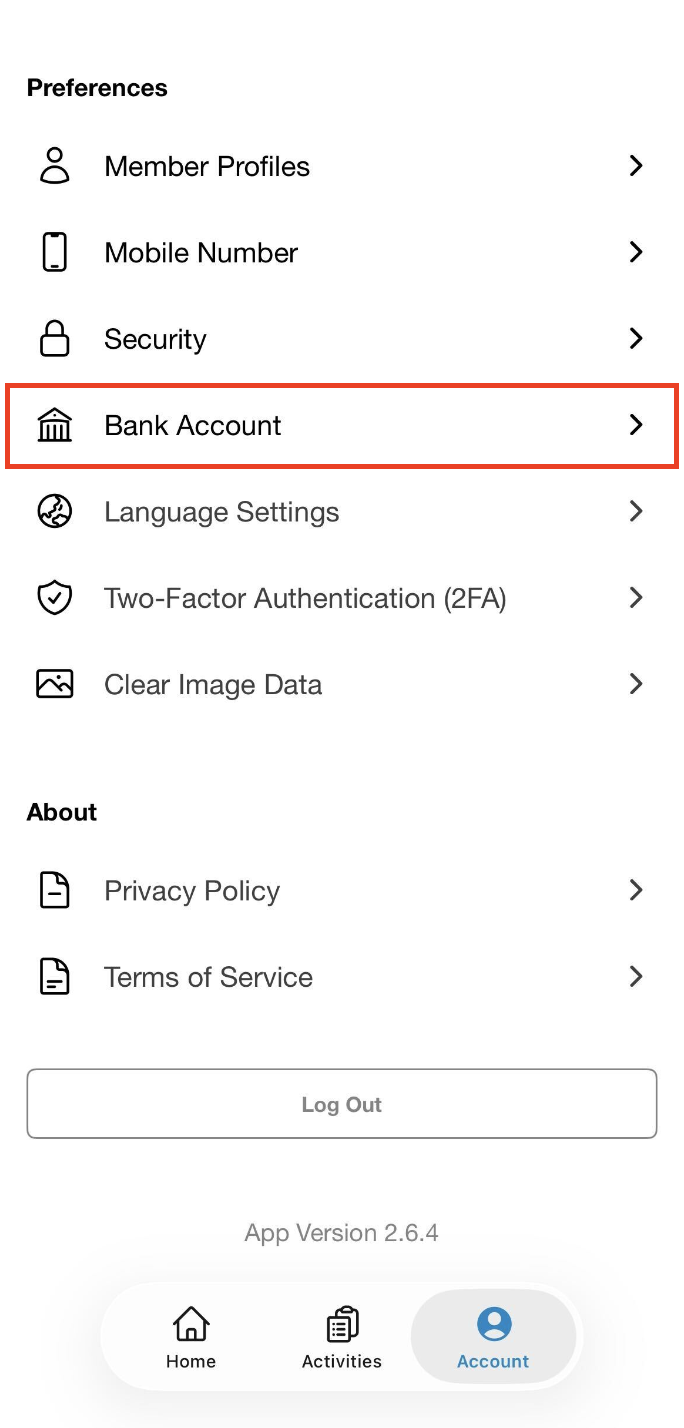
Step 2: From the Account page, click on Bank Account.
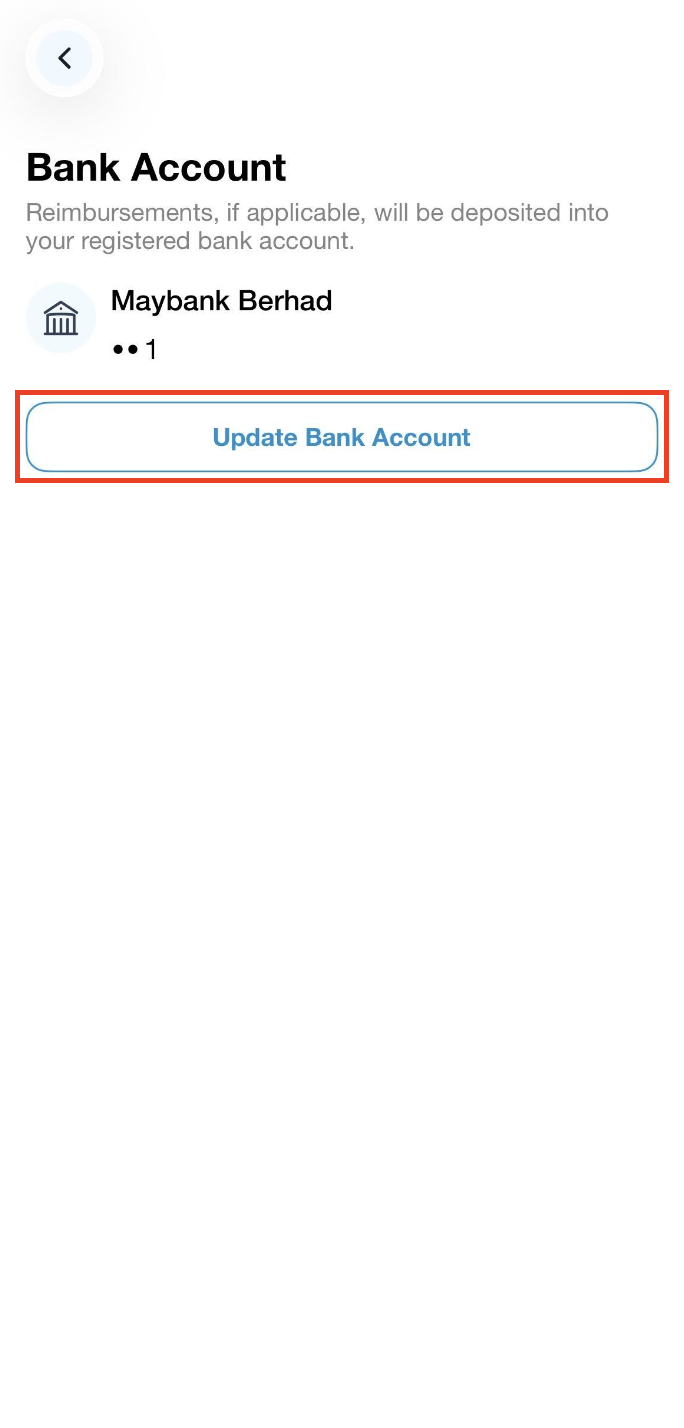
Step 3: Click on Update Bank Account.
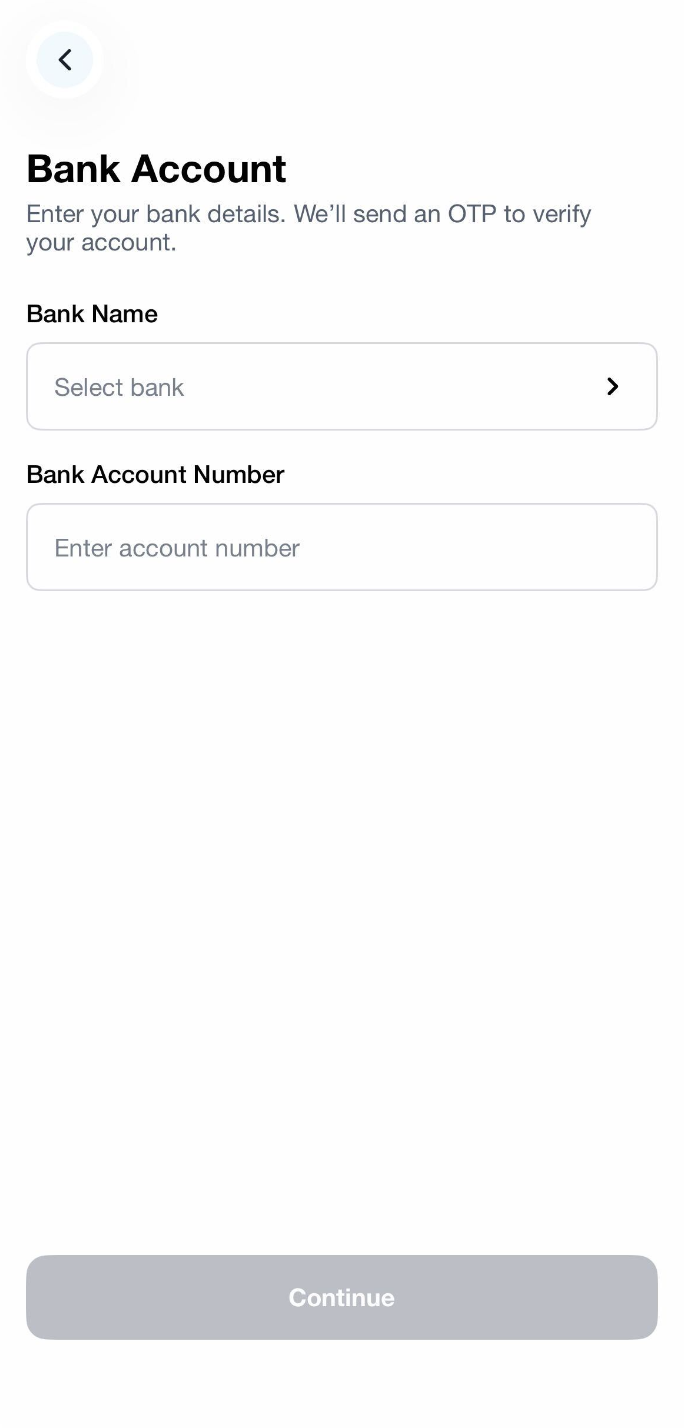
Step 4: Fill up the bank details and click on Continue.
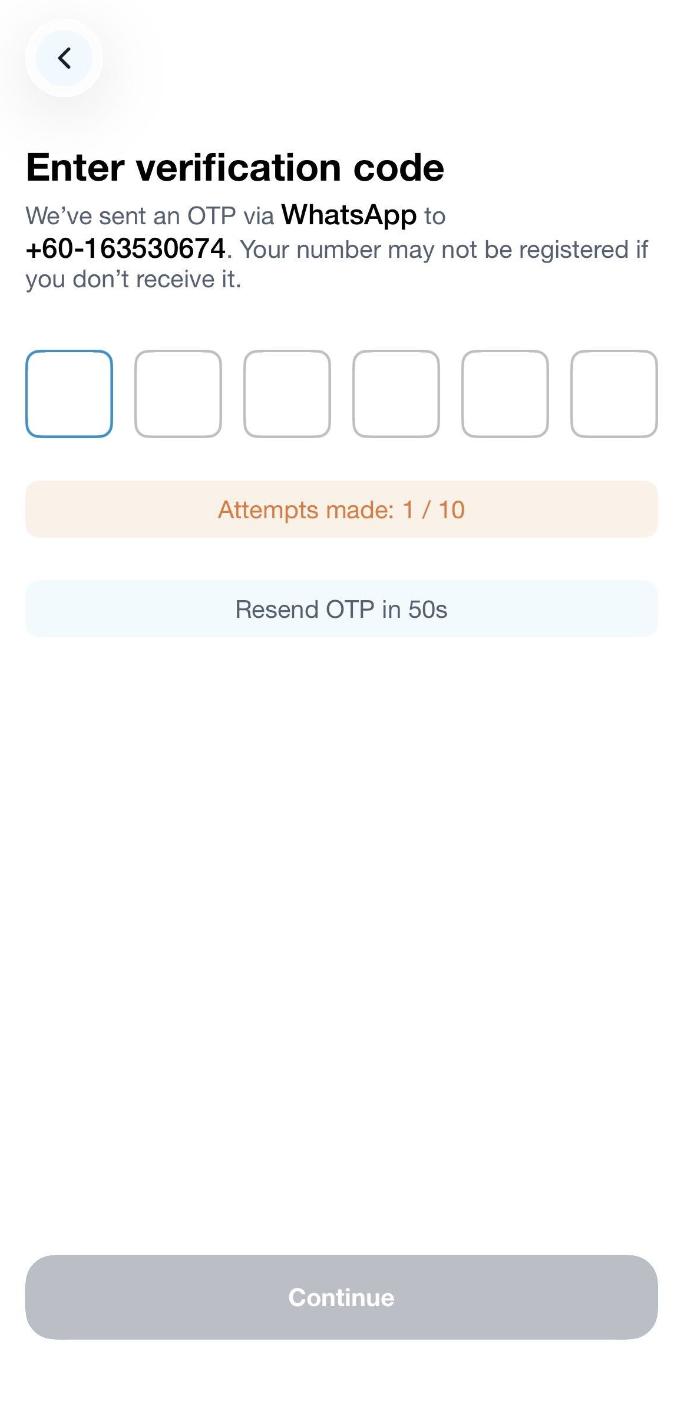
Step 5: An OTP will be sent out to your mobile number via Whatsapp for verification.
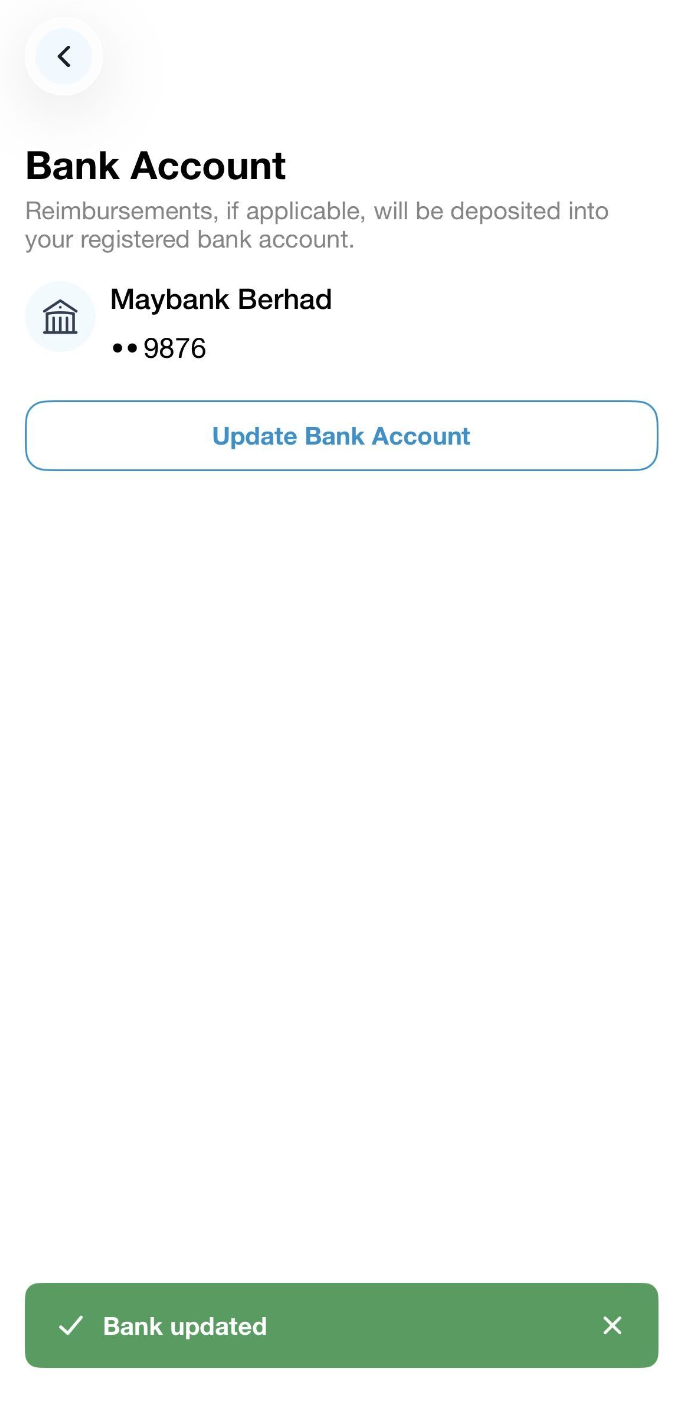
A green banner will appear to indicate a successful update and you may now view the updated Bank Name and the last 4-digit of the Bank Account Number.