


🆕 You may now update your dependent details in your Mednefits app. Kindly follow the steps below:
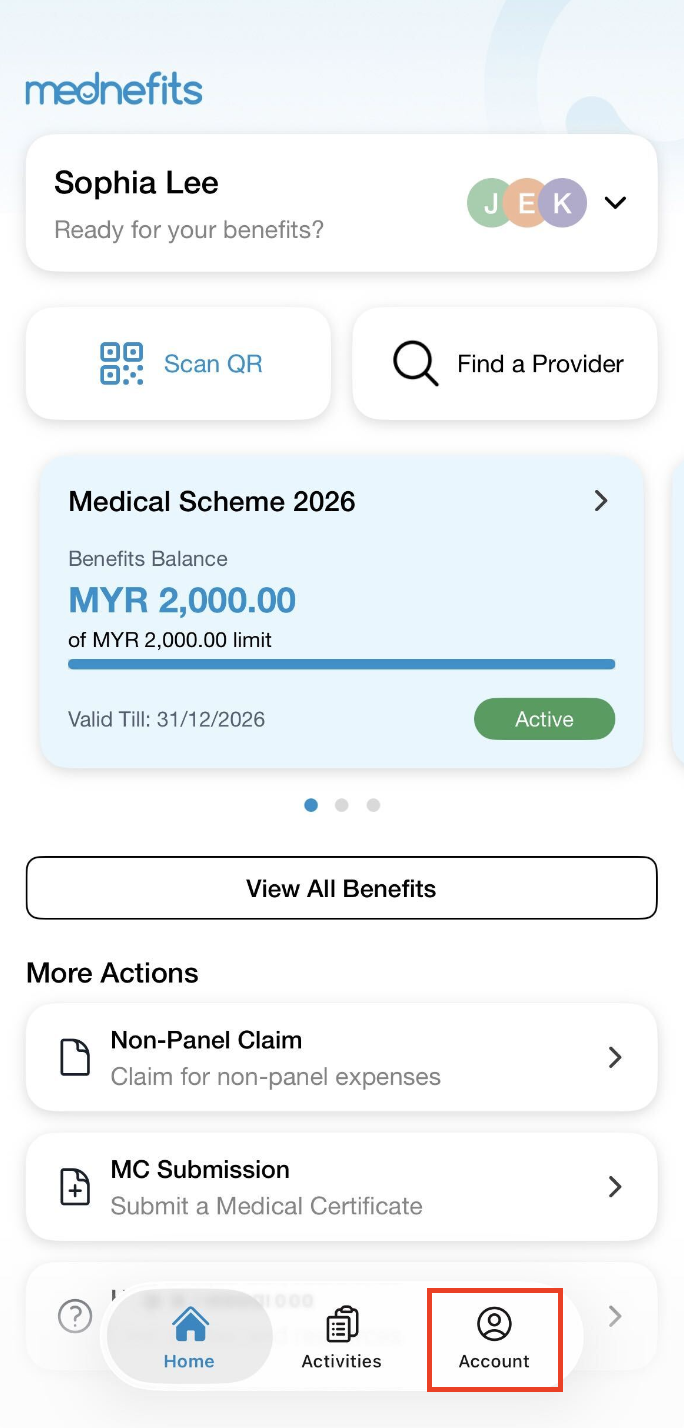
Step 1: On your homepage, click on Account from the bottom panel.
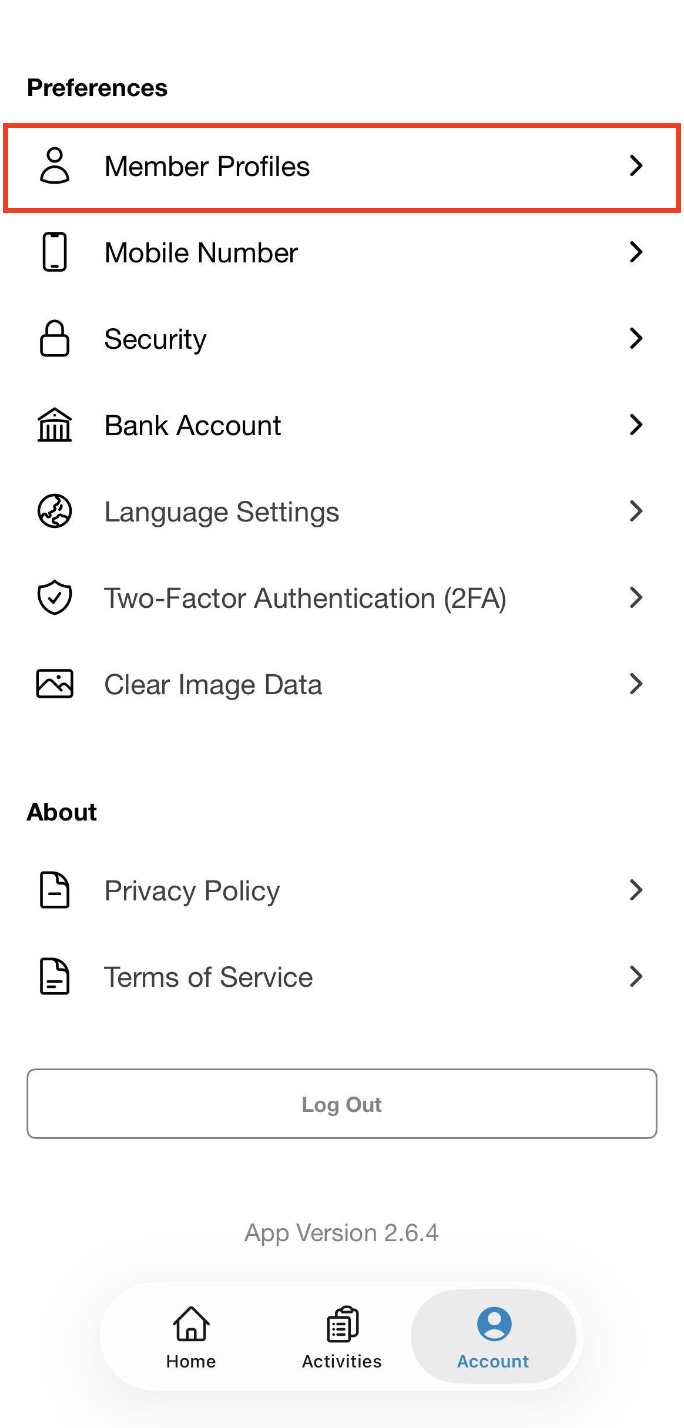
Step 2: Click on Member Profiles.
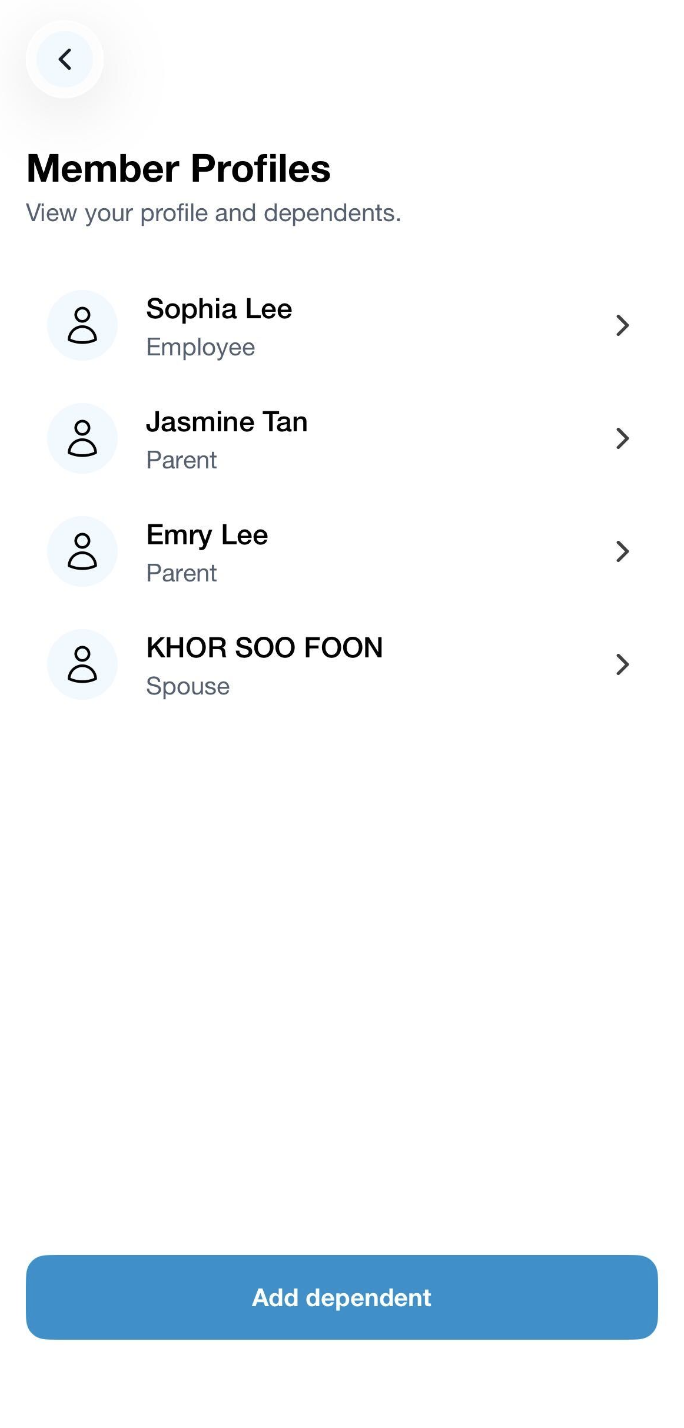
Step 3: Select the dependent whose details you would like to update.
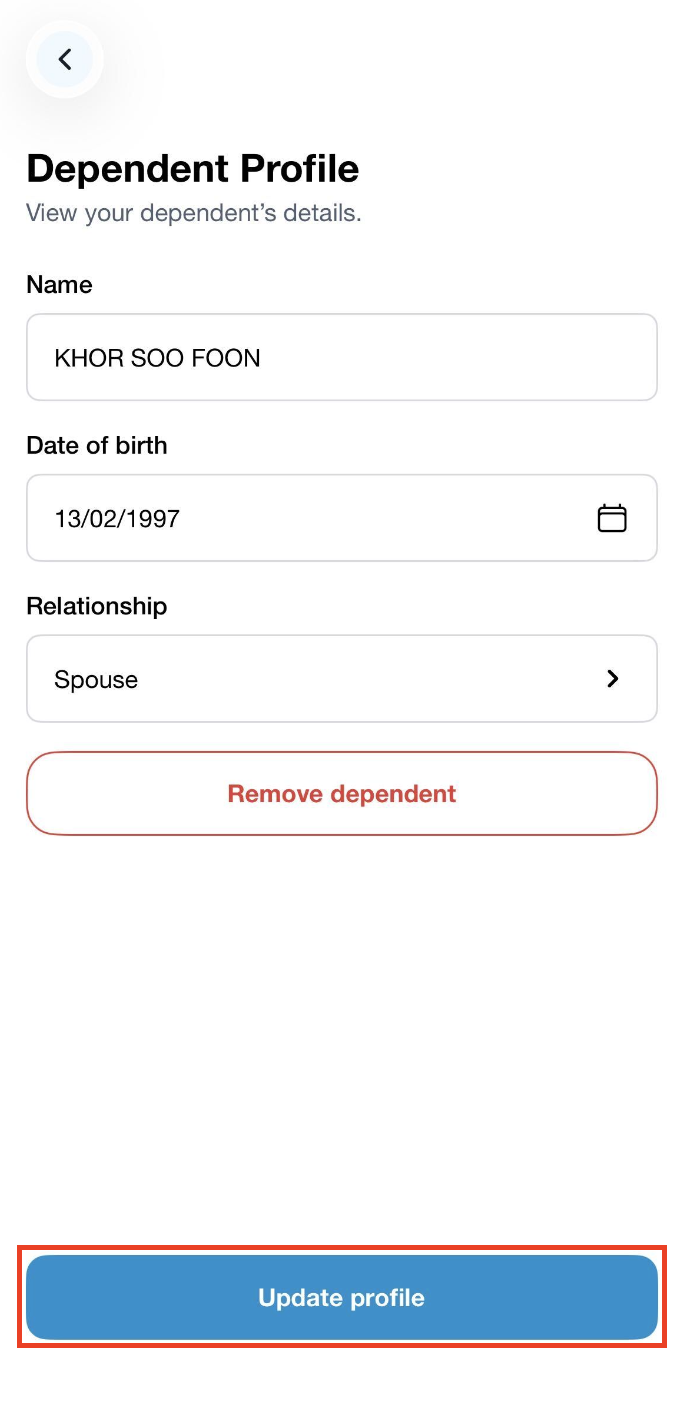
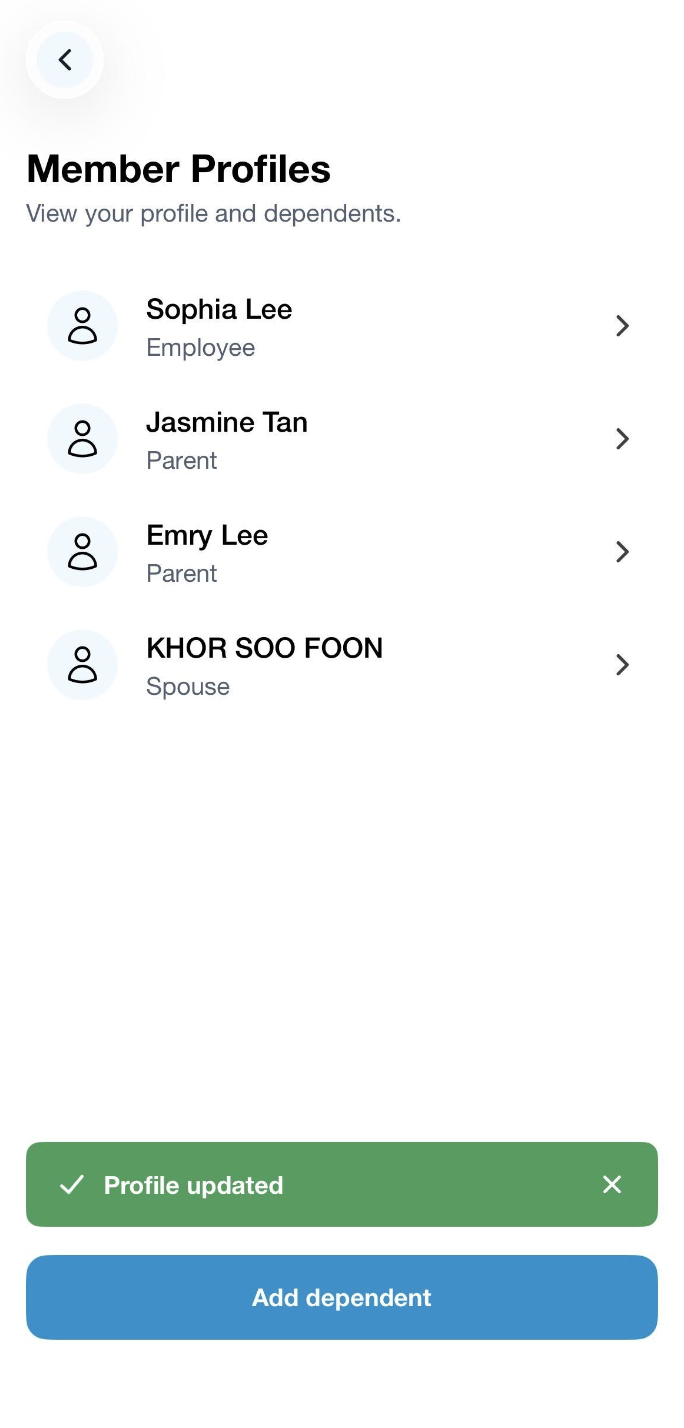
Step 4: Once the details have been updated, click on Update profile. A green banner will appear to indicate that the details have been successfully updated.
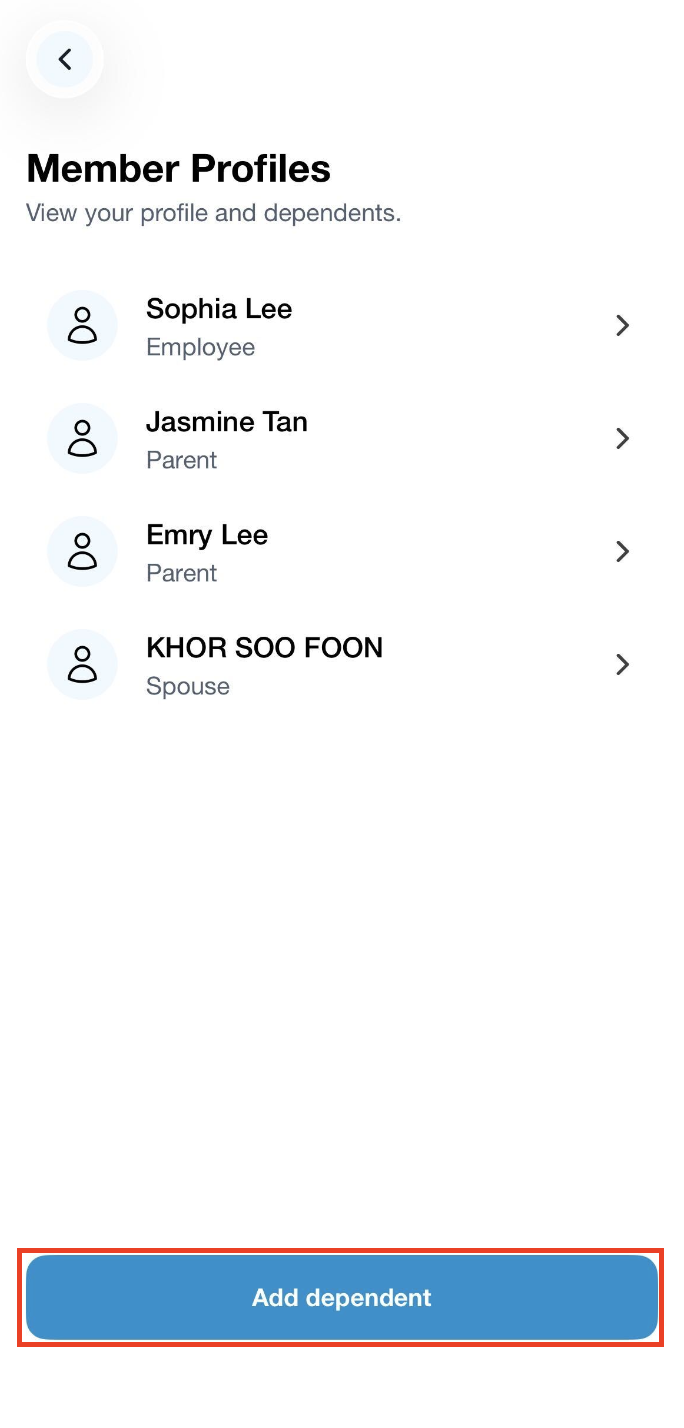
Step 1: Click on Add dependent.
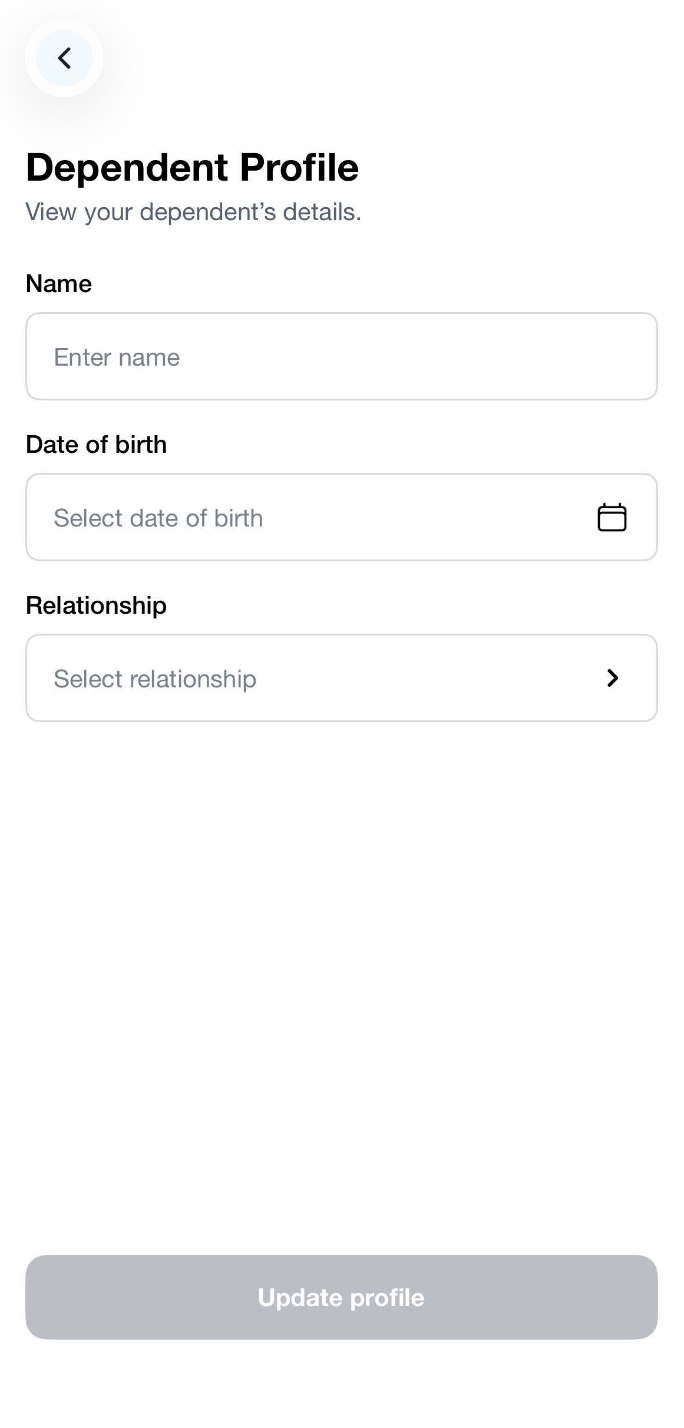
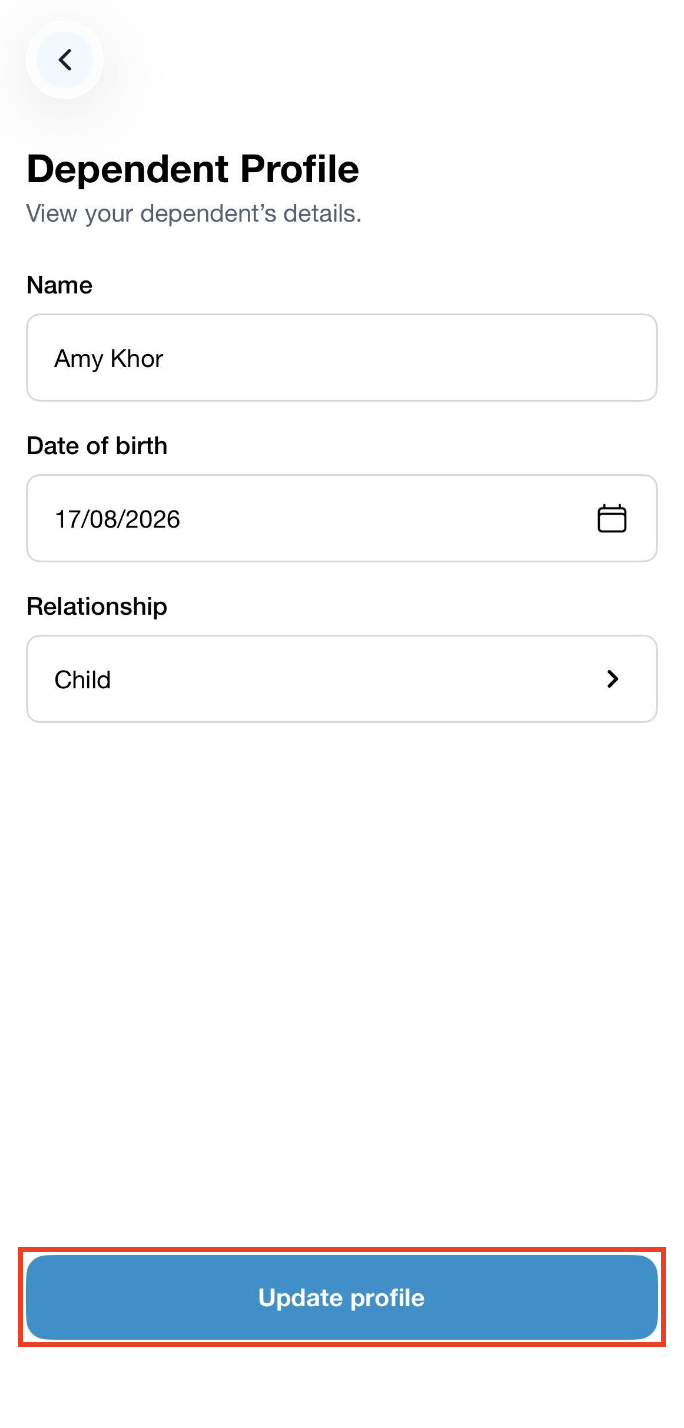
Step 2: Fill up the dependent details and click on Update profile to complete the enrolment.
A green banner will appear to indicate that the dependent has been successfully added.
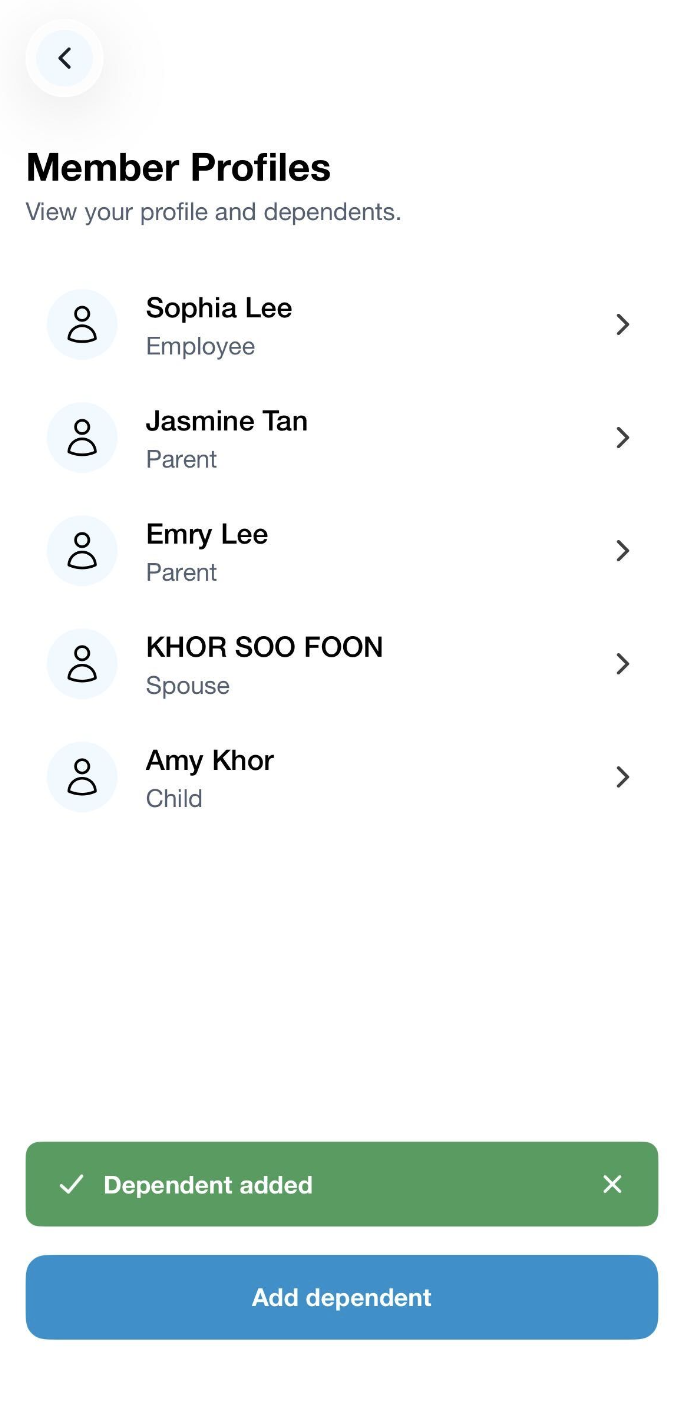
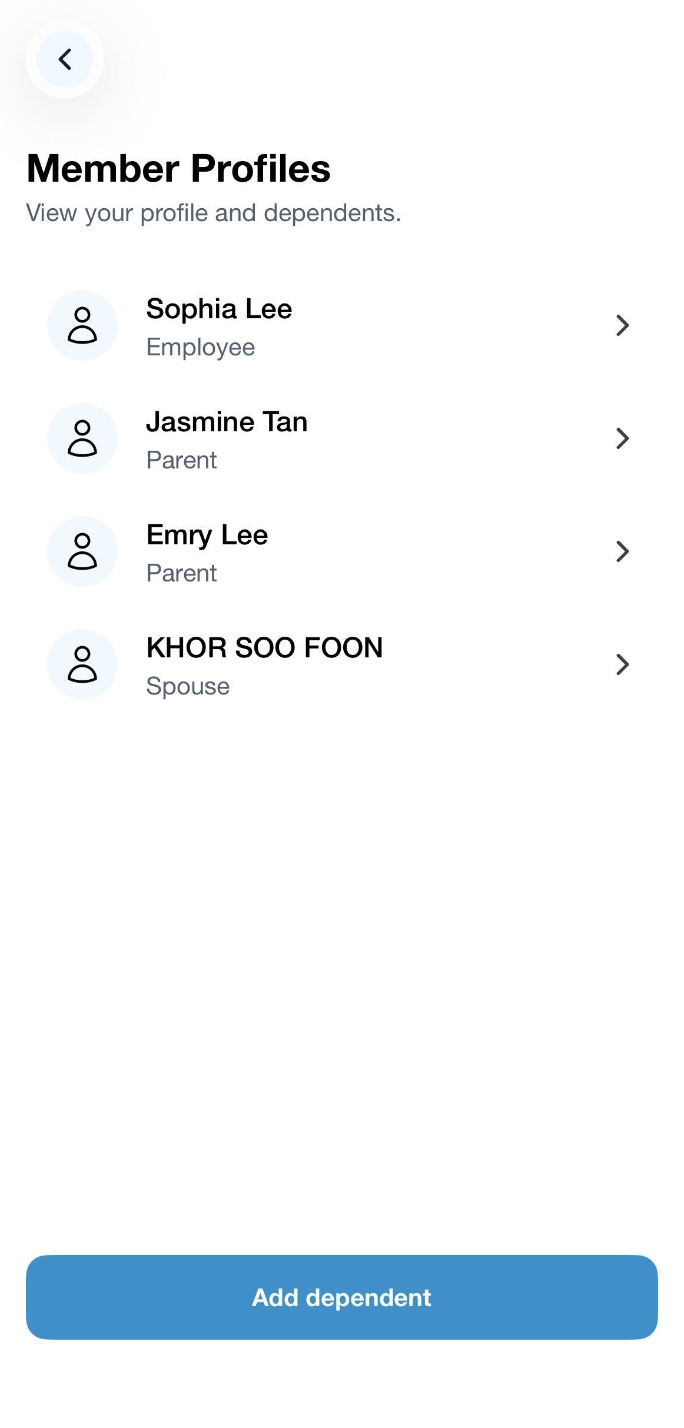
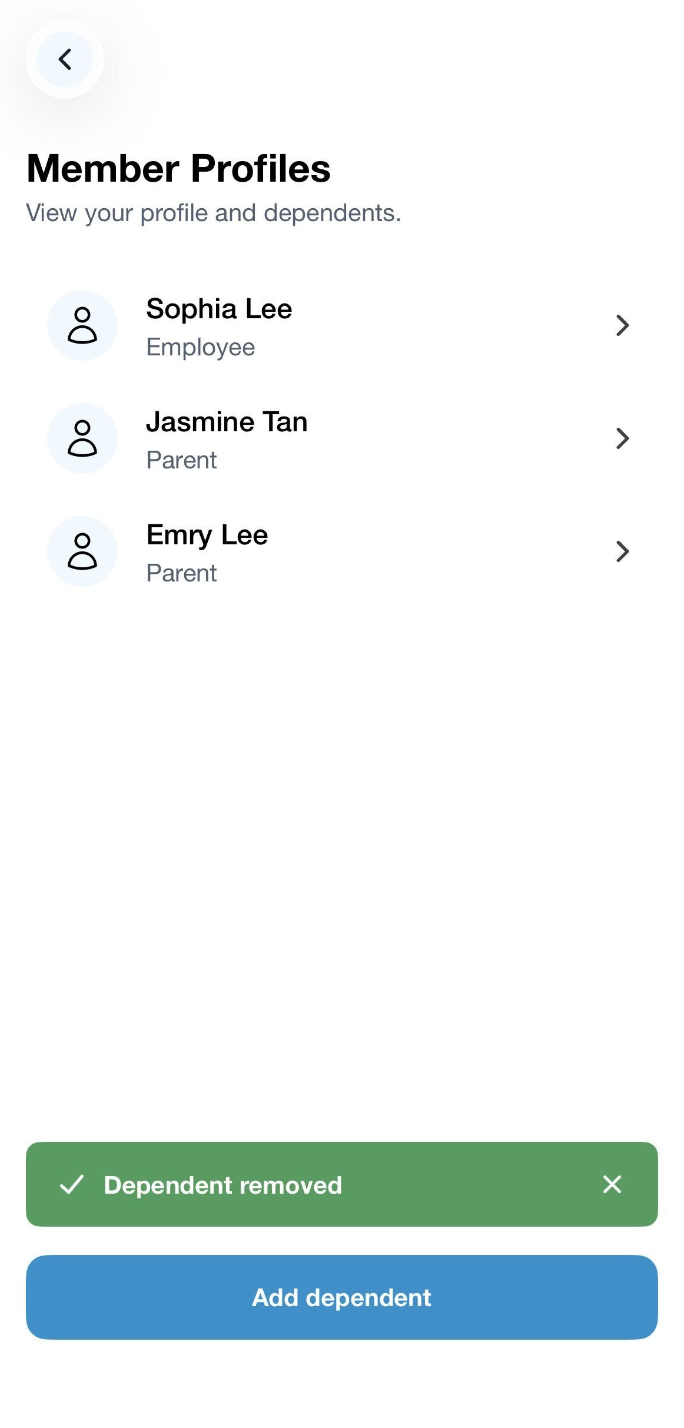
Step 1: Select the dependent who you would like to remove.
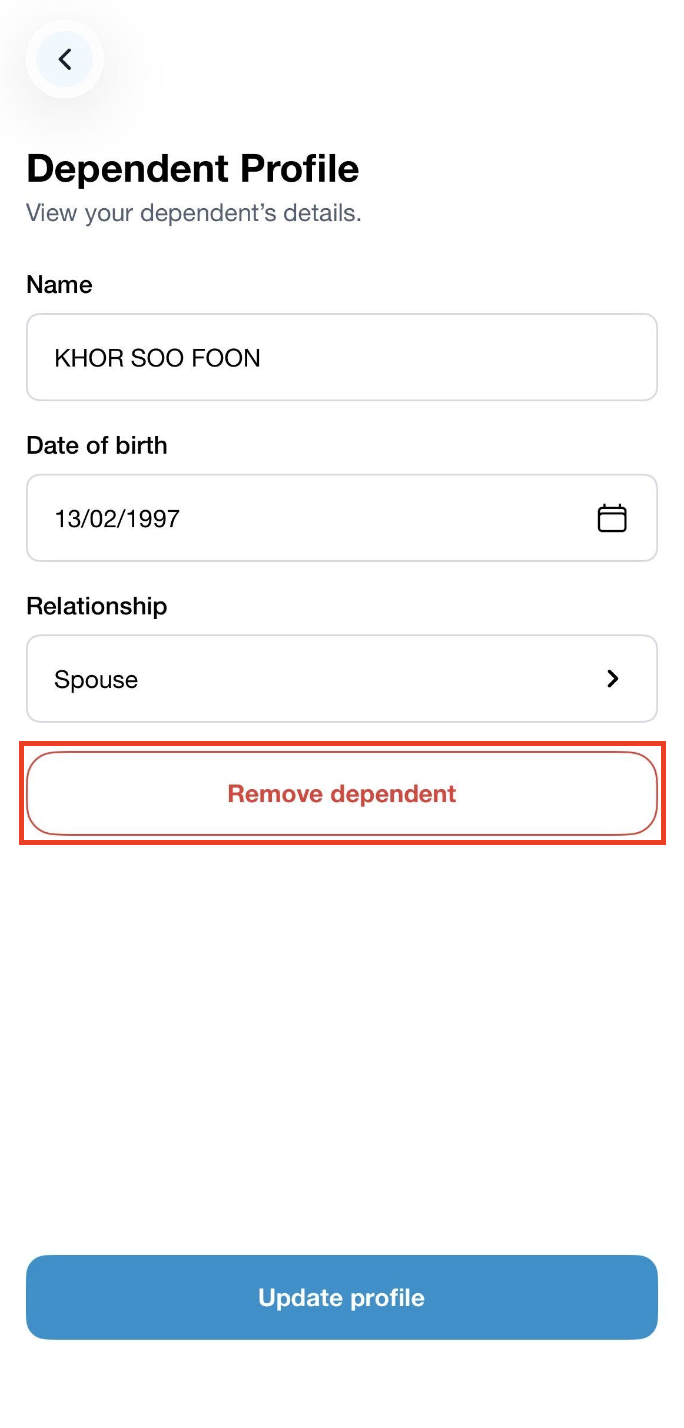
Step 2: Click on Remove dependent.
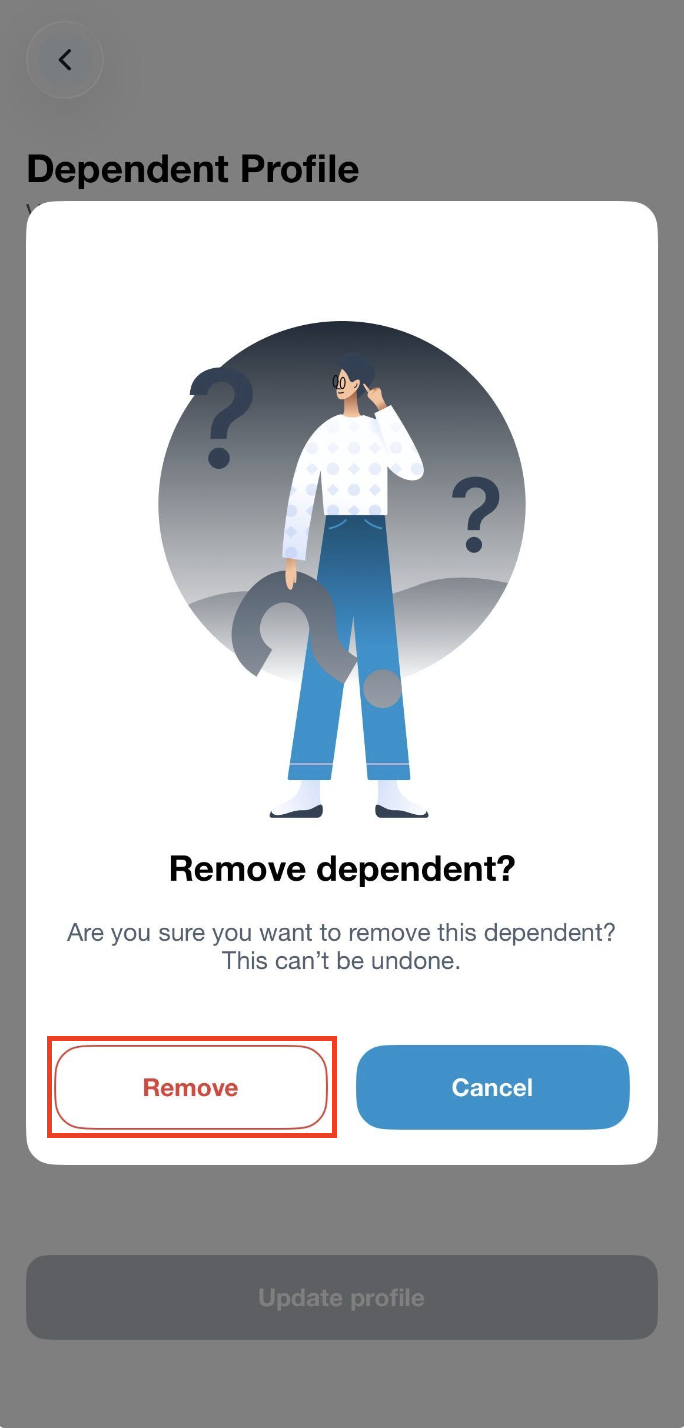
Step 3: Click on Remove and a green banner will appear to indicate that the dependent has been successfully removed.
Note: Once you have removed a dependent, please note that you may not restore their account in your Mednefits app. You may reach out to our Customer Support team via email at [email protected] or contact your company HR.

