


HR can now enable Bank Account Update and Dependent Management settings from the HR Portal, allowing employees to manage their own bank details and dependents directly through the Mednefits app.
For Bank Account Update, OTP verification is required when adding or updating bank account details.
⚠️ Please note: Bank account details cannot be updated if the employee has at least one claim that is still under Processing Reimbursement.
For Dependent Management, employees can add, edit, and remove their dependents directly through the Mednefits app.
Steps to Enable the Settings
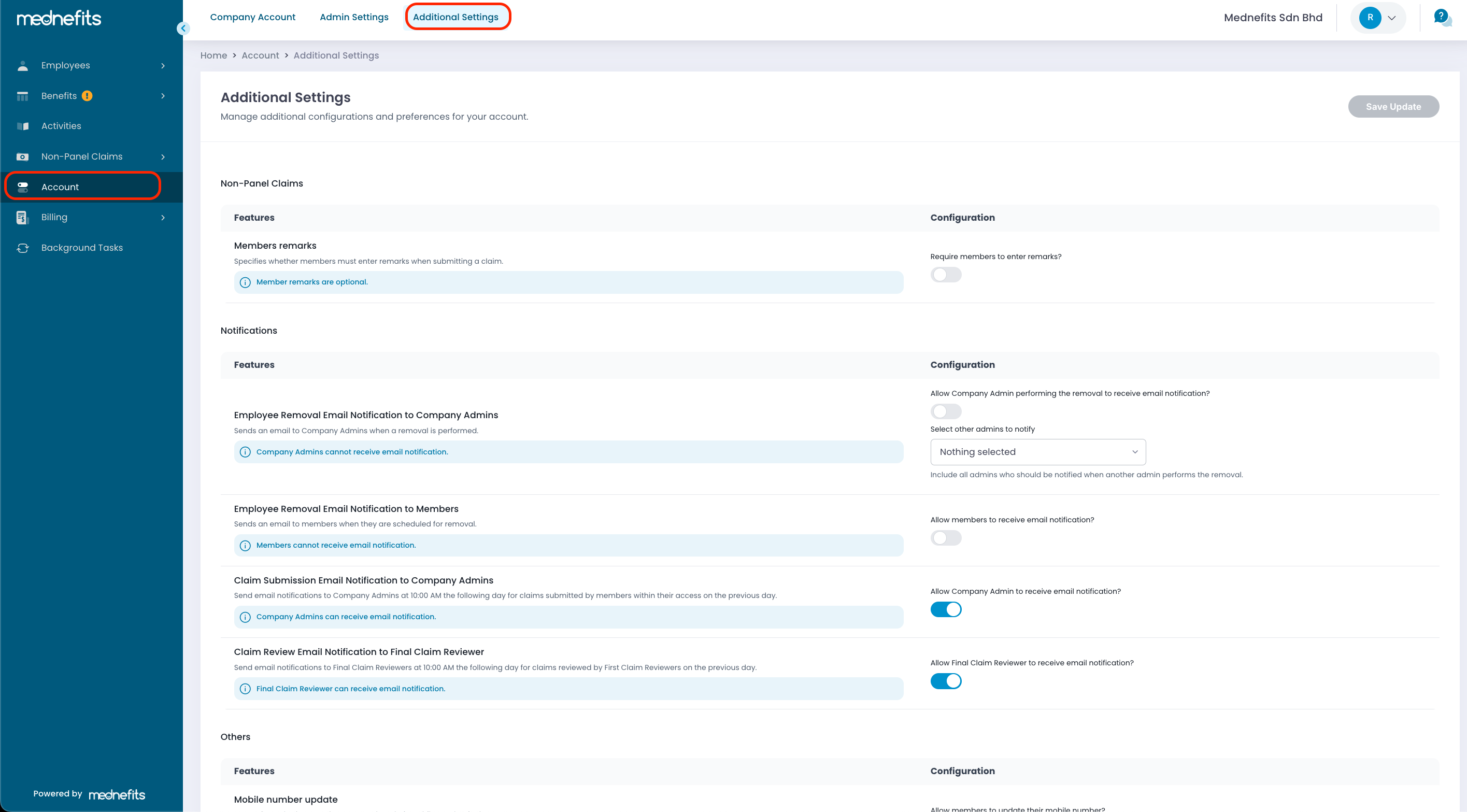
Step 1: Navigate to Account > Additional Settings.
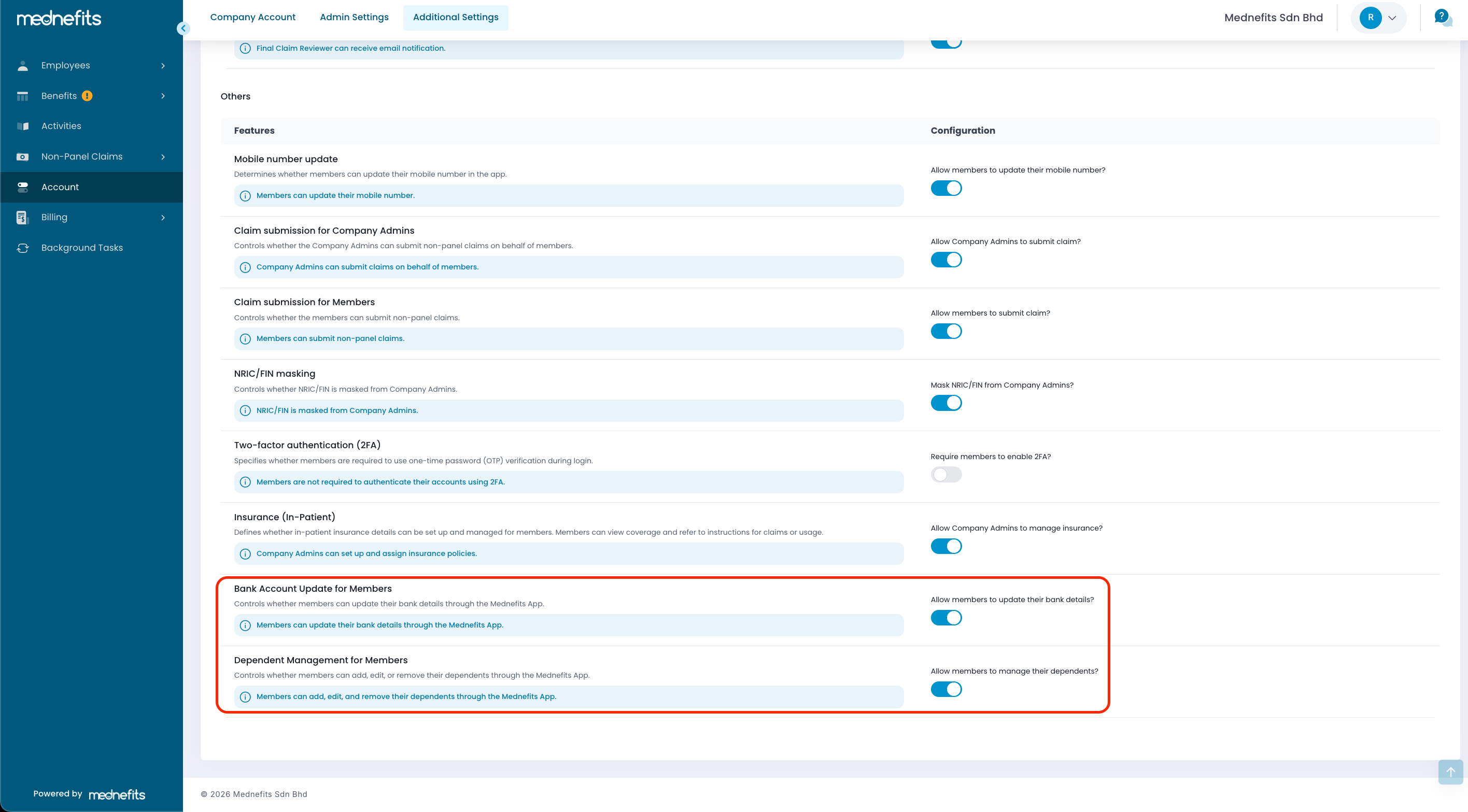
Step 2: Scroll down to the bottom and look for Bank Account Update for Members and Dependent Management for Members settings. Toggle on either one or both settings, depending on your preference.
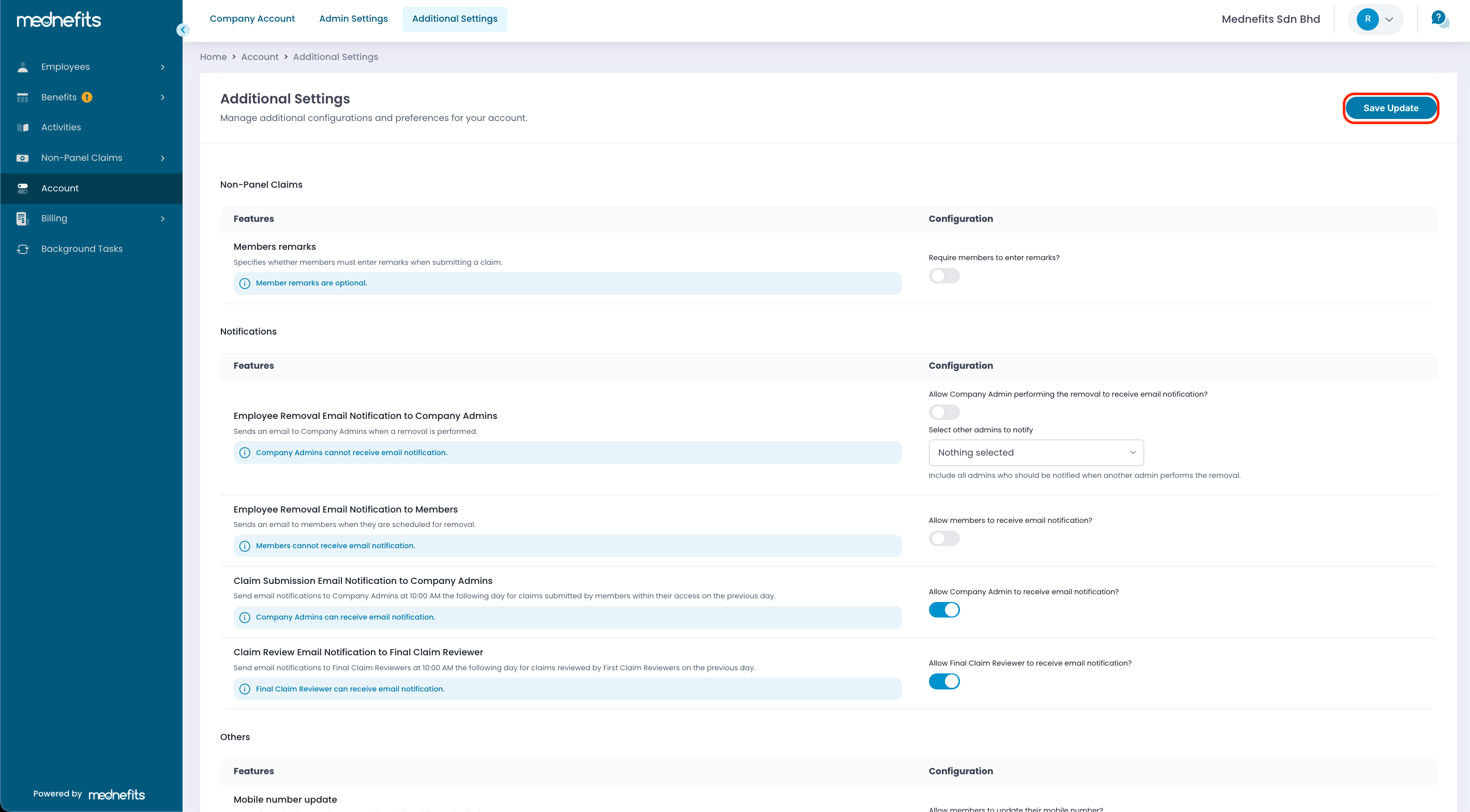
Step 3: Click Save Update once you’re done.
For the steps on how employees can update their bank account details or manage their dependents through the app, you may refer to the following articles:

