How do I view my claim status?
Last updated: Apr 07, 2026
1633
views

You can now view your claim status history in the Mednefits app or portal for more accurate and detailed information on your claim processing.
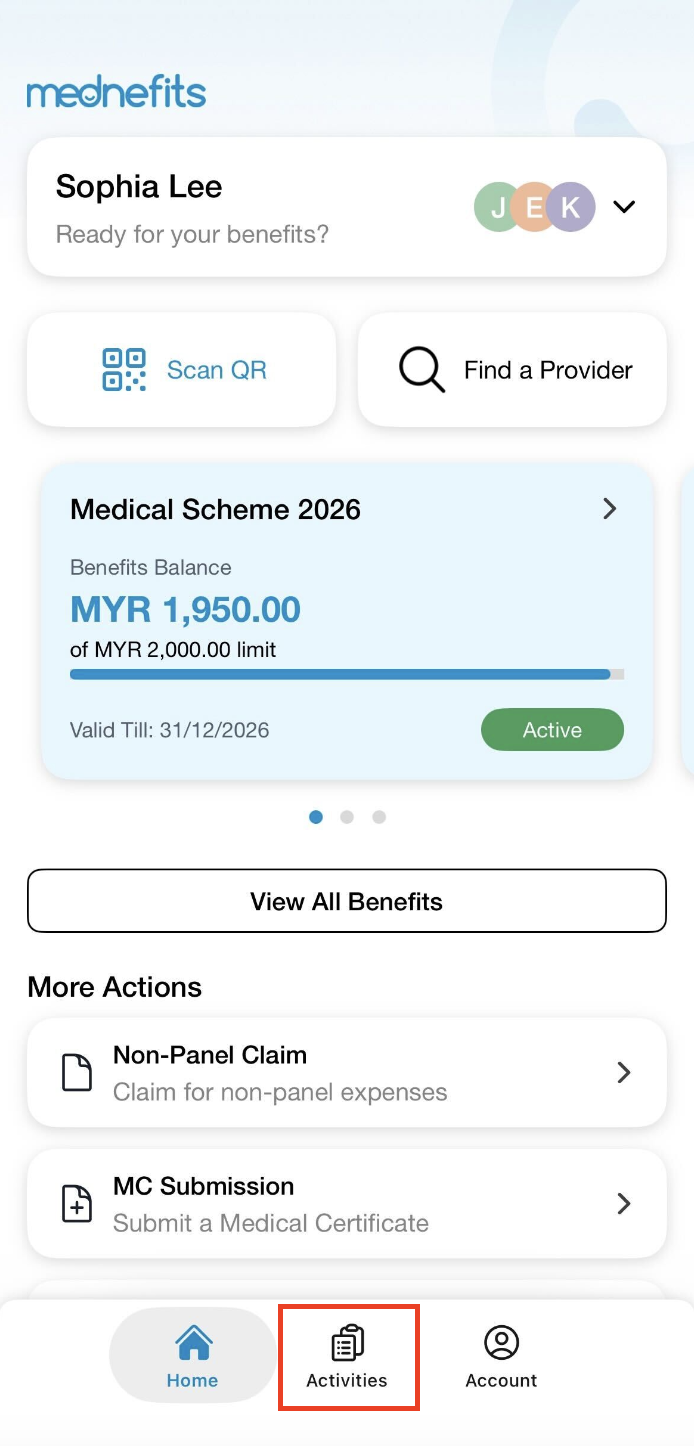
Step 1: On your homepage, click on Activities.
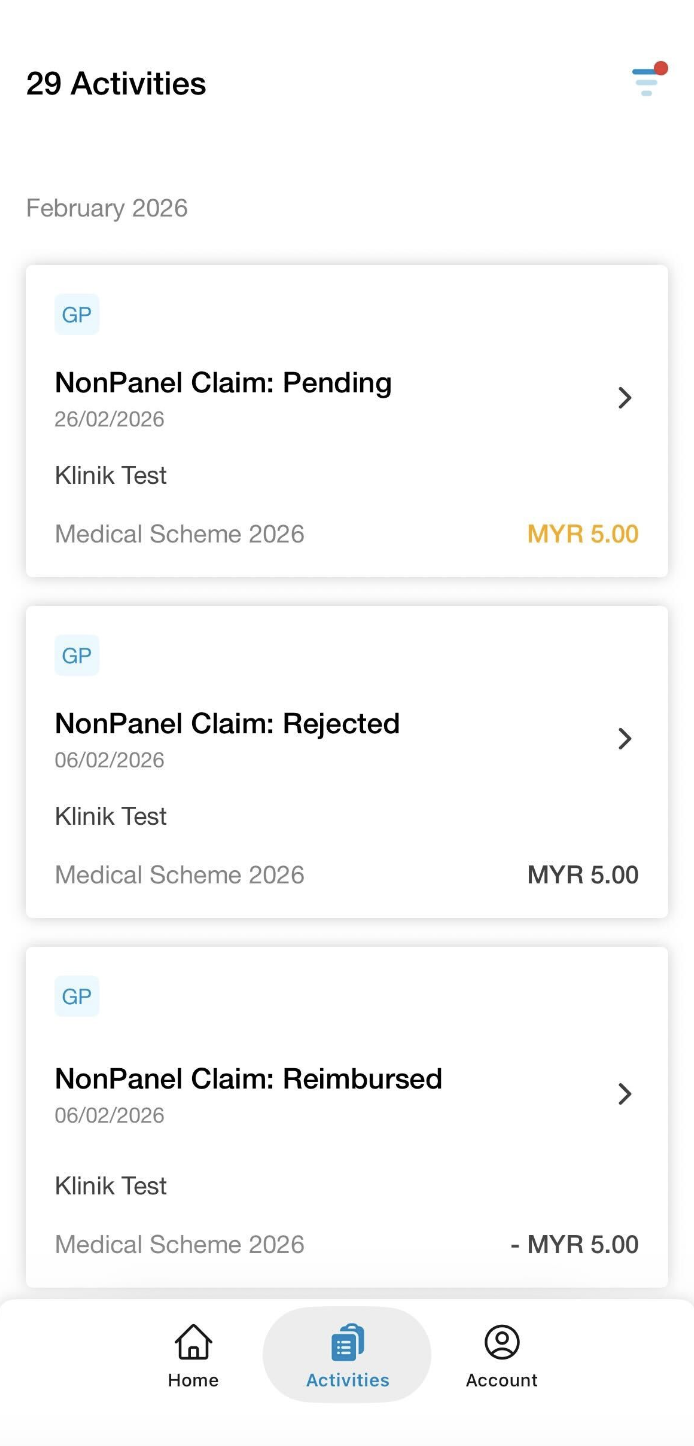
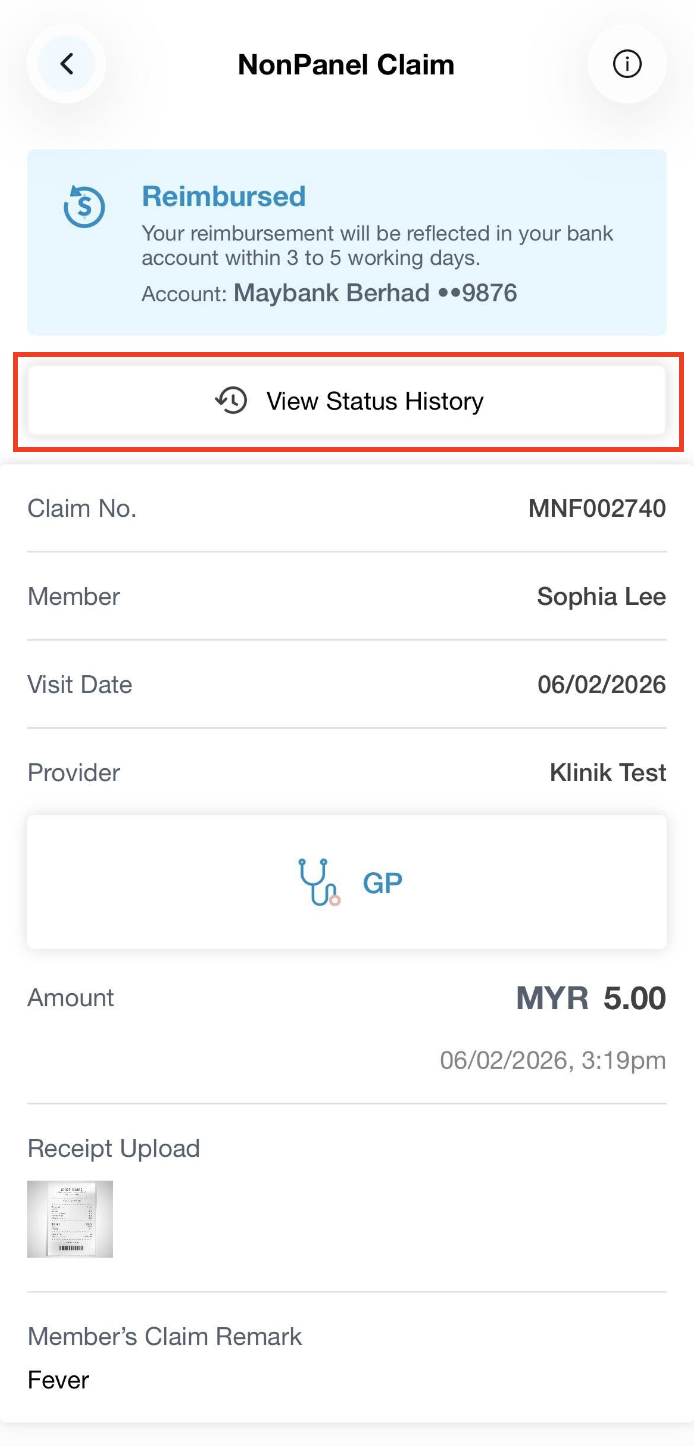
Step 2: Select the claims you would like to view. Then, click on View Status History to access the detailed history of your claim.
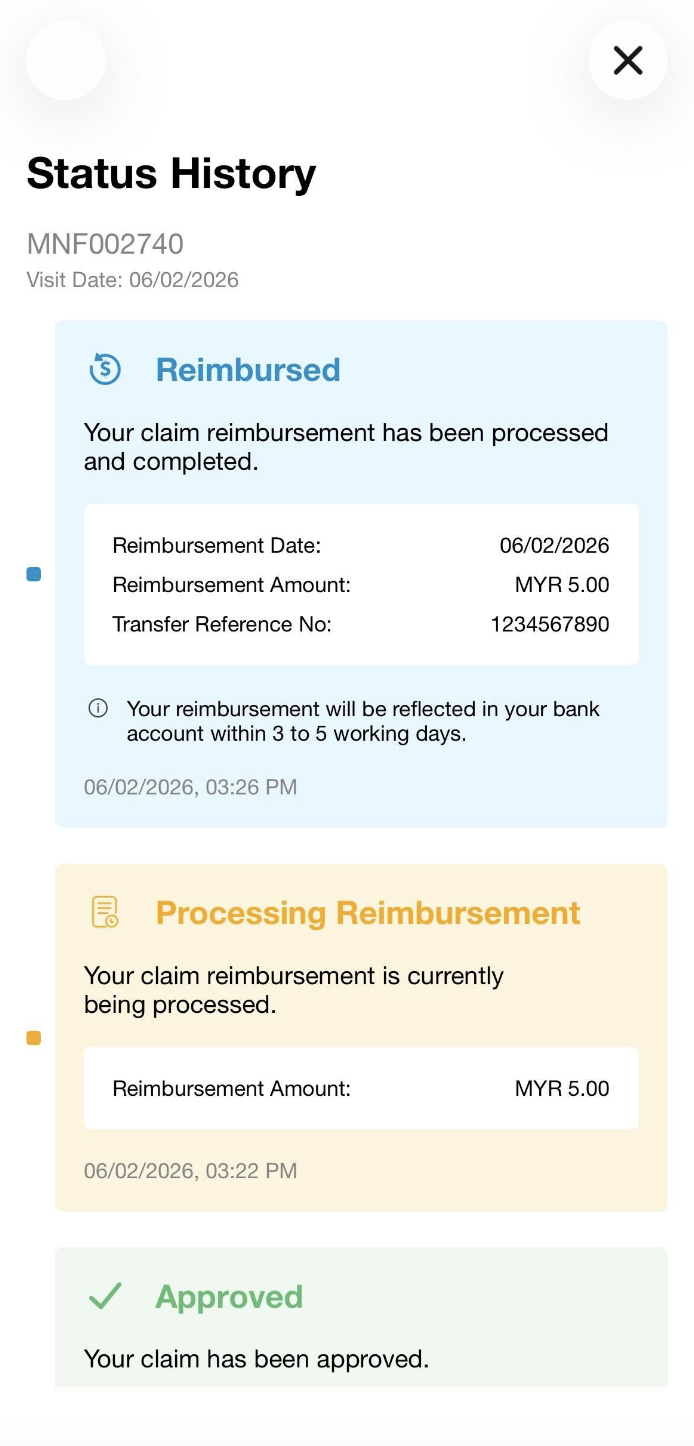
For improved clarity, kindly refer to the claim statuses below for further understanding of your claim status:
- Pending : Awaiting review and action from admin
- Awaiting Amendment : Awaiting changes or updates required for further review
- Approved : Claim has been approved
- Rejected : Claim has been rejected
- Escalated (If applicable) : Initially rejected and appealed for further review
- Processing Reimbursement : The reimbursement has been processed and may take up 2-3 days to reach your bank account
- Unsuccessful Reimbursement : Failed reimbursement due to inaccurate details or issue with bank. Kindly contact your HR or our Support team for further clarification.
- Reimbursed : The claim amount has already been dispensed to your registered bank account
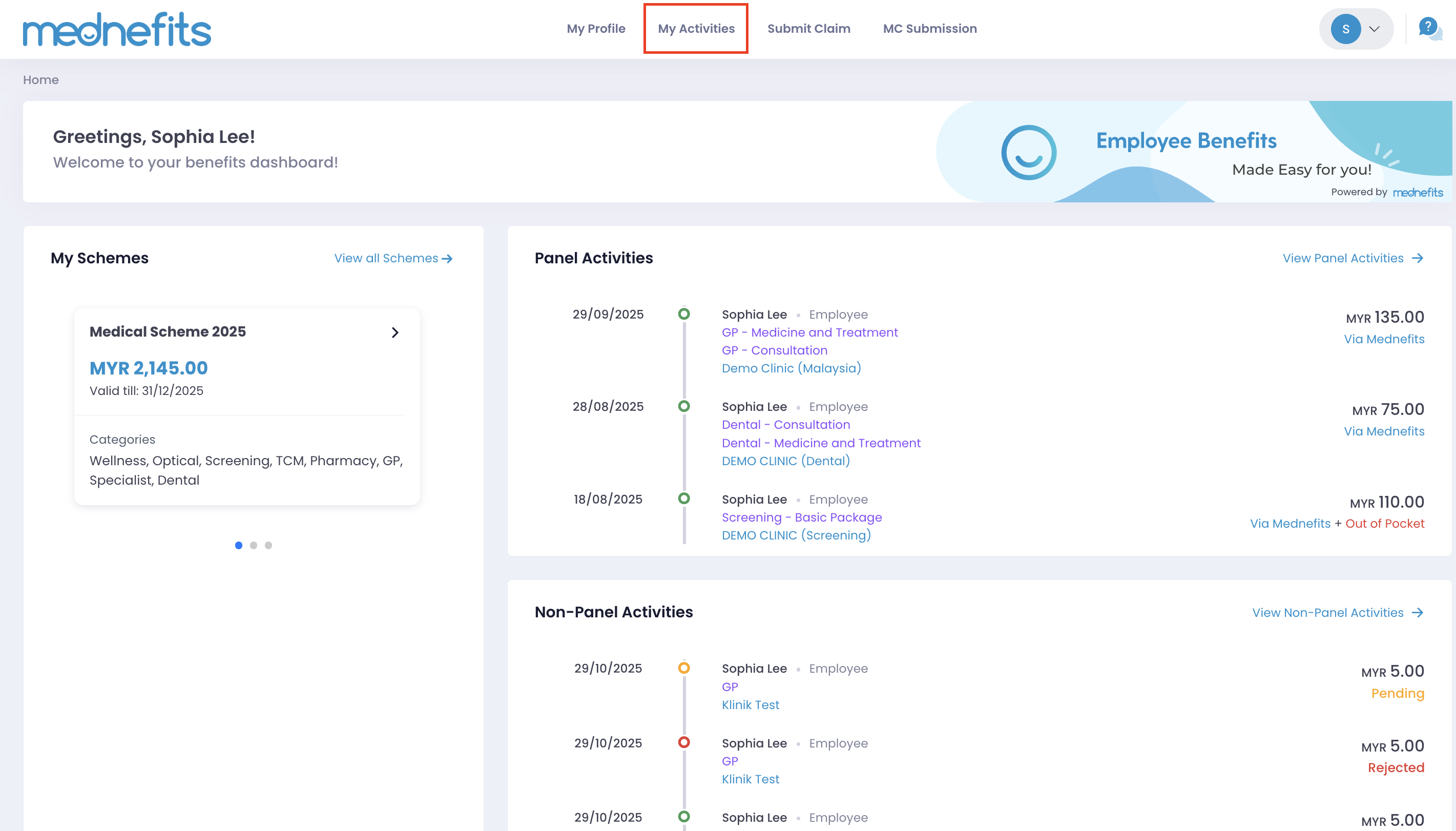
Step 1: On your homepage, click on My Activities.
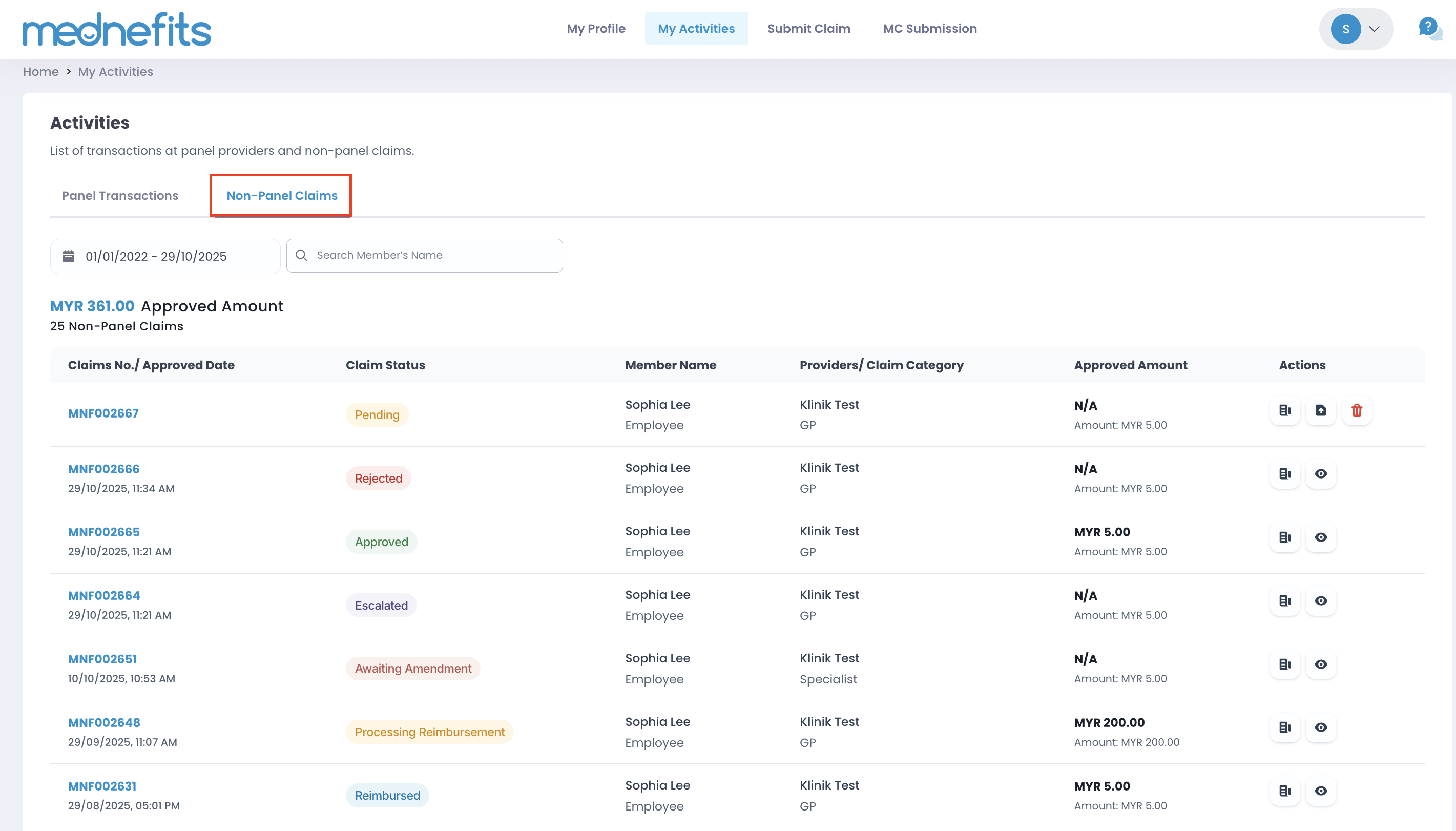
Step 2: Click on Non-Panel Claims to view the statuses of your claims. Then, click on the claim you would like to view for more details.
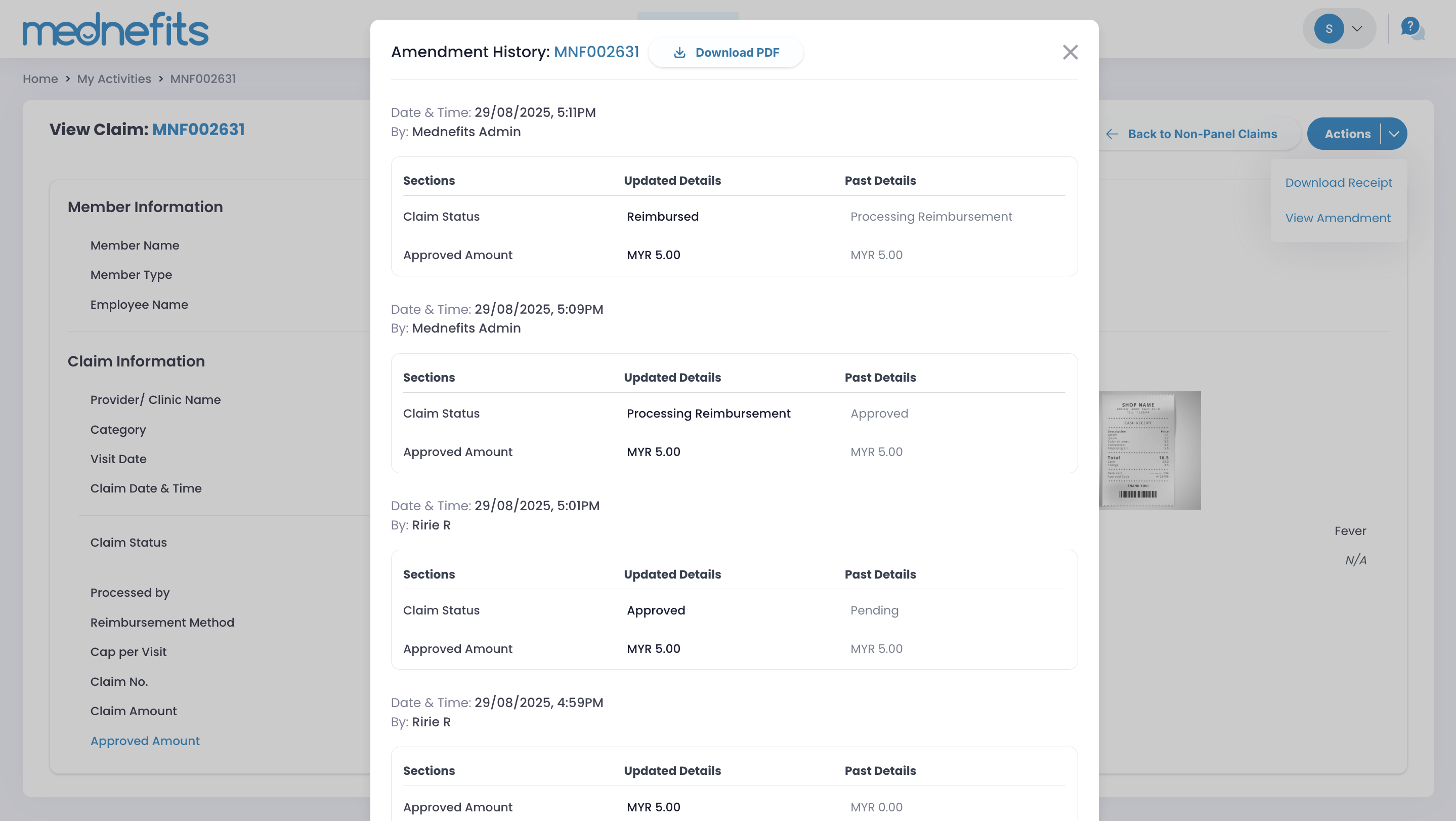
Step 3: Click on View Amendment.
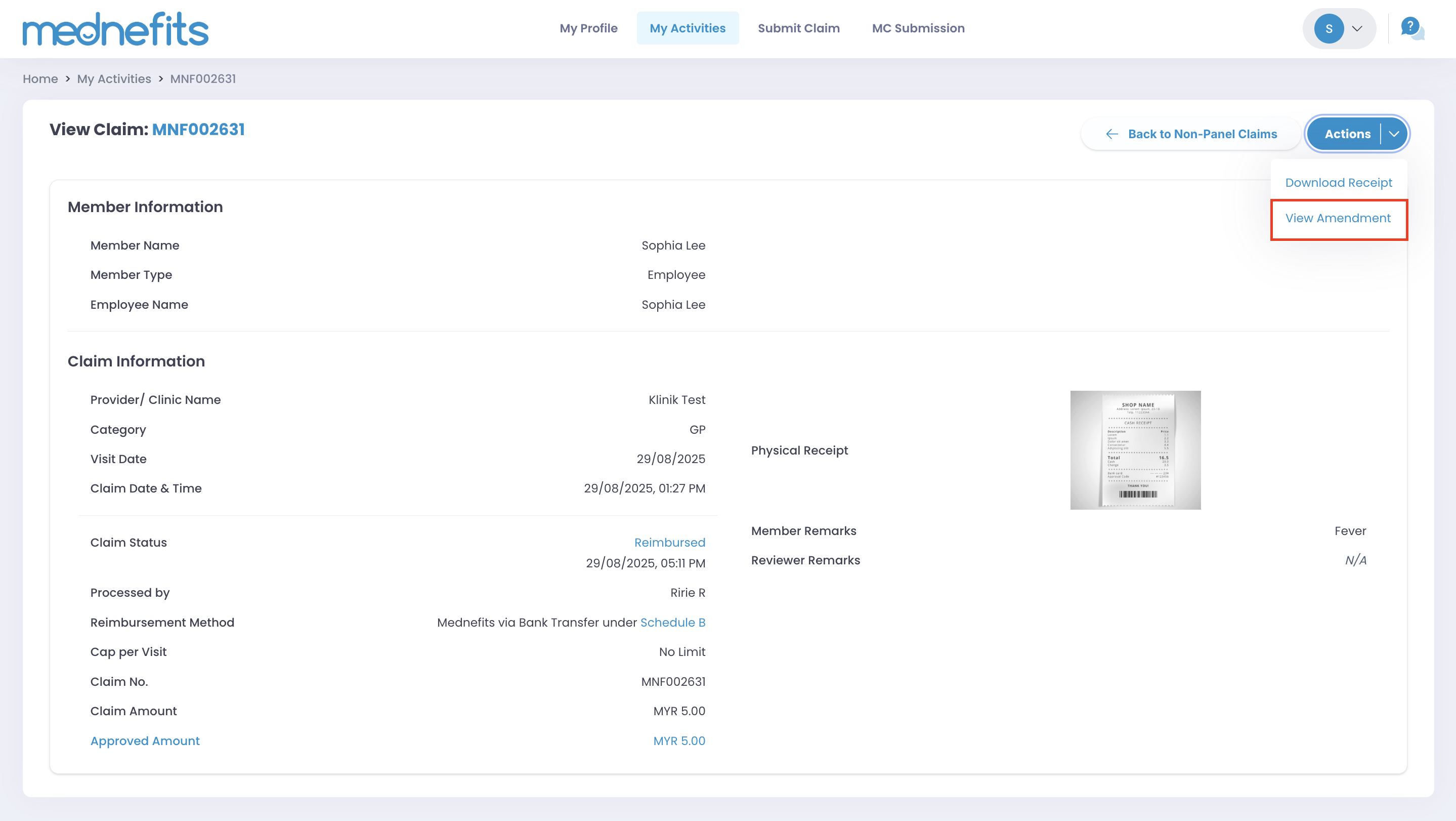
Step 4: You may view or download the PDF to view the transaction history.