


If you had recently changed your mobile number or would like to update your mobile number, you can do so directly within your Mednefits mobile app.
Notes: Changes can only be made if your company allows it.
Step 1: Log into the Mednefits mobile app.
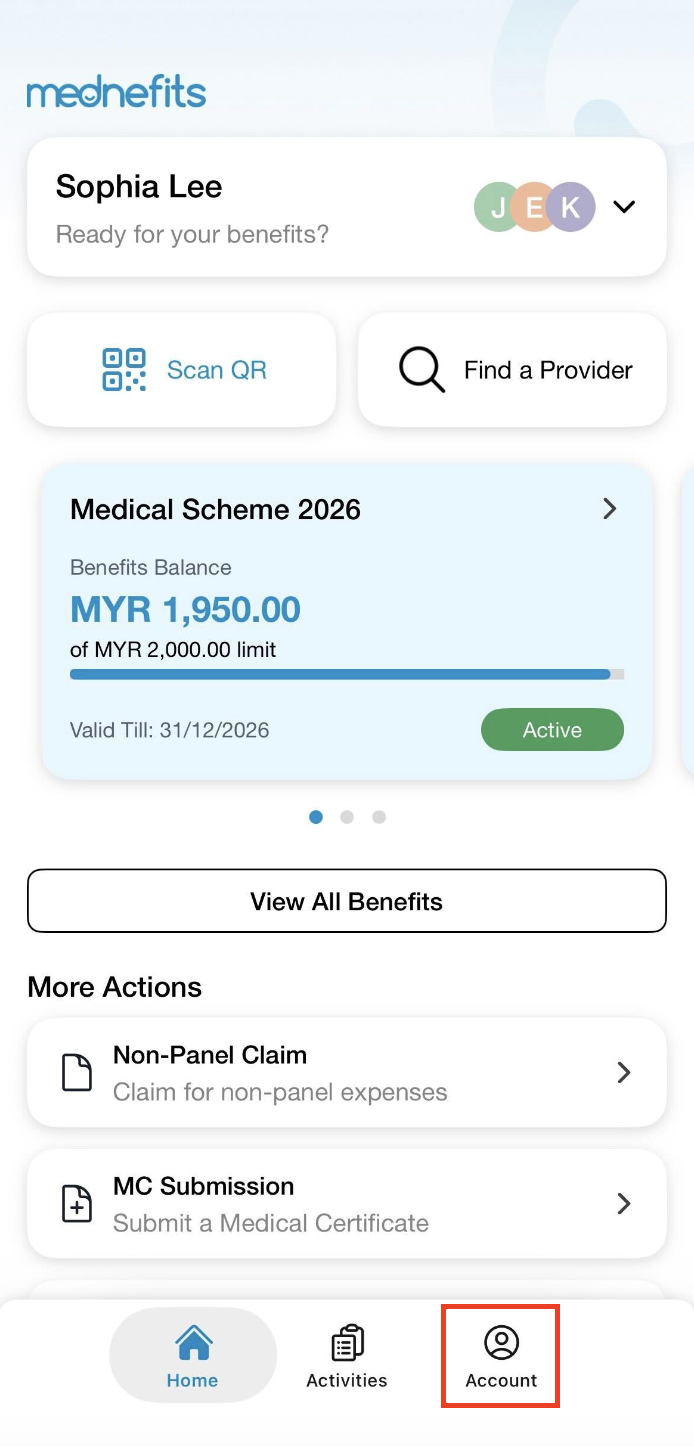
Step 2: On your homepage, tap on Account on the bottom panel.
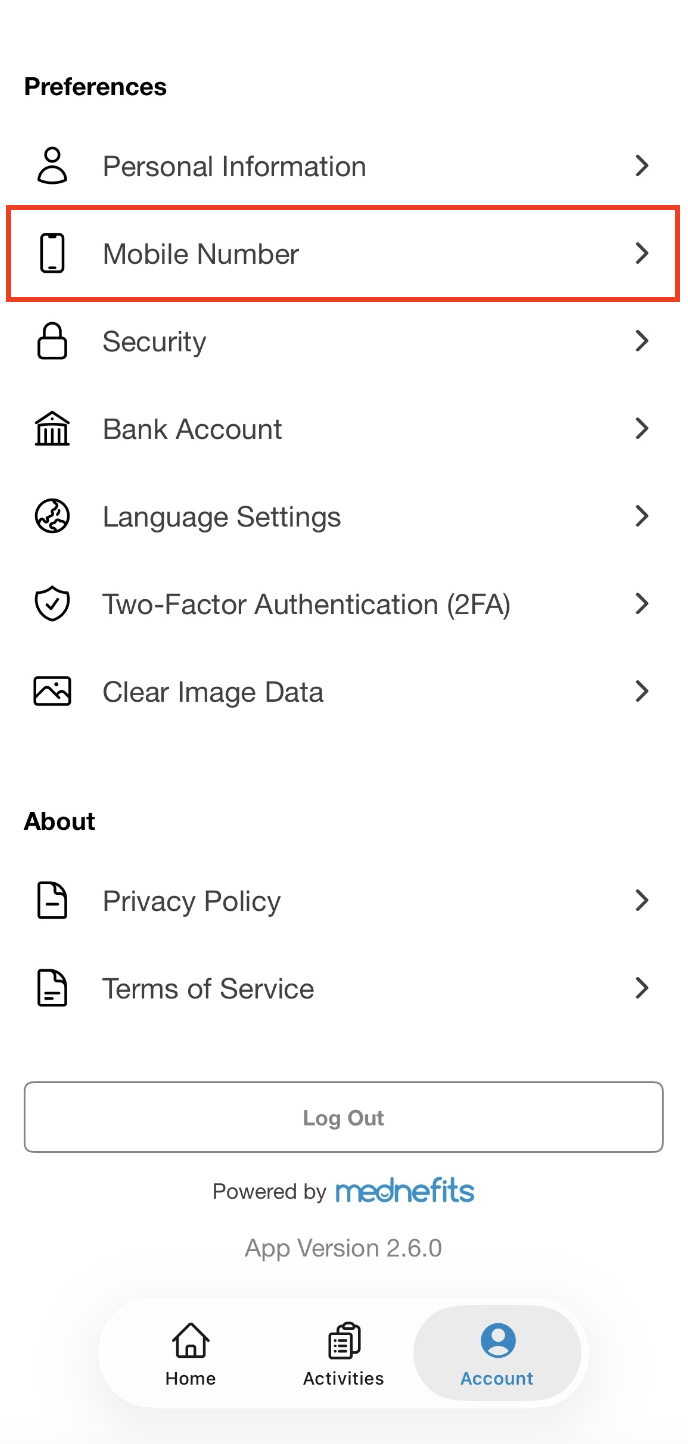
Step 3: On the Account page, tap on Mobile Number under Preferences.
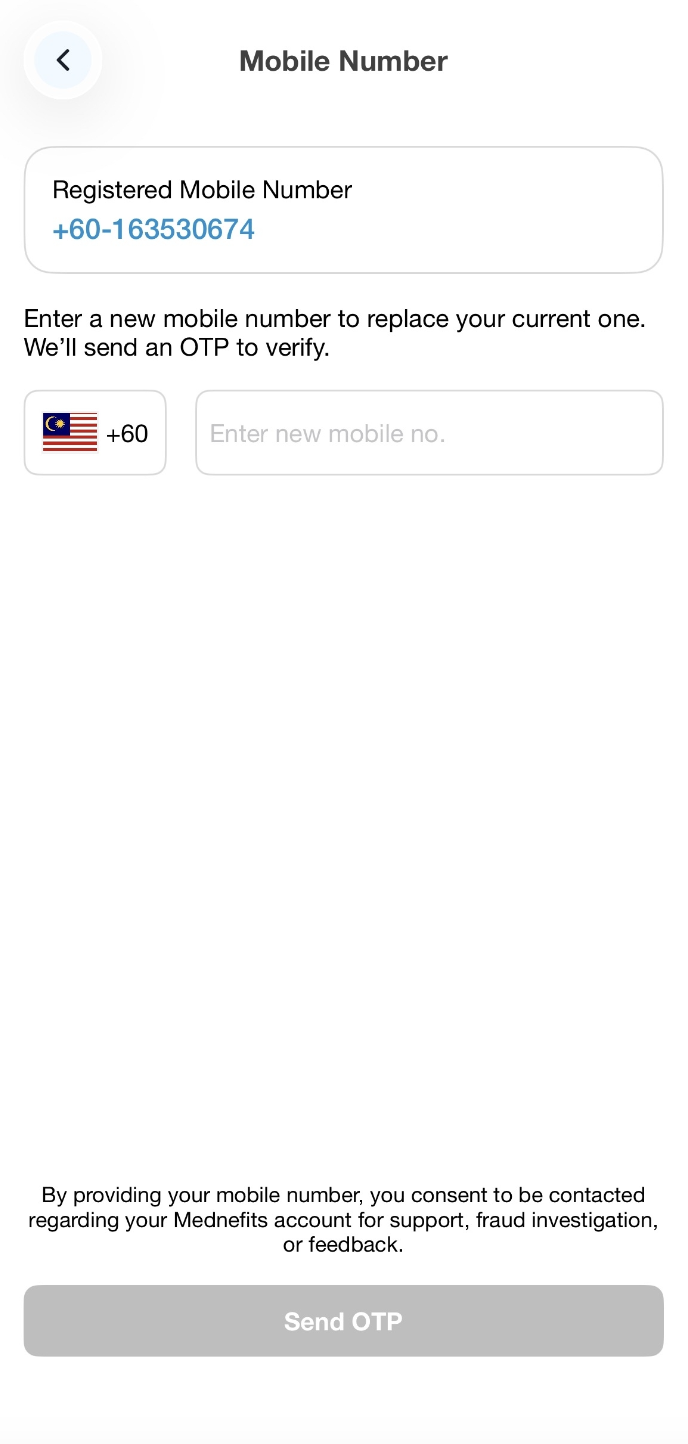
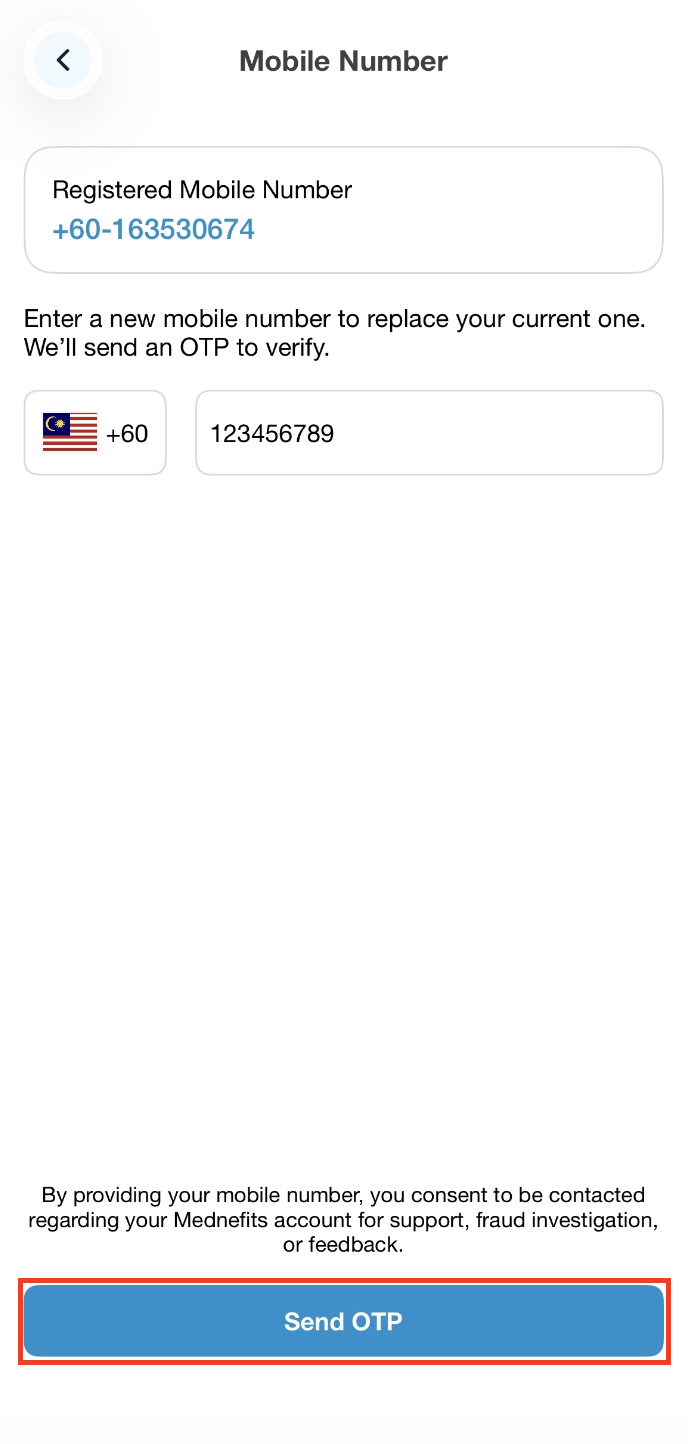
Step 4: Select the Country Code and input the new mobile number. Once you have input your mobile number, tap on Send OTP to proceed with the One-Time Password verification process.
Step 5: You will be redirected to the OTP verification page and it will be sent out to your mobile number via Whatsapp. Please input the OTP to complete the verification process.
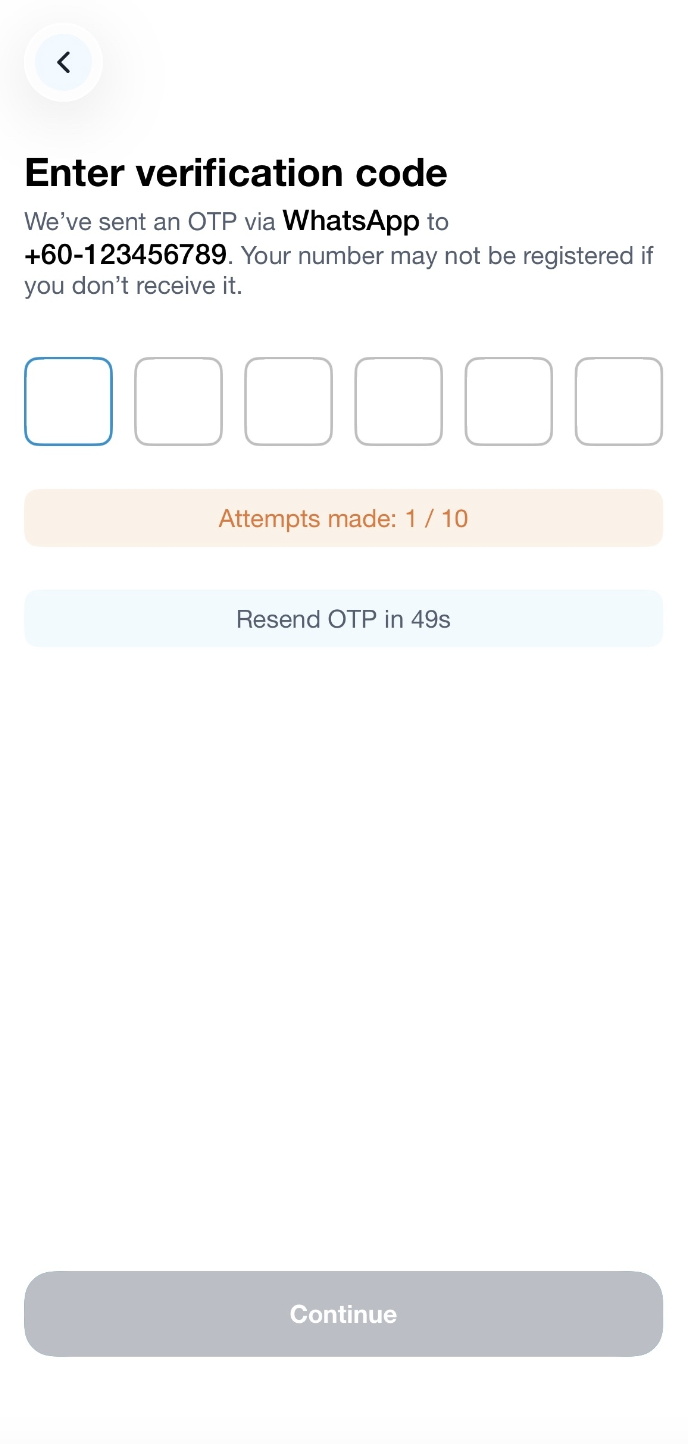
Once you have completed the verification, you will be required to login again using the updated mobile number.
Alternatively, if your company does not allow changes to be made within your Mednefits app, you will see this screen when you navigate to the Mobile Number page.
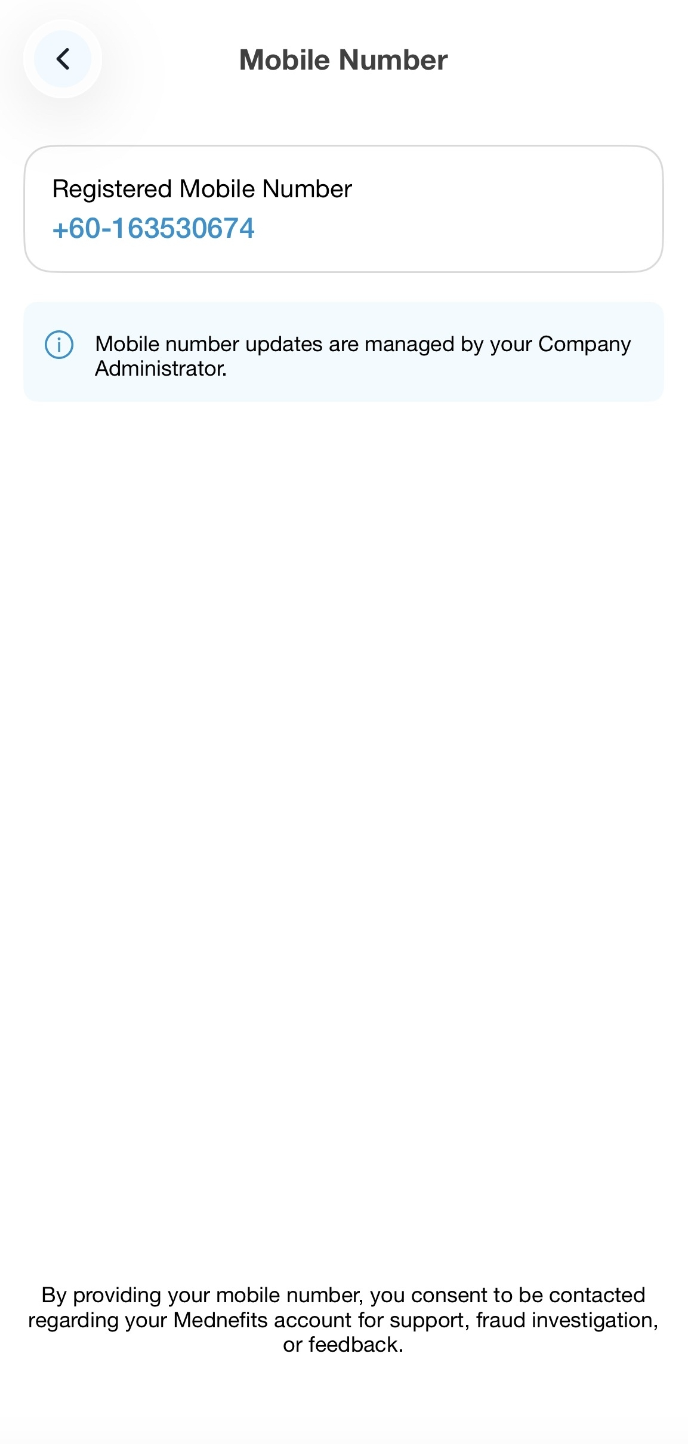
Kindly contact your company HR or Mednefits Support team at +60 3 3099 5774 or email at [email protected] for further assistance.

