


You can only do this based on the existing Schemes you have set up. If you need a new Scheme set up, please contact our Customer Success team.
To set a monthly cap/cap per visit/shared monthly cap/co-payment for a single scheme, follow these steps:
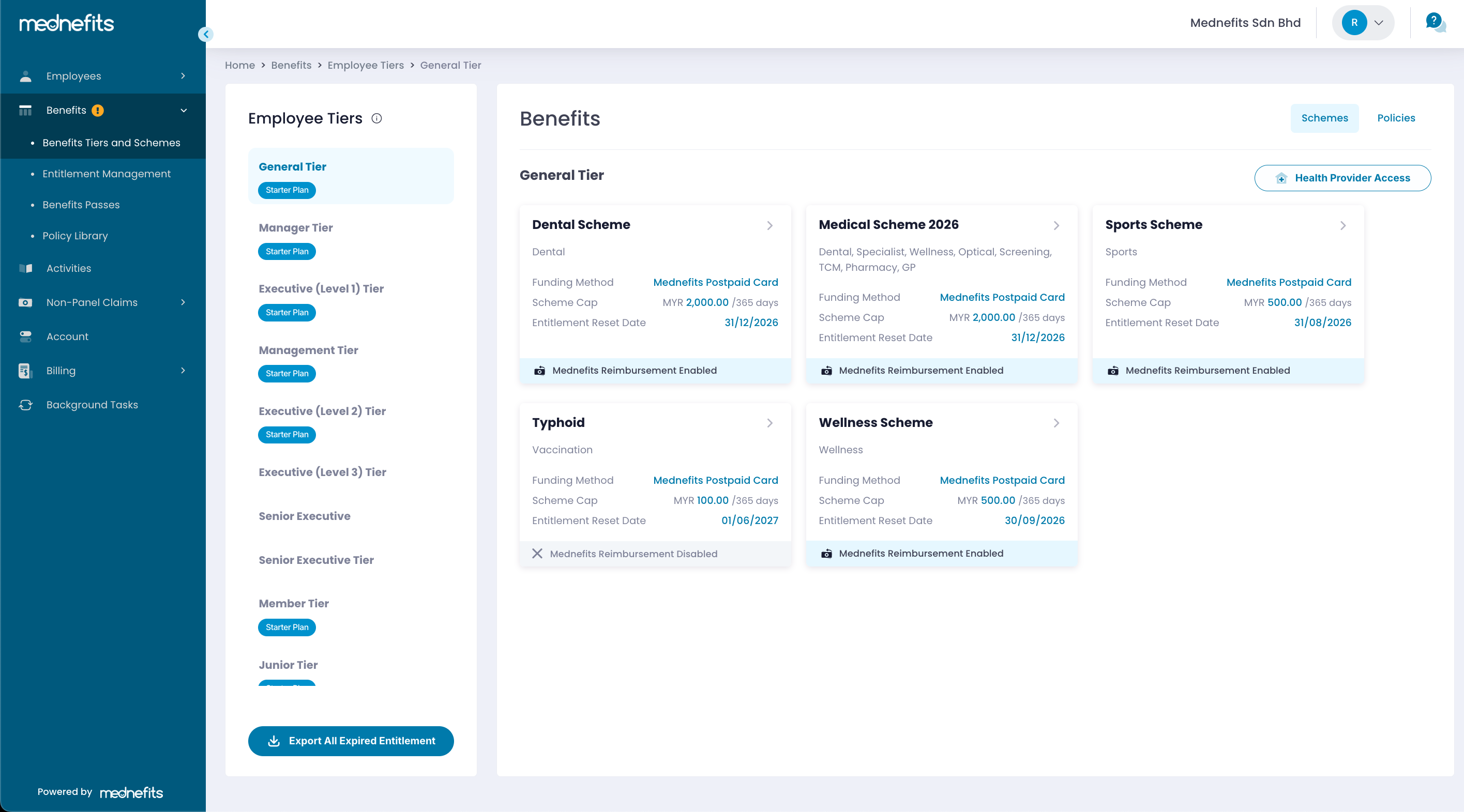
Step 1: Navigate to Benefits > Benefits Tiers and Schemes, then select the desired Scheme.
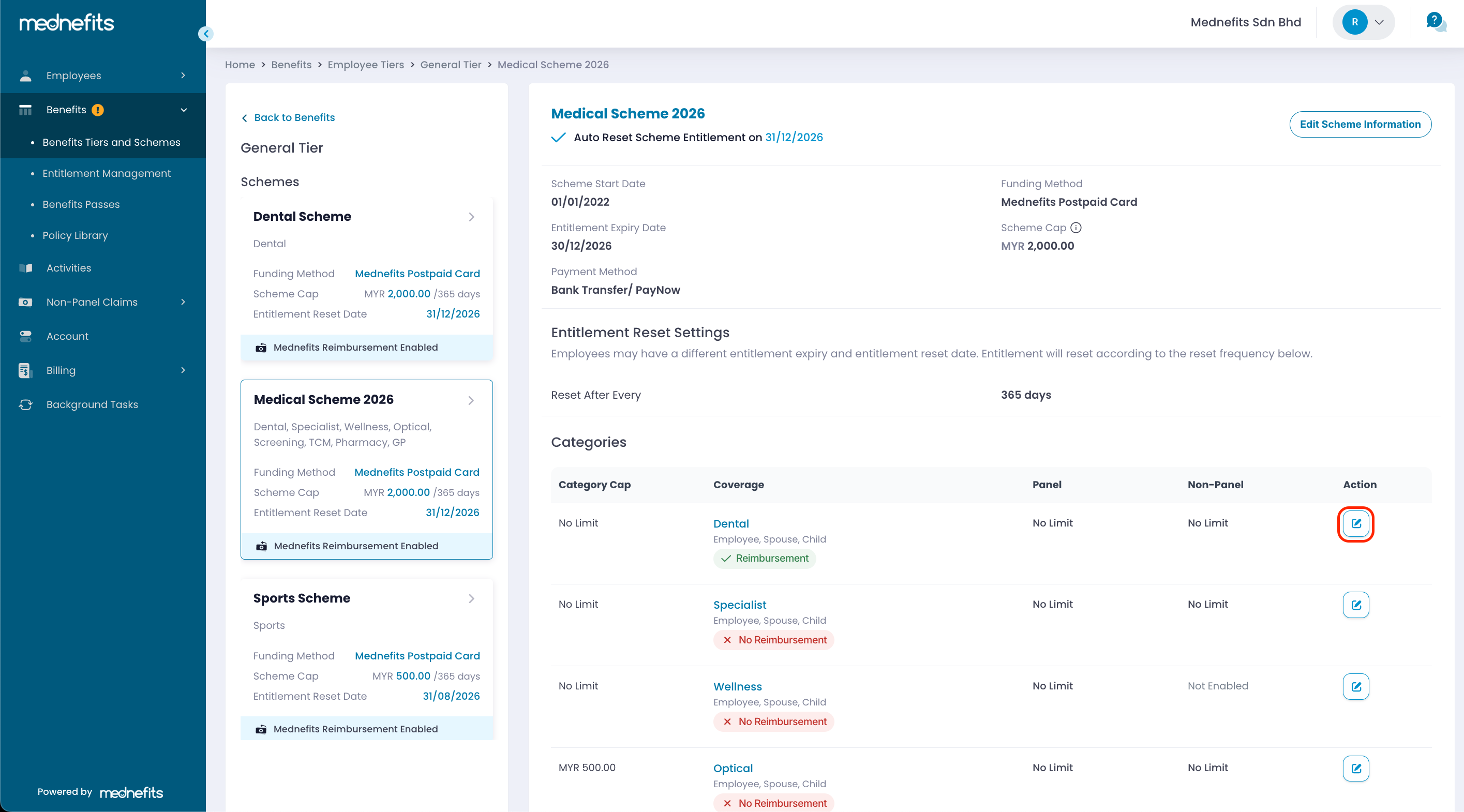
Step 2: Click the edit icon under Action, indicated in the screenshot below.
Step 3: Enter the amount you wish to set as a monthly cap/cap per visit/shared monthly cap. Click Save Information.
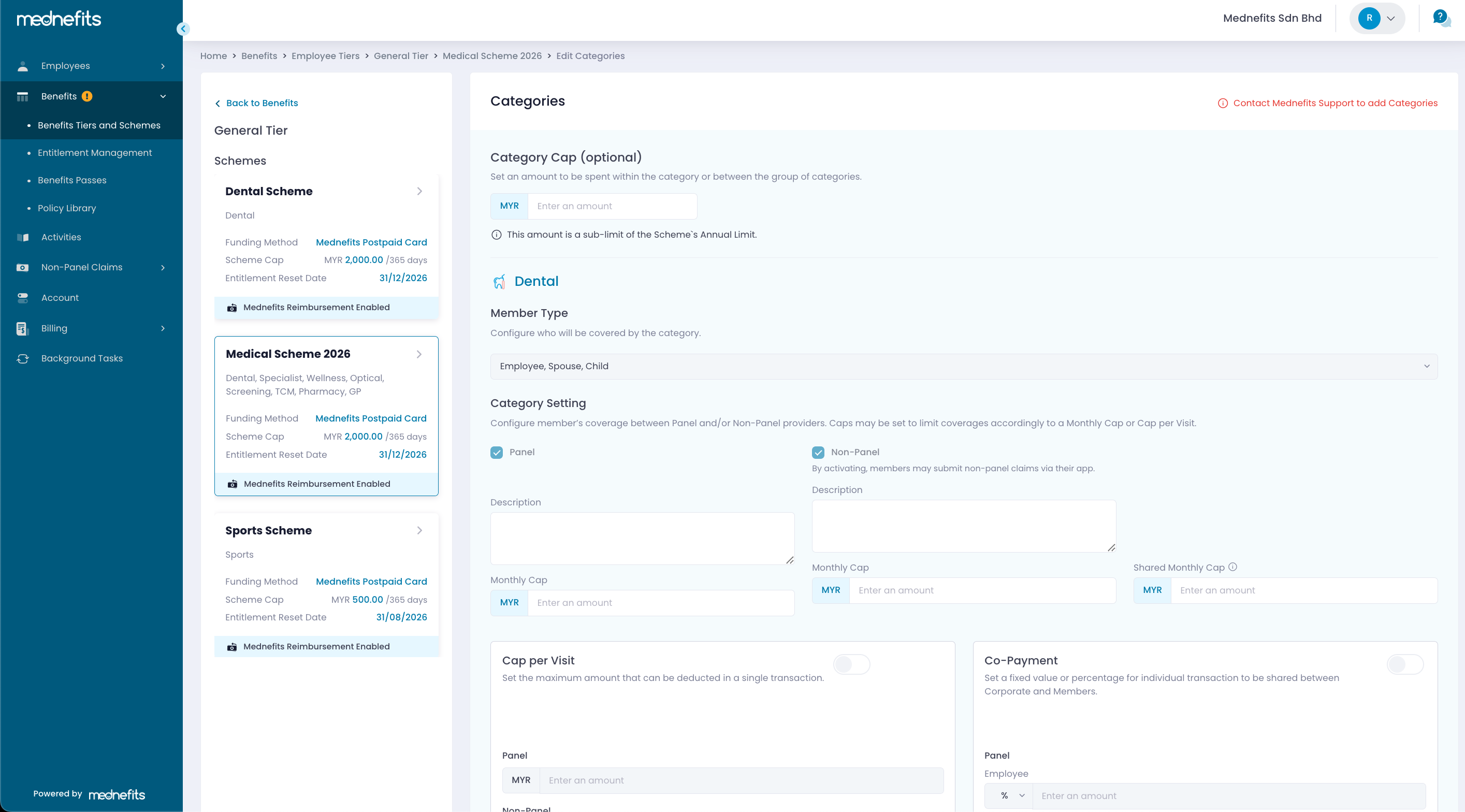
A Shared Monthly Cap can only be activated when both Panel and Non-Panel are enabled.
Step 4: (Optional) Enable Cap per Visit or Co-payment, if required.
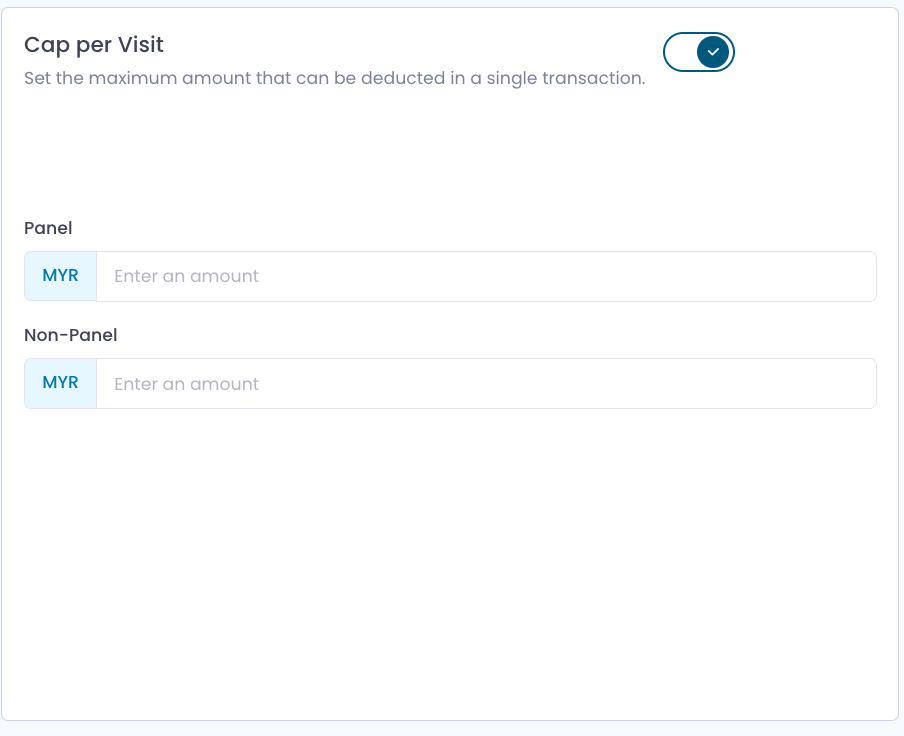
🆕 You can now enable both Cap per Visit and Co-payment together. To enable/disable Cap per Visit and Co-Payment, click the toggle button found within the category customization.
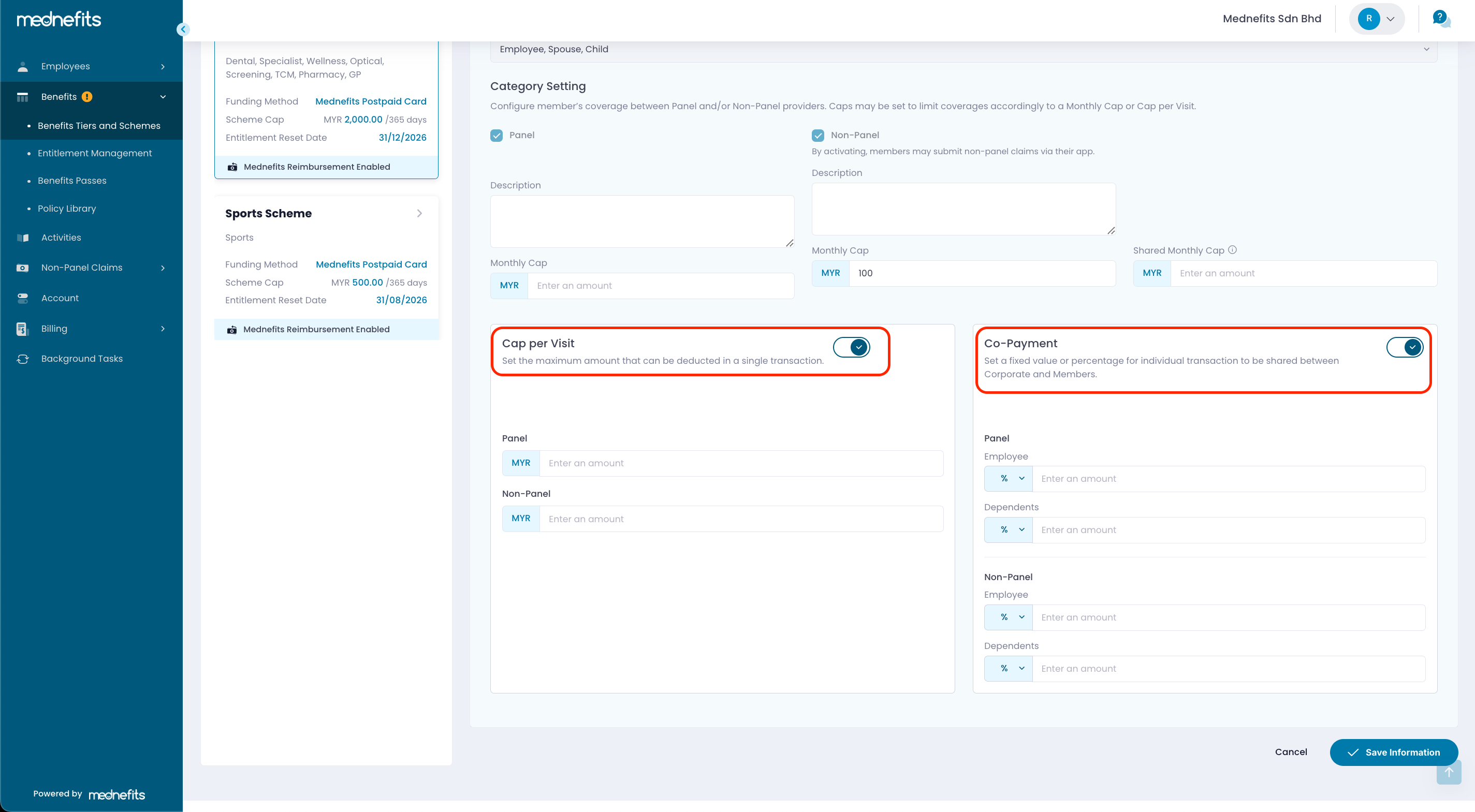
- Cap per Visit: Set the maximum amount that can be deducted from the employee's benefit balance for each transaction. Any amount exceeding the cap must be paid by the employee out of pocket.
- Co-Payment: Set a fixed amount or percentage that employees must pay for each transaction, while the remaining balance is covered by the company according to the scheme settings.

Value-dollar ($): When Co-Payment is configured to adopt a value-dollar ($) logic, it indicates a FIXED amount is to be paid by members regardless of the bill/ claim amount.
Percentage (%): When Co-Payment is configured to adopt a percentage (%) logic, it indicates that a portion of the bill/ claim amount is to be paid by the members regardless of the bill/ claim amount.

