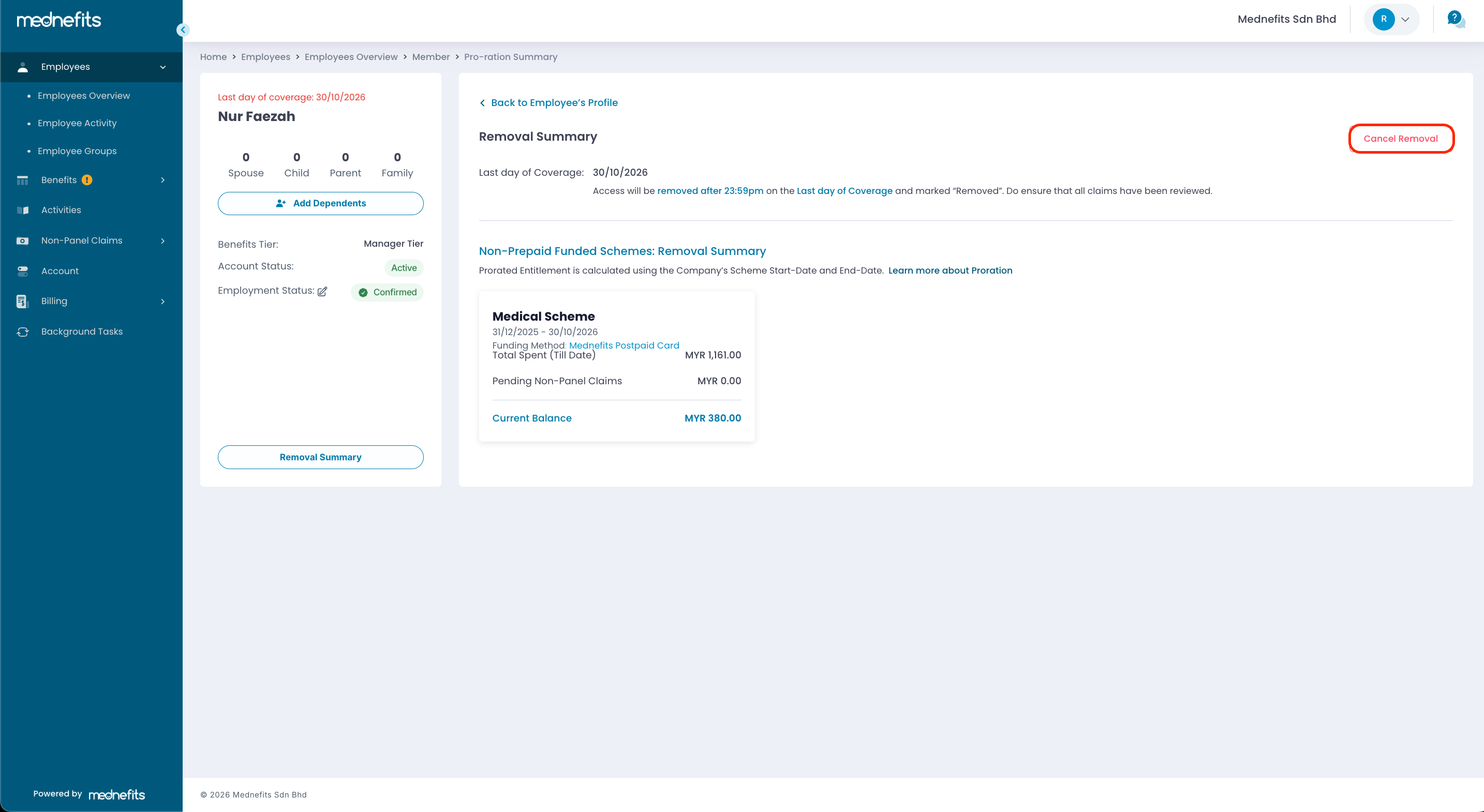
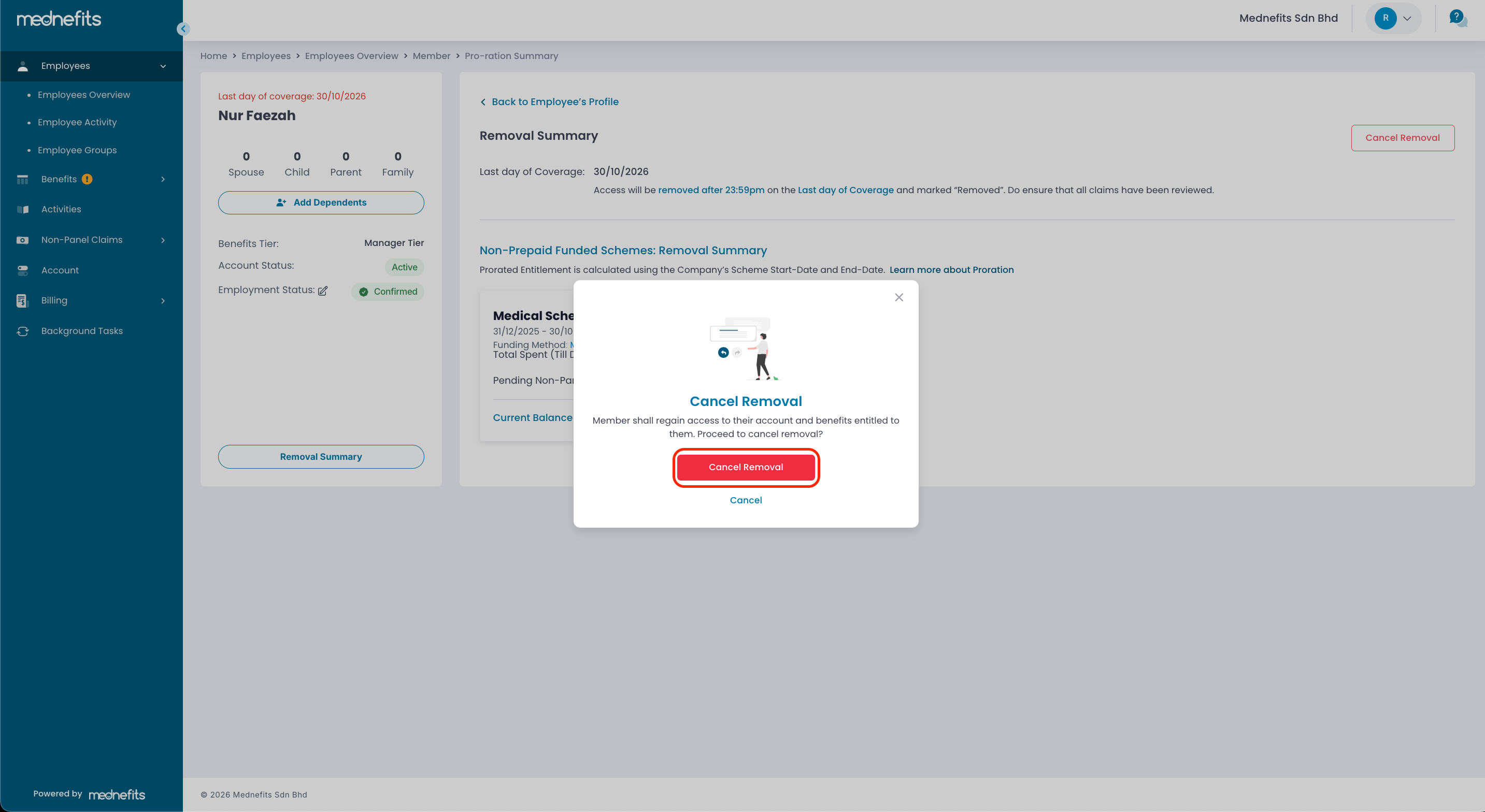
How to cancel removal?

Last updated: Sep 24, 2026
21
views

If an employee has been scheduled for removal but is still within the removal period, HR can cancel the removal from the HR Portal.
Steps to Cancel Removal
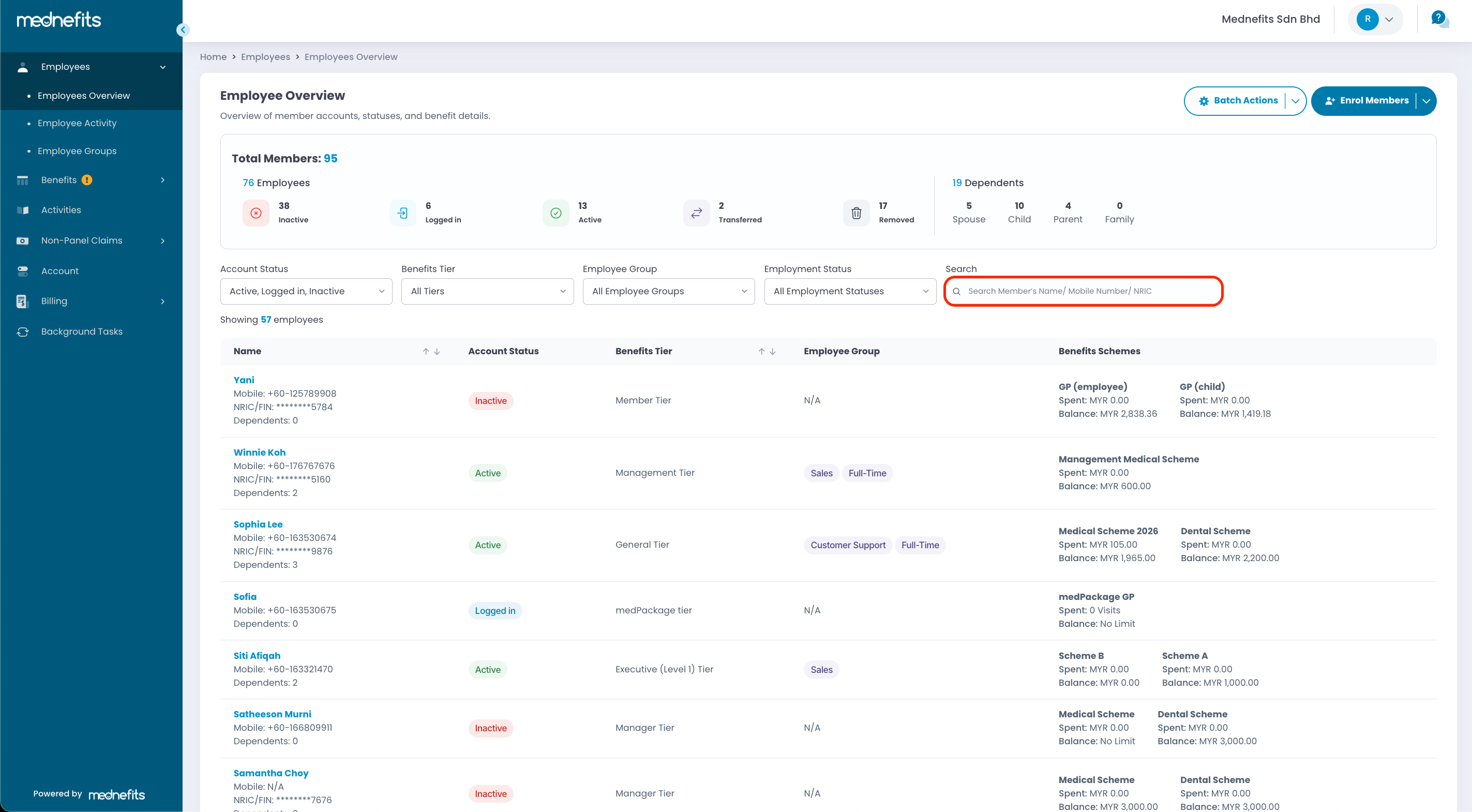
Step 1: On the Employees > Employees Overview page, search for the respective employee's account by their name, mobile number or NRIC.
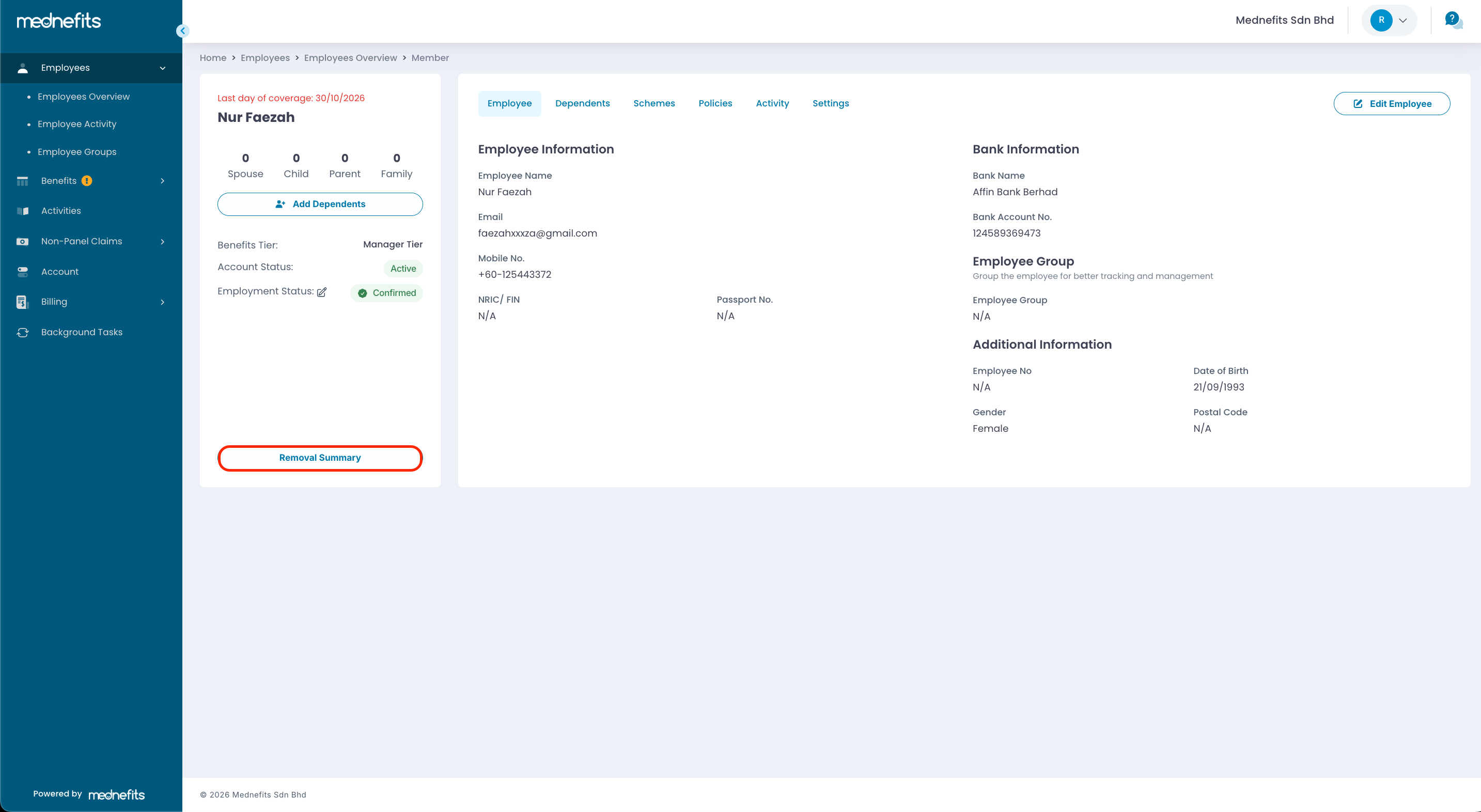
Step 2: Click on the Removal Summary button.
Step 3: Click the Cancel Removal button to cancel the scheduled removal.