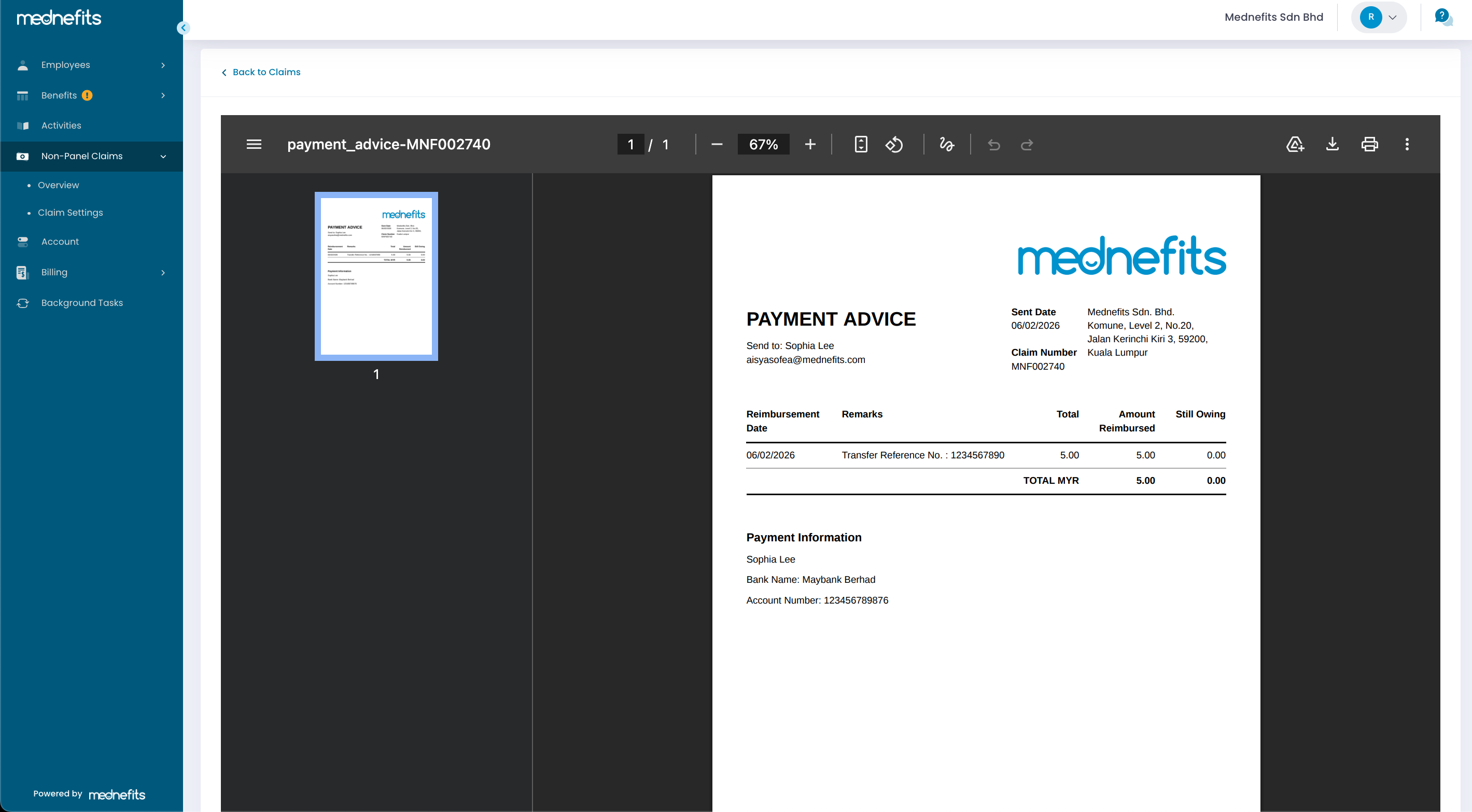
Payment Advice is available for reimbursed Non-Panel Claims and can be downloaded directly from the HR Portal. It serves as proof that the reimbursement has been successfully processed and provides payment details, including the payment date, reimbursement amount, and other relevant payment information.
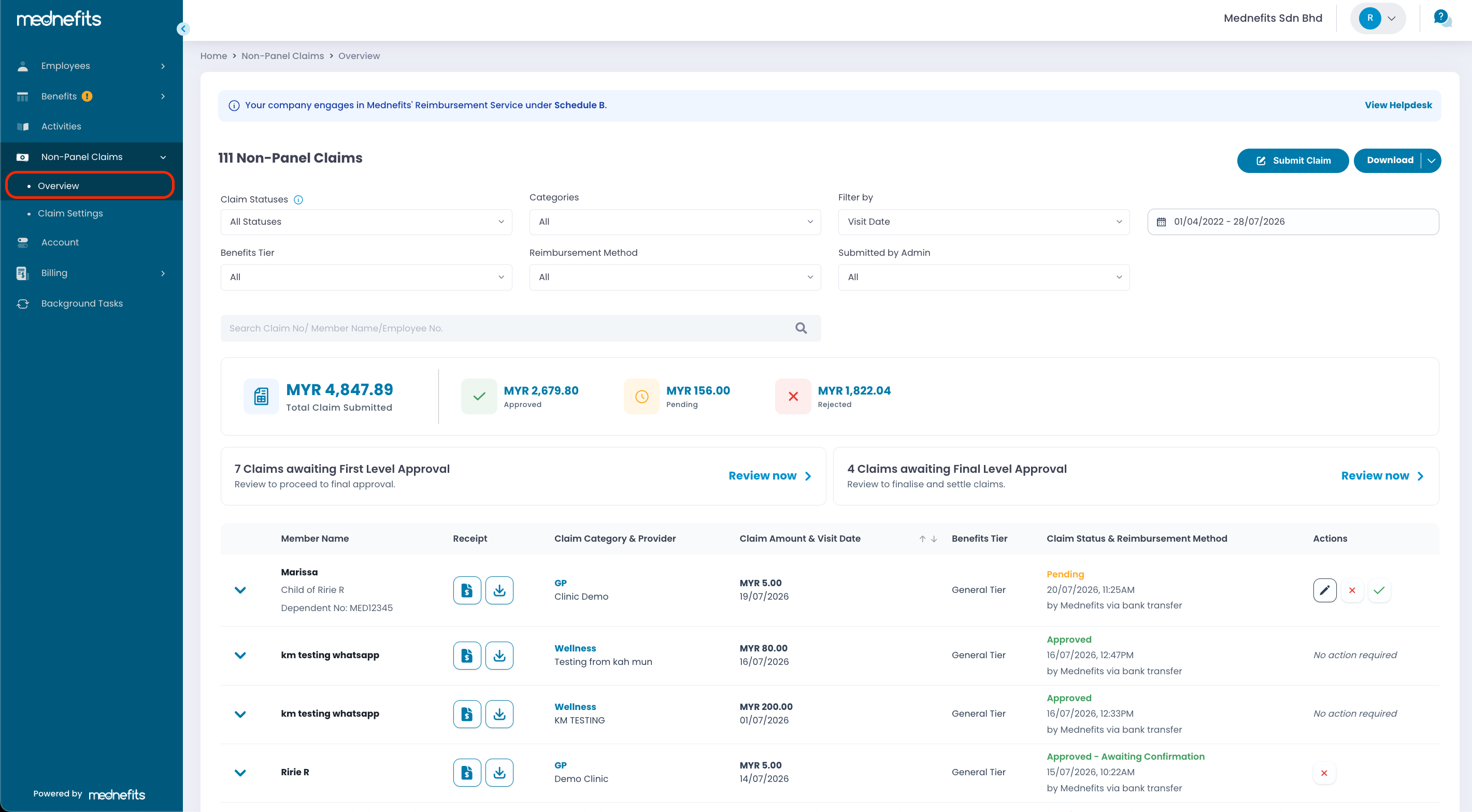
Step 1: Log in to the HR Portal, then navigate to Non-Panel Claims > Overview.
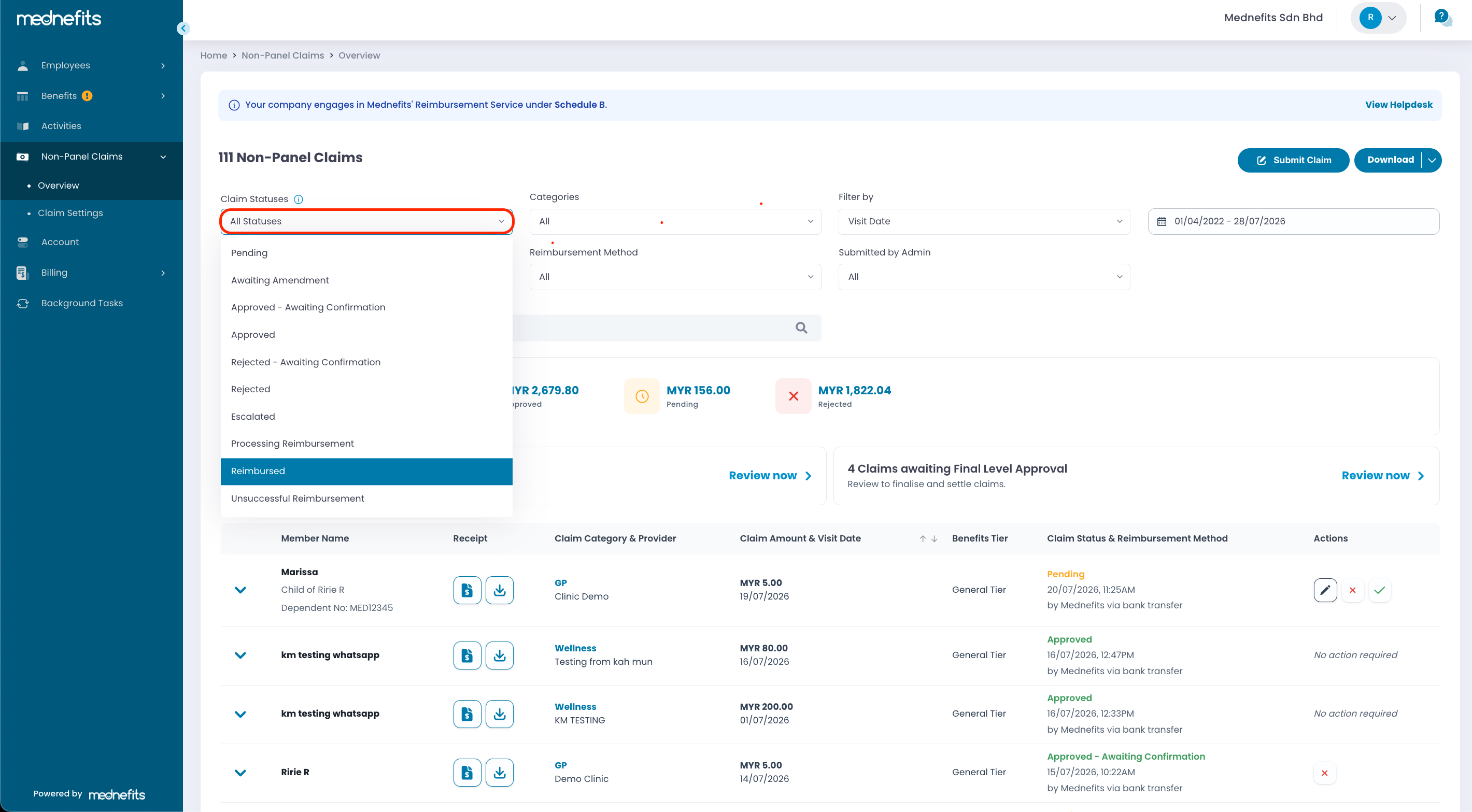
Step 2: Click Claim Statuses, then select "Reimbursed" to display all non-panel claims that have been successfully reimbursed.
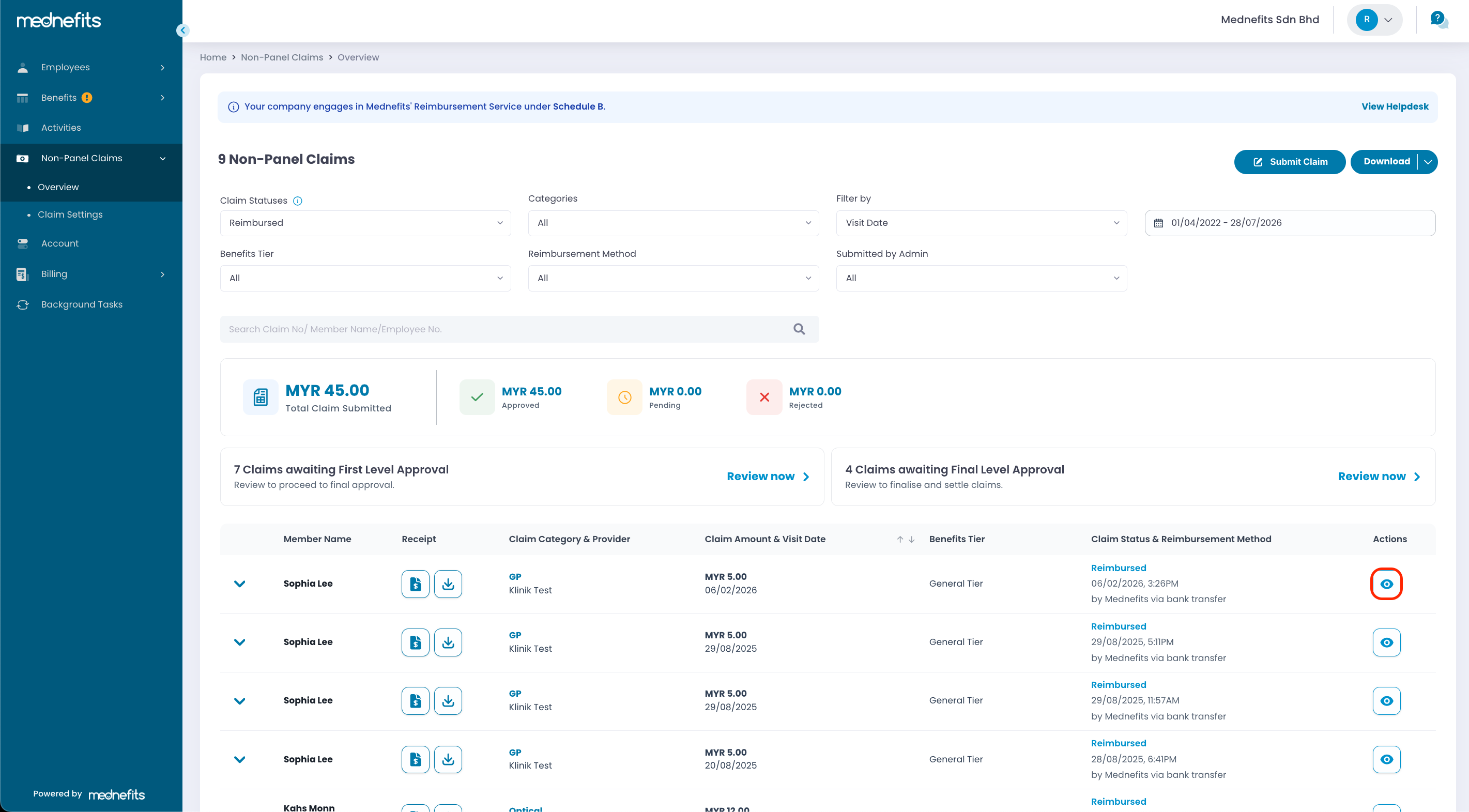
Step 3: Locate the reimbursed claim, then click the Actions button and select View Payment Advice to open the payment advice.
Step 4: The Payment Advice will open in a new tab. You can view the reimbursement date and the bank account details that the reimbursement was transferred to. You may also zoom in, zoom out, or print the Payment Advice for your records.