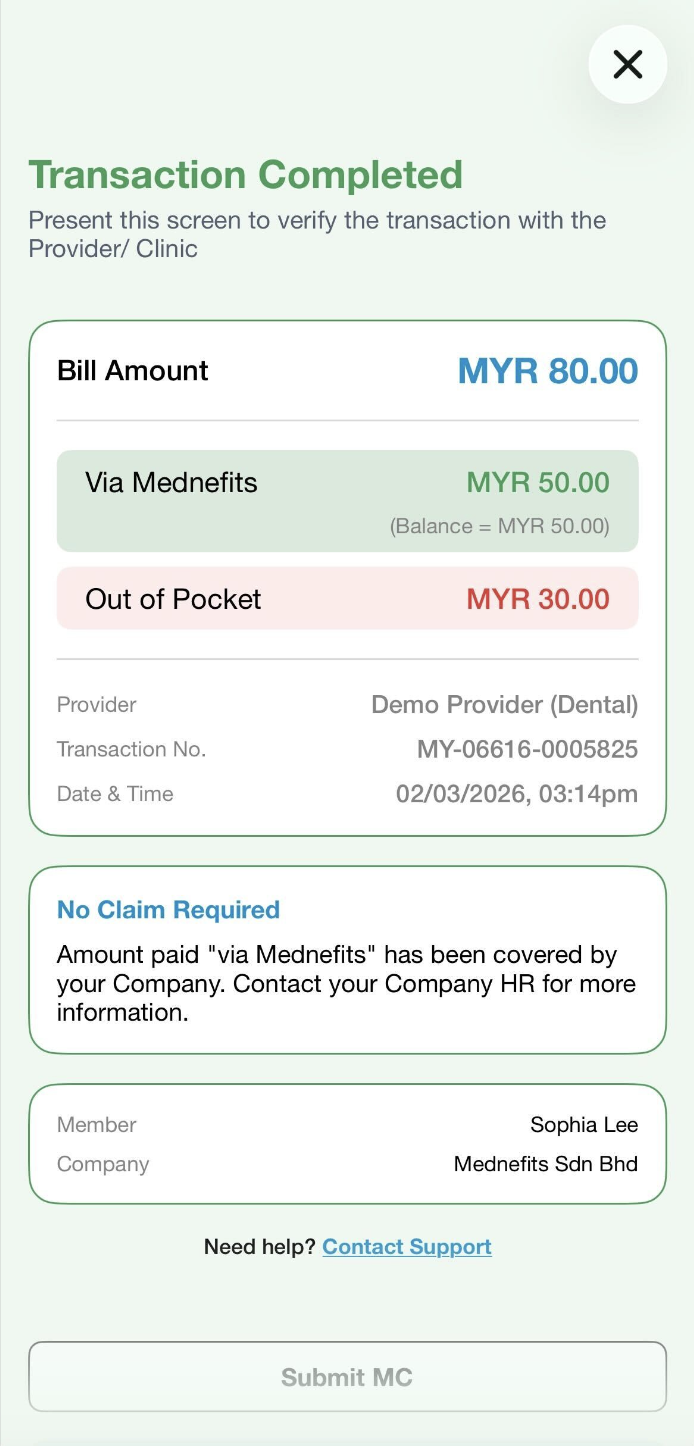
How do I pay if I have insufficient/no balance left?

Mar 02, 2026
 1985
1985
For providers that accept payment via Mednefits, you will be able to make partial or full payment via Out of Pocket (paid directly to the provider) in the event that your Benefits Balance is insufficient.
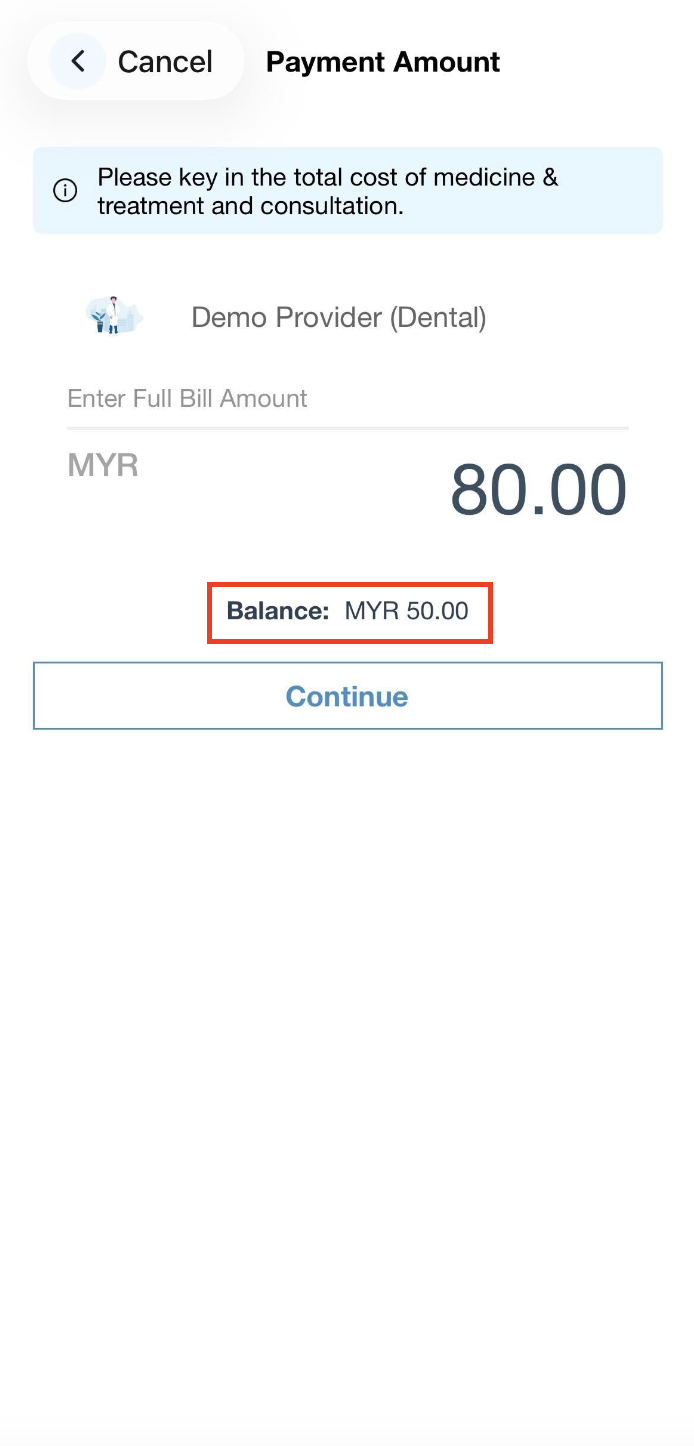
Step 1: Key in the Full Bill Amount as informed by the panel provider to complete the payment. The available balance will be displayed below the full bill amount entered.
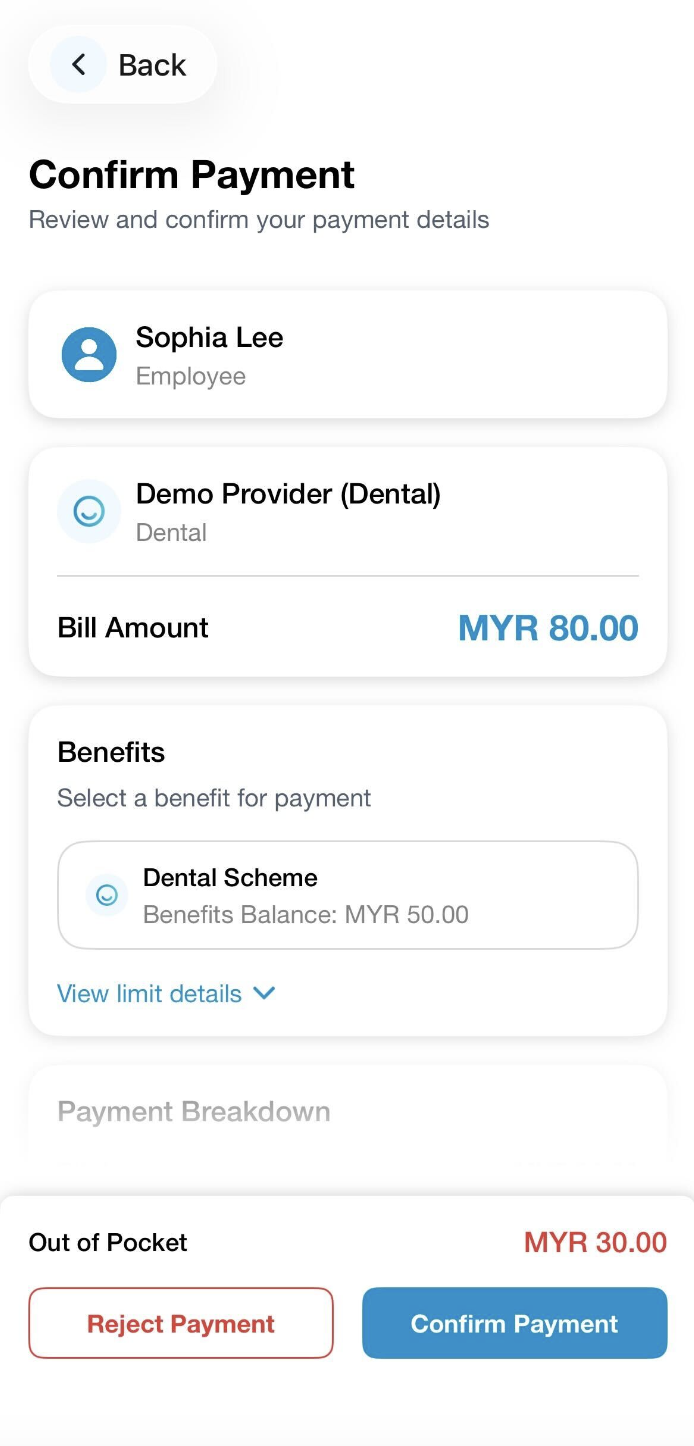
Step 2: On the Confirm Payment page, kindly navigate to the Payment Breakdown which will provide a detailed calculation of how much was deducted from your available balance and how much will be required to pay Out of Pocket.
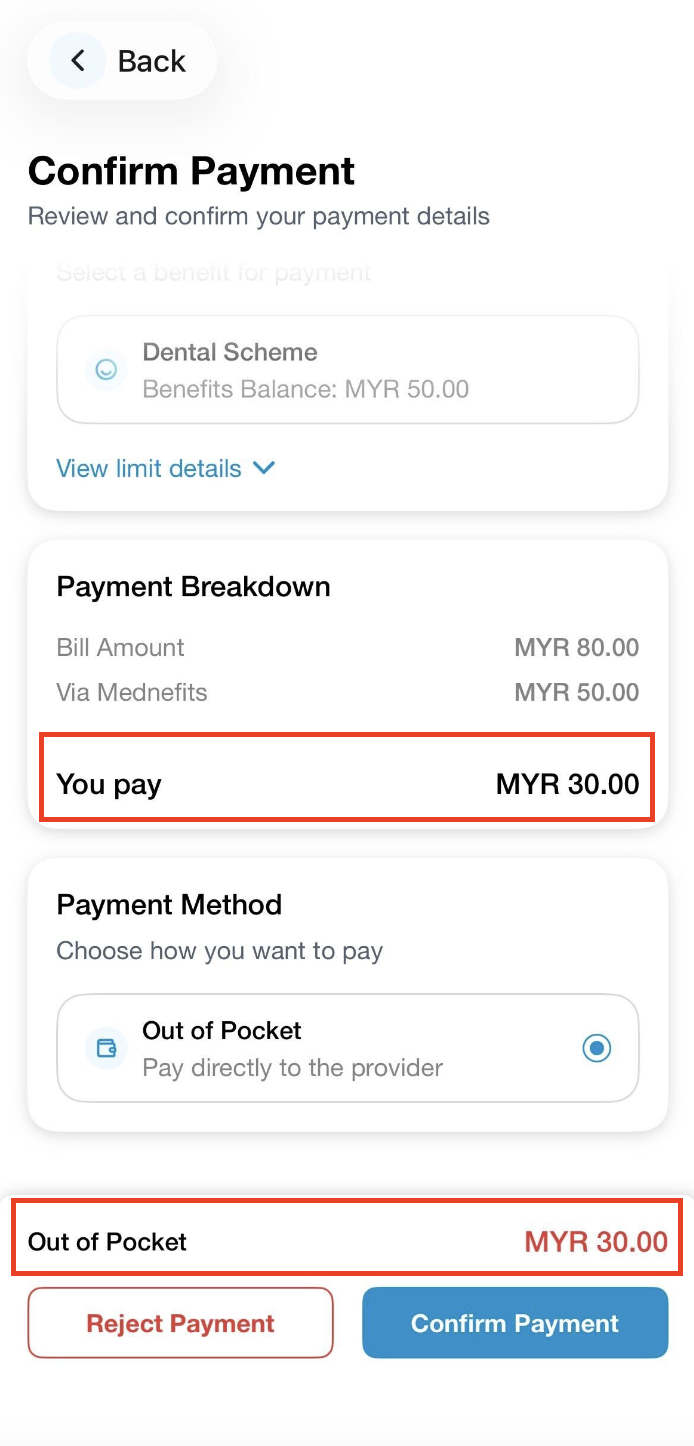
❗Do take note of the amount on the red label as it indicates that you need to pay directly to the provider.