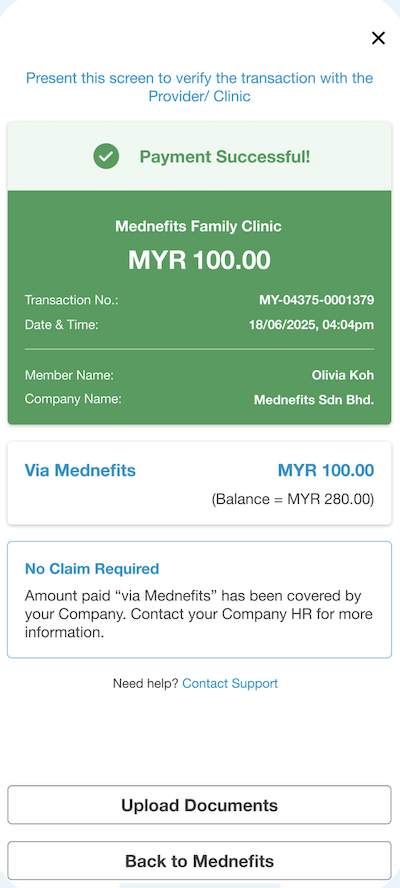
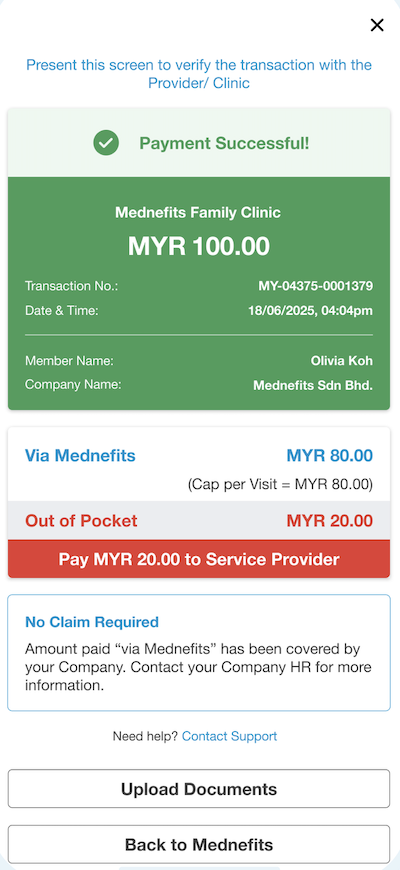
With immediate effect, the Medical Examination / Pre-Employment Check-Up (PCU) will also be made available under Benefits Passes.
This allows members to easily access selected panel clinics for Medical Examination / Pre-Employment Check-Up services assigned by their HR/admin.
Notification
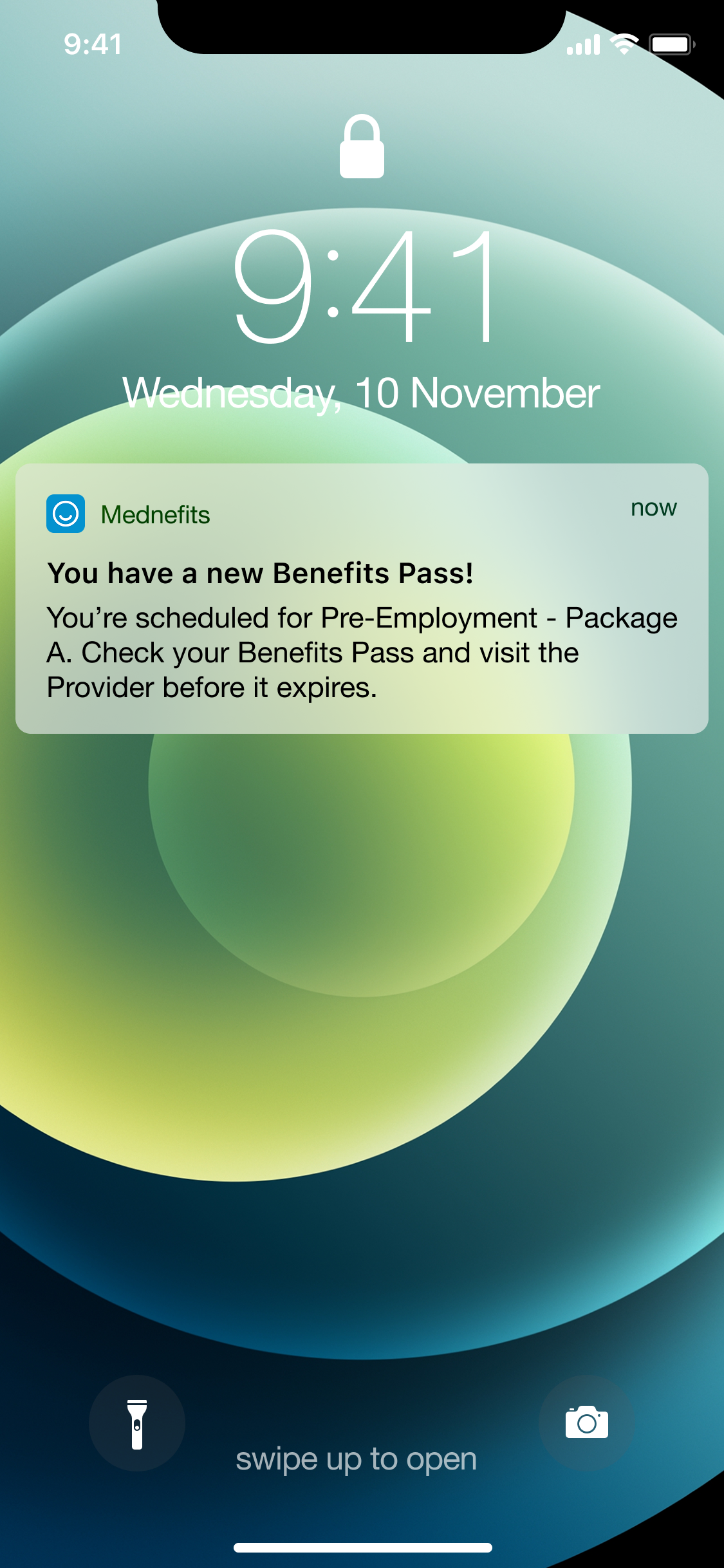
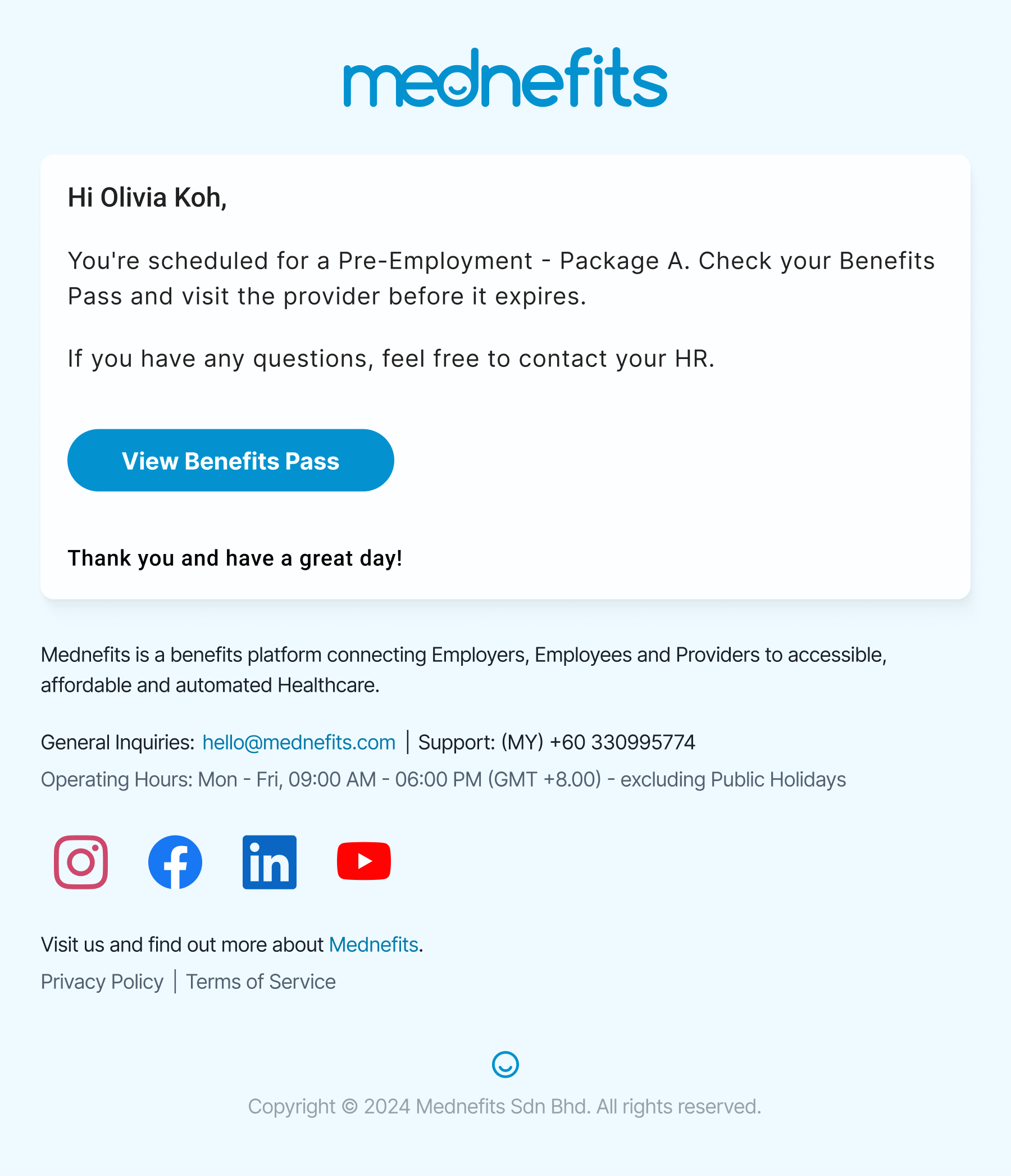
Once a Benefits Pass for Medical Examination is successfully assigned by your HR/admin, the employee will be notified via:
-
Push notification through the Mednefits app, or
-
Email notification, or
-
SMS if no email is registered
Step 1: Open your Mednefits app and tap “View Information” to view your pass details.
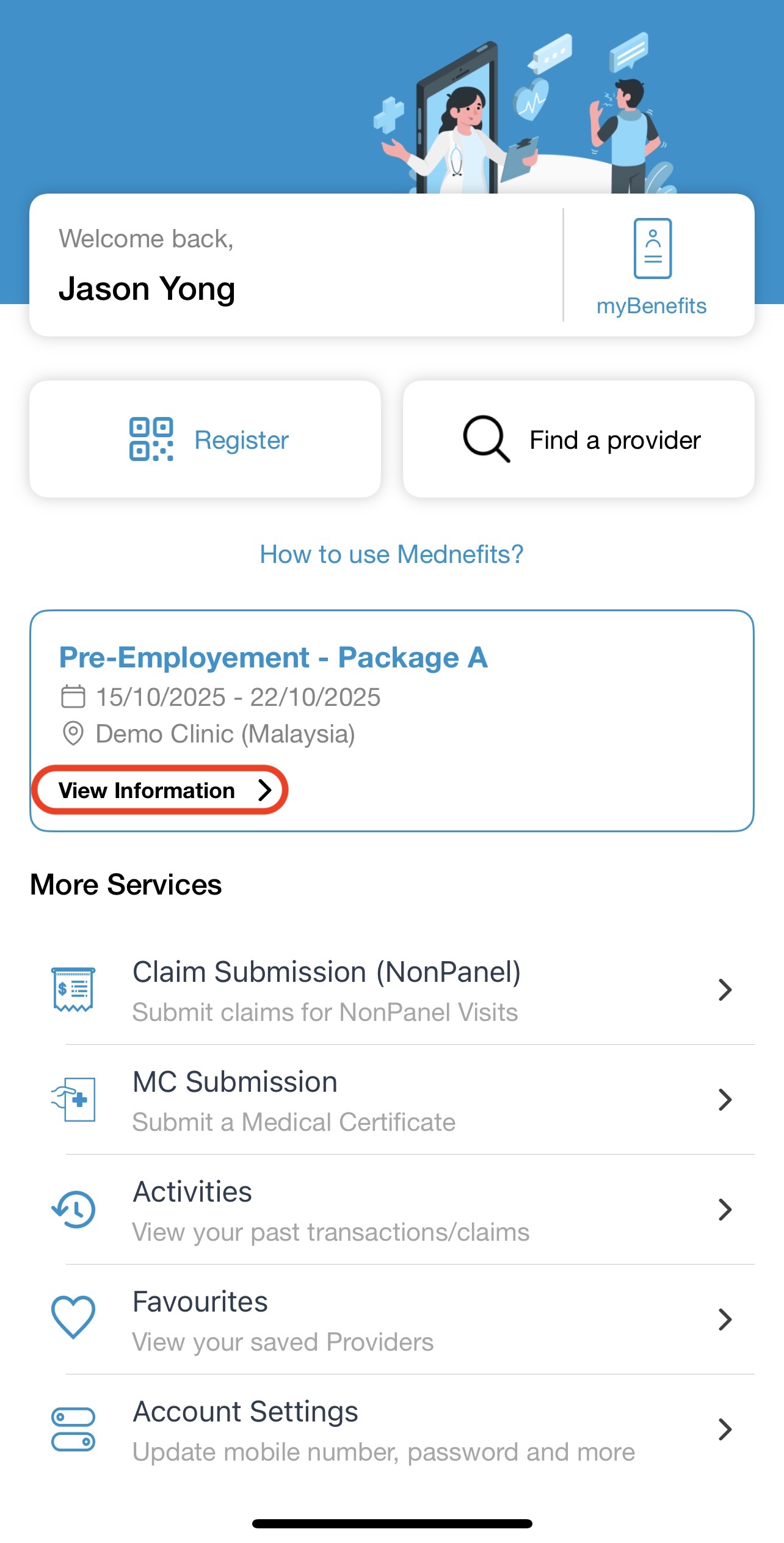
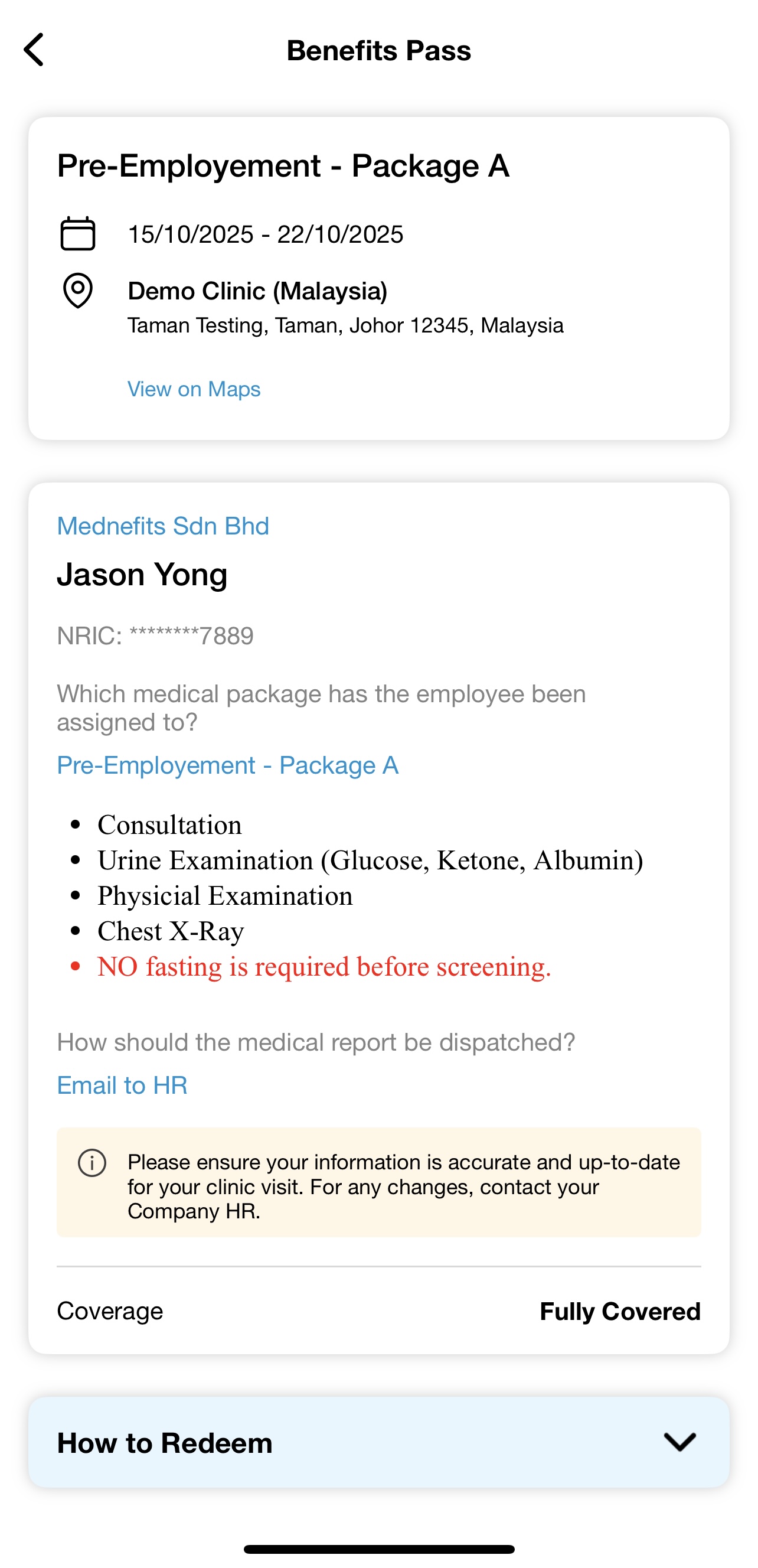
💡 Important Reminder (Applicable for Malaysia users at Malaysia clinics only):
Please obtain the hard copy of your medical report from your company HR/admin before your visit, and present it to the clinic doctor on the day of your appointment.
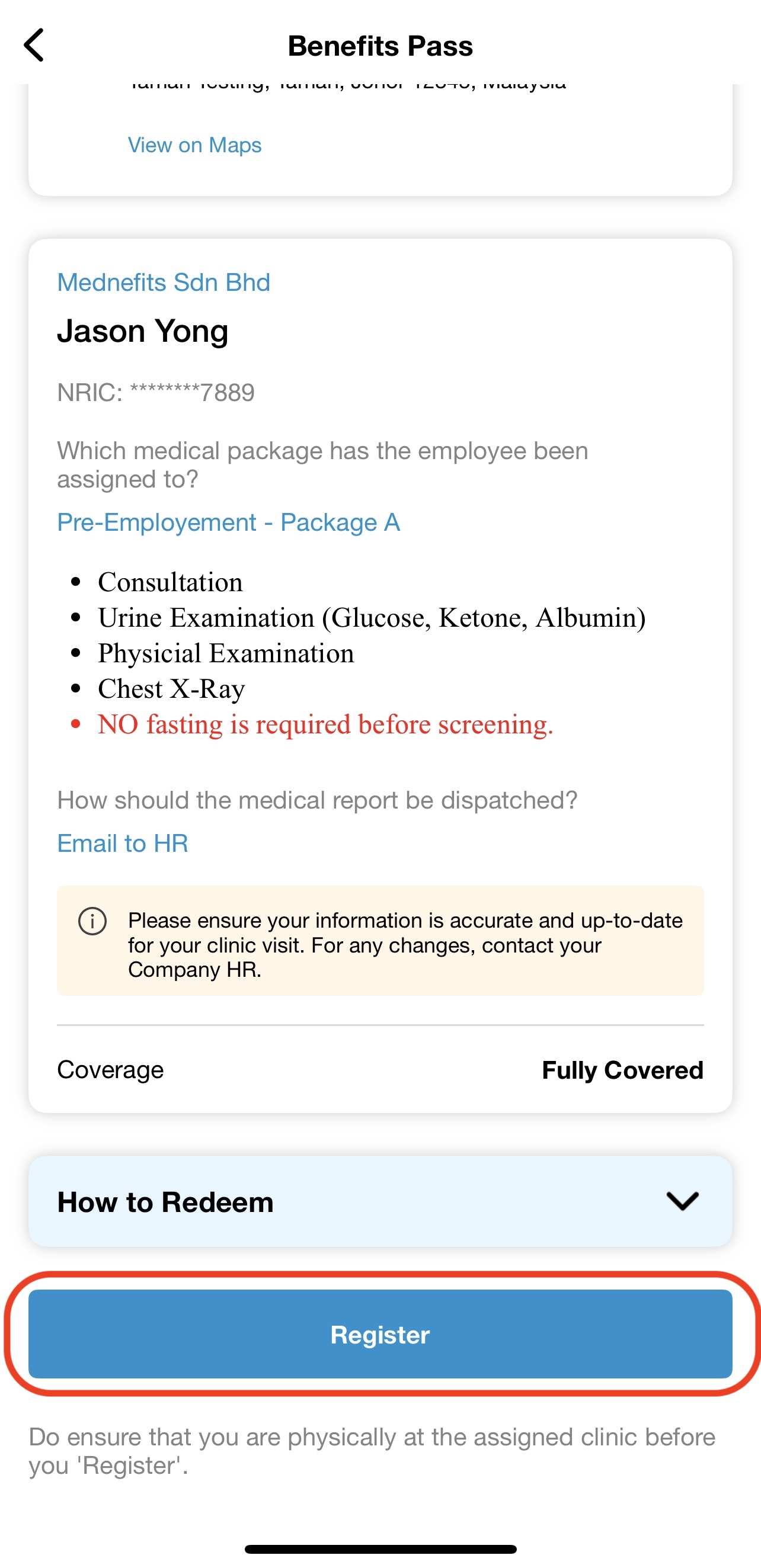
Step 2: Present your pass to the provider and tap "Register"
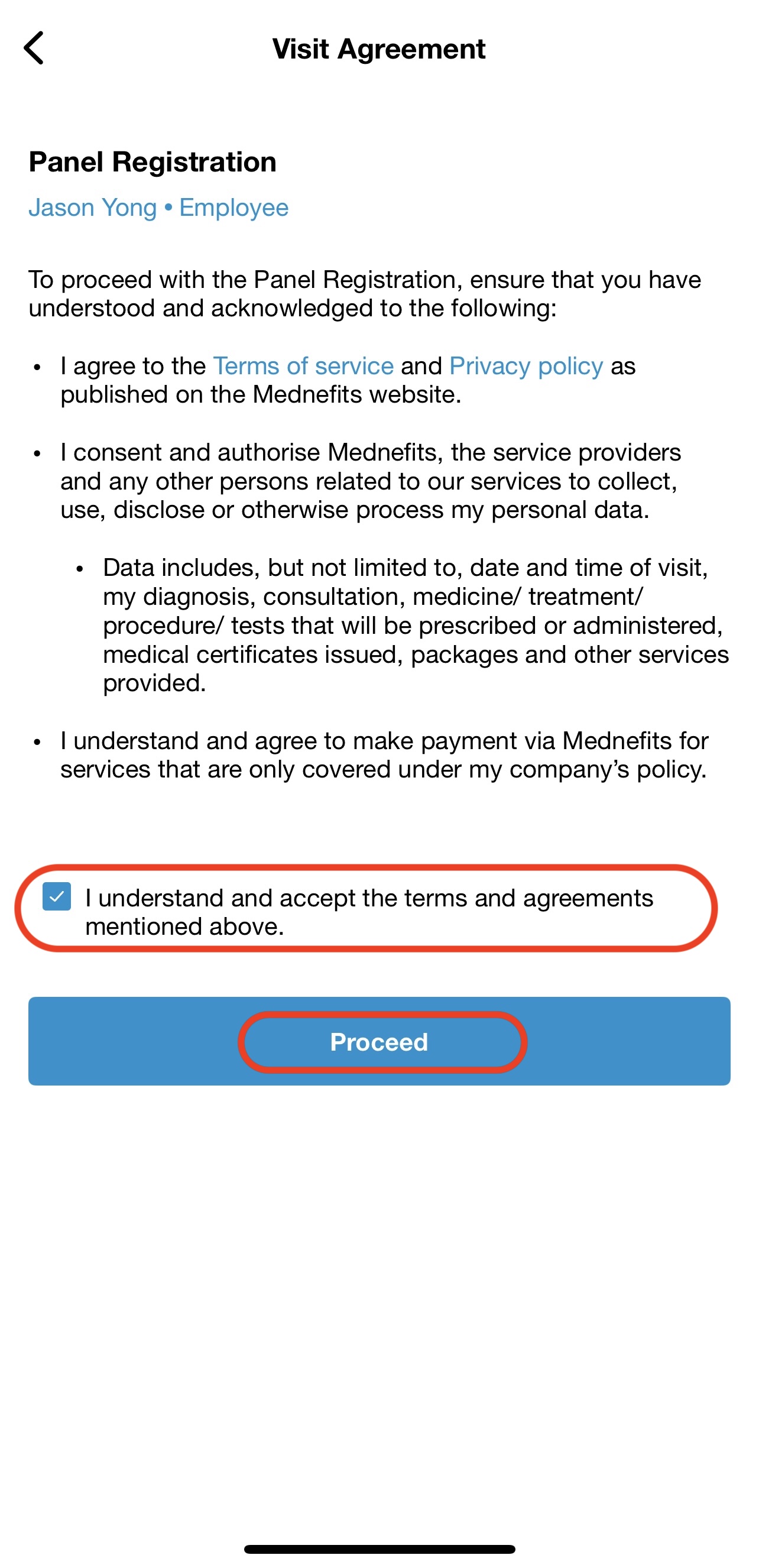
Step 3: Review and accept the terms, then tap “Register Visit”
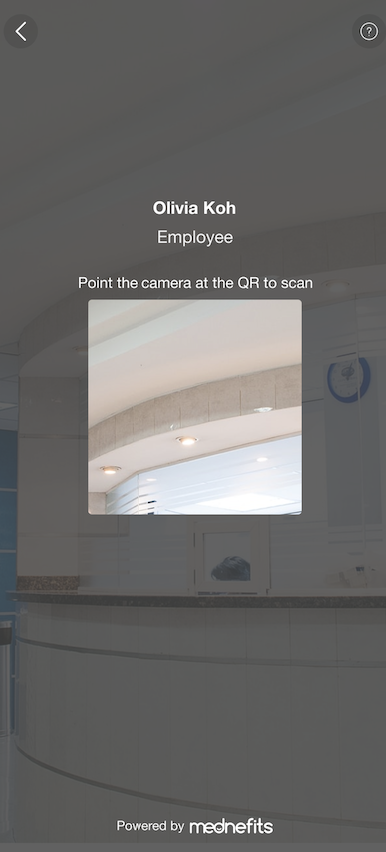
Step 4: Scan the Mednefits QR code displayed at the clinic.
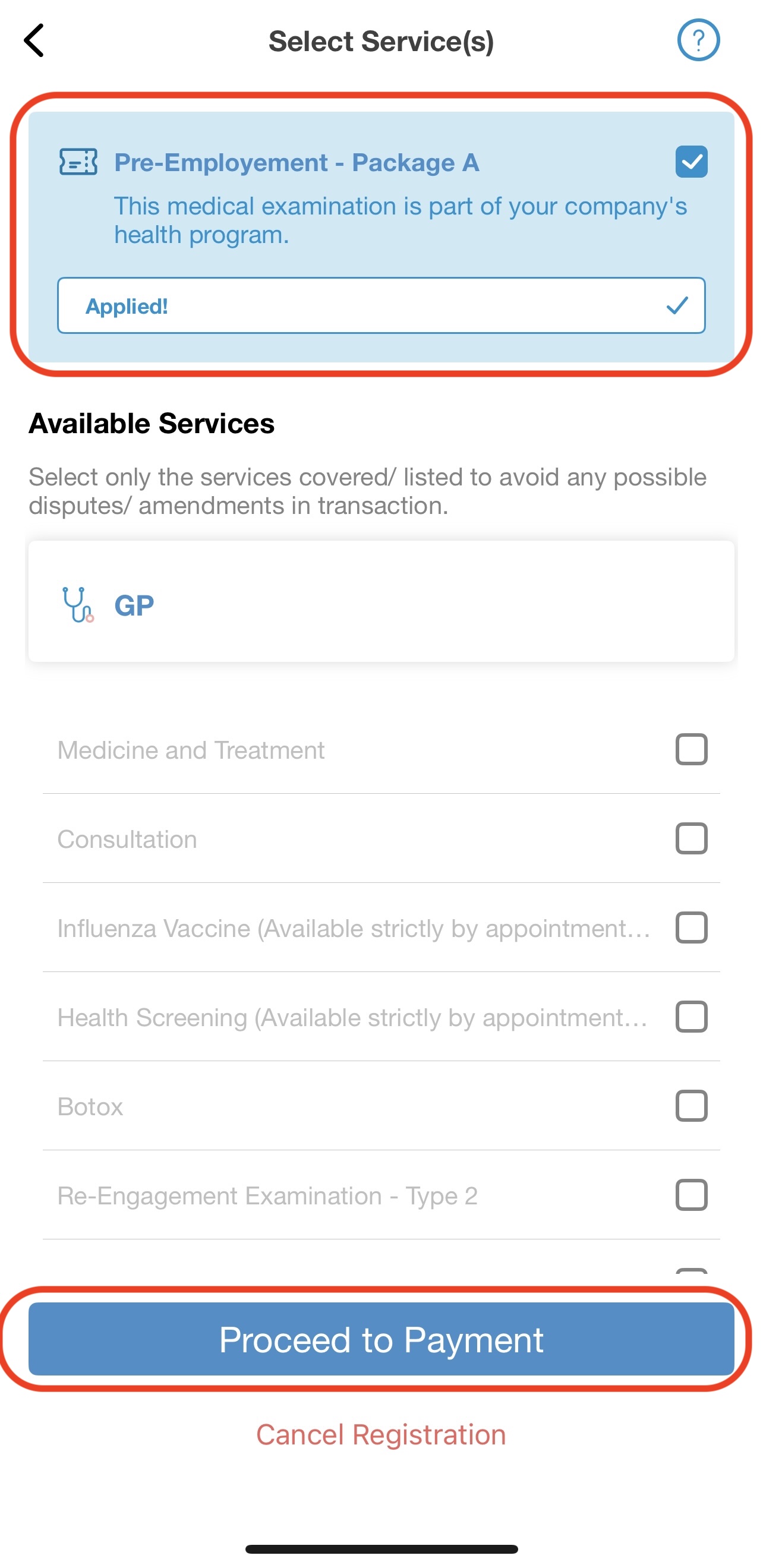
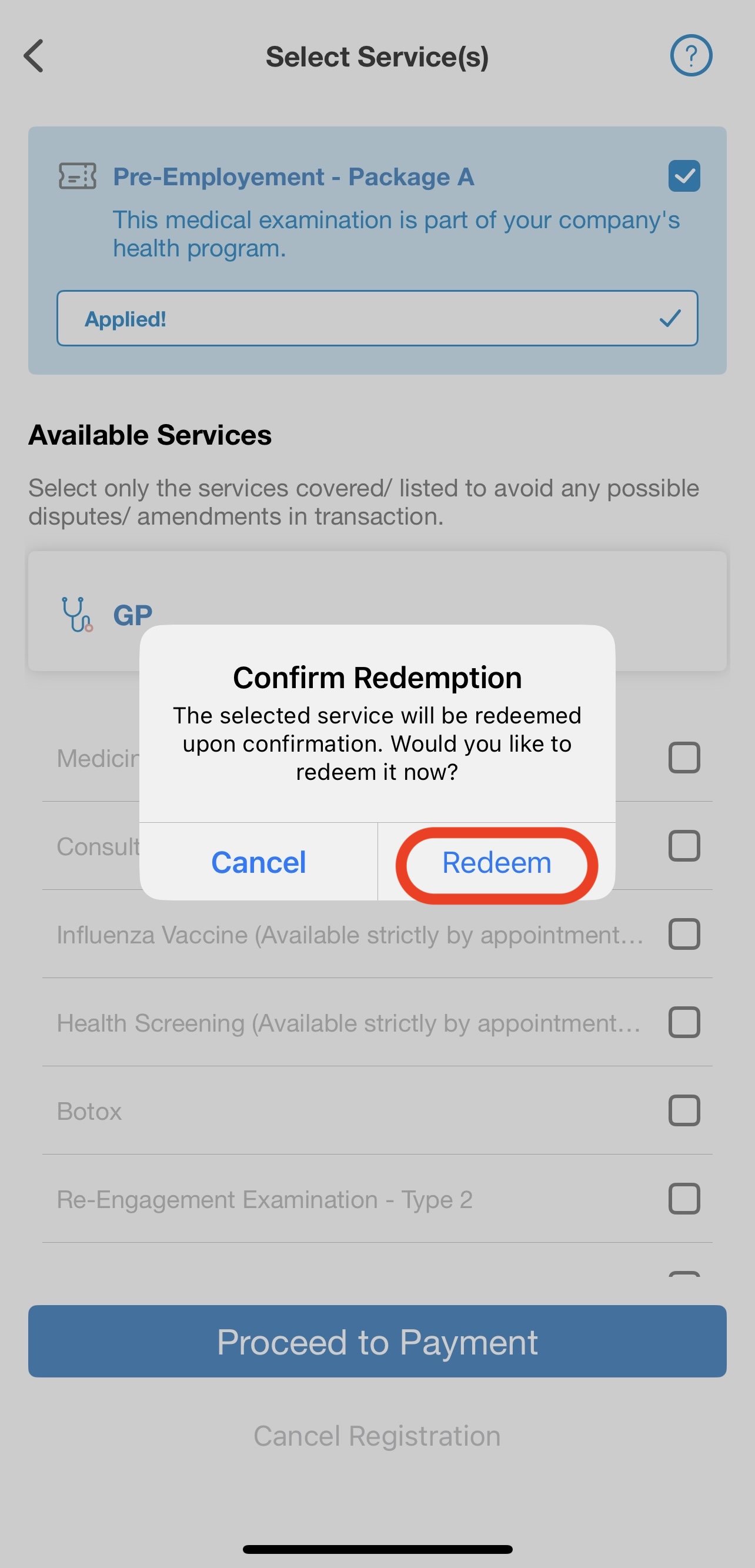
Step 5: Tap “Proceed to Payment” > “Redeem”. The assigned package will be auto-selected.
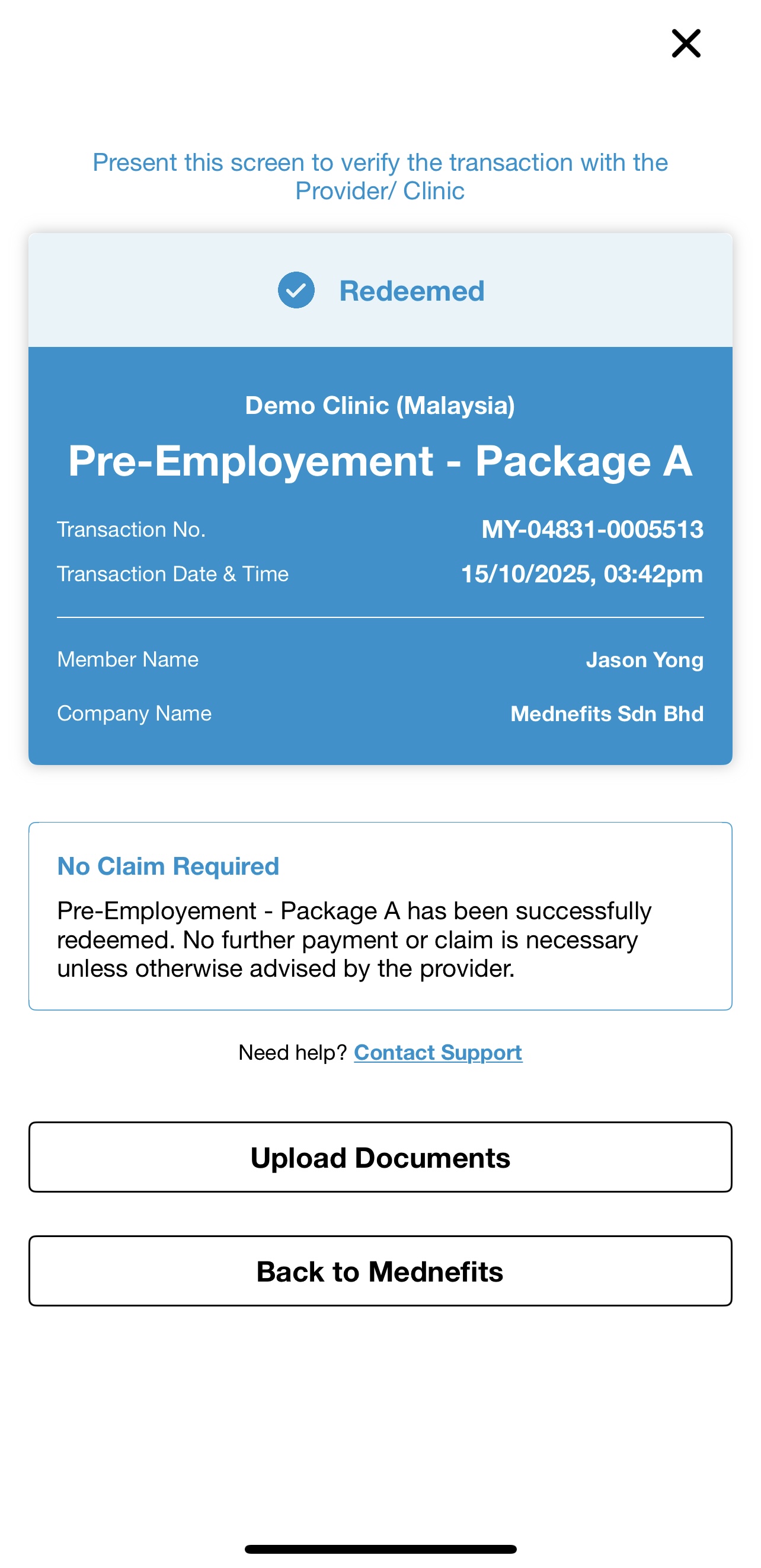
Step 6: Show the successful redemption screen to the clinic to confirm your registration and redemption.
If your Benefits Pass is linked to a Benefits Scheme, any out-of-pocket payment must be made directly to the provider at the time of the visit.