


If your company/organization is facing difficulty to capture Medical Leave submissions outside of the Mednefits platform, we are now introducing a new feature of Medical Certificate (MC) Submission for your employees to submit their MC in order to be eligible for sick leave. This new feature allows more data transparency and ensures the efficiency of data entry and reporting.
Rest assured, MC Submission is only entitled to employees. Any employer/HR who wishes to understand the process of how a member can submit their MC may refer to this article: How do I submit my Medical Certificate (MC)?
It should be noted that the MC Submission feature is only for the company that enables it. Contact our Customer Success team to enable this feature if your company intends to have it!
Begin by logging into your HR Company portal:
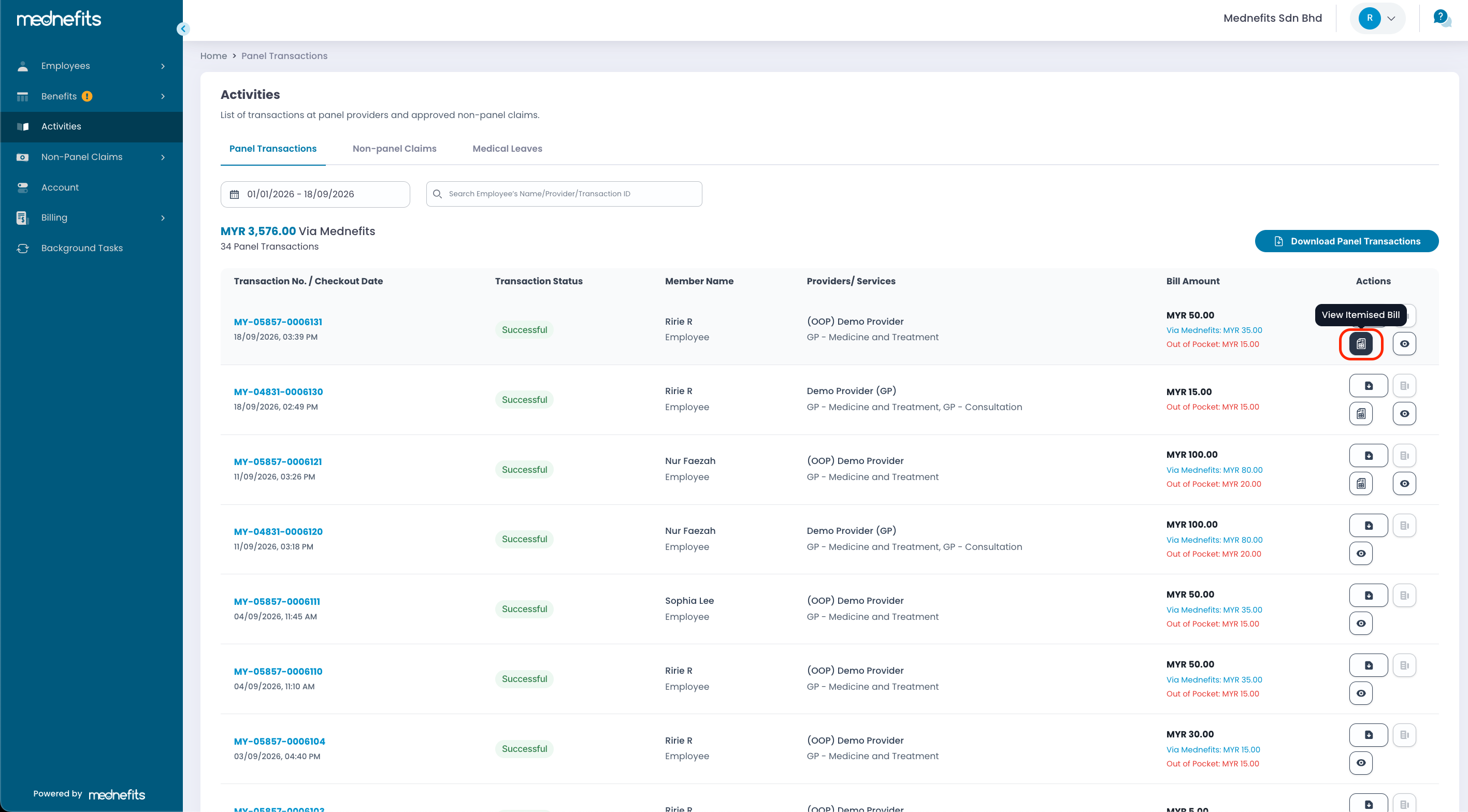
Simply navigate to the Activities page > Panel Transactions
You will be able to view the transactions separately between Panel and Non-Panel. On the selected transaction, you will be able to tap on View Itemised Bill.
- The View Itemised Bill button will only be available if the member submitted a MC.
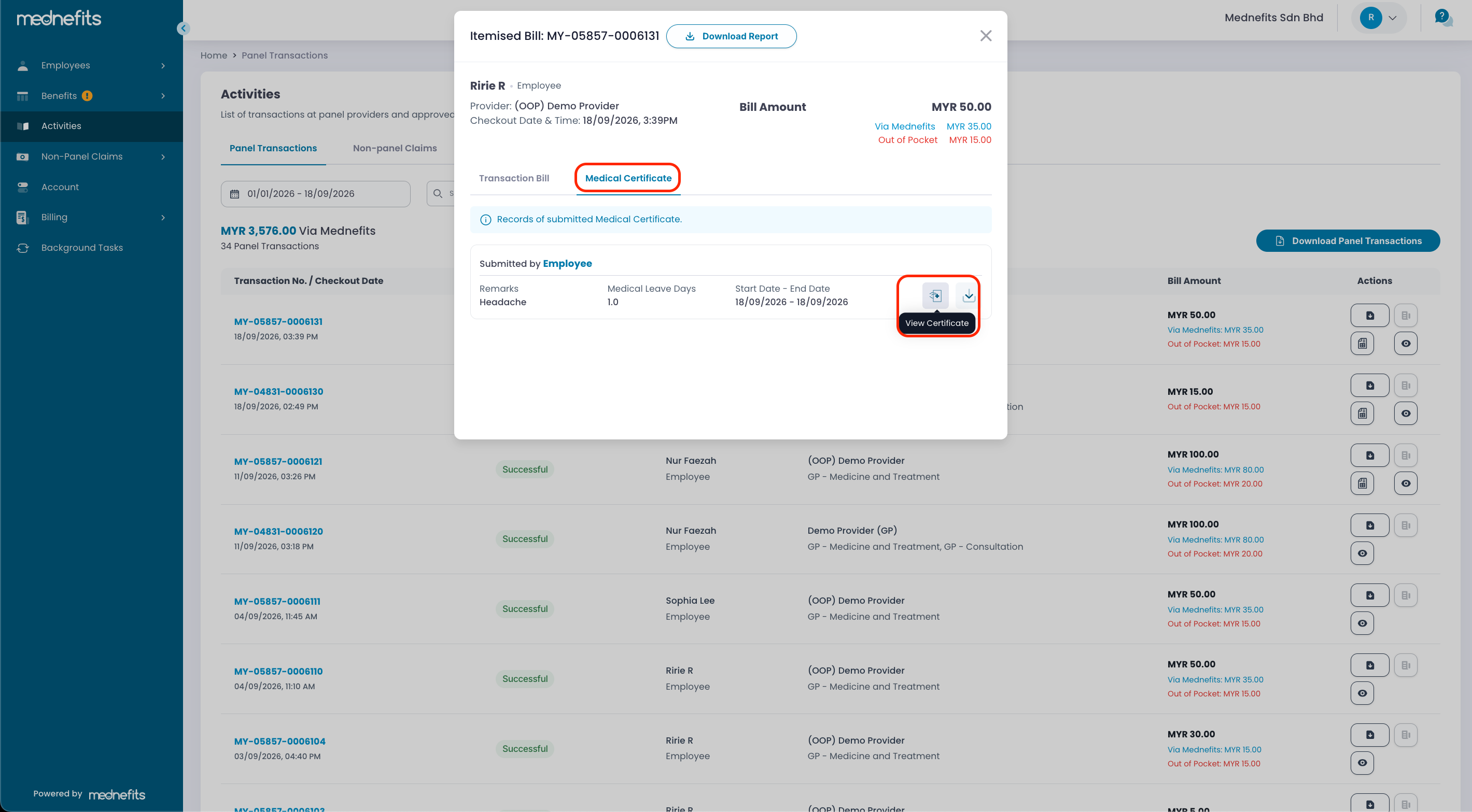
- Employer/HR can easily View and Download the MC submitted by a member.
- You will be able to view the MC submitted by the member and have the option to Download Report in excel format.
❗Do note that Non-Panel Claim won't be listed in Transactions unless the member submitted a claim and it has been approved.

